Direct answer
Design a combined QR and NFC experience with one durable destination, accessible fallbacks, print and antenna rules, analytics and tamper-aware security.
Two technologies with different industrial histories
DENSO WAVE released QR Code in 1994 for fast industrial identification, while NFC Forum work standardized close-range tap interactions for devices and tags. Combining them joins a visible optical channel with an invisible radio channel rather than forcing one medium into every context.
- QR strength
- A printed code is visible, inexpensive and readable by camera-equipped devices when lighting, size and quiet zone are adequate.
- NFC strength
- A tap can work without camera aiming and suits tactile or premium placements where the target is clearly marked.
Choose one canonical destination
Both markers should normally resolve through one controlled HTTPS destination or resolver identity. Separate unmanaged URLs split analytics, create inconsistent content and make later migrations depend on replacing one of the physical markers.
- Stable identifier
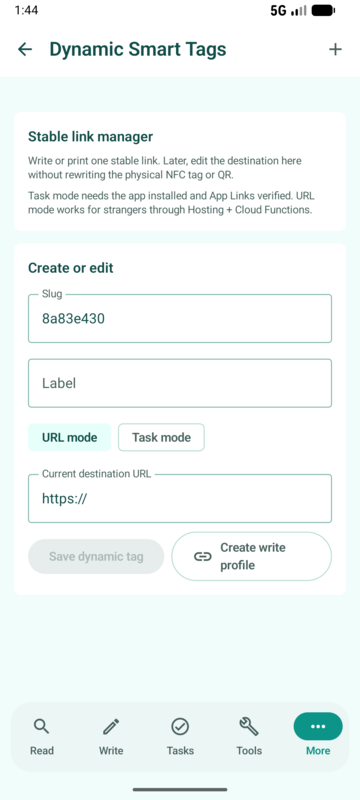
- Write and print the durable resolver, then change the destination in a managed backend rather than encoding seasonal URLs directly.
- Web fallback
- A user without NFCMagic should reach a useful web page, while verified App Links can route installed Android users to the corresponding app screen.
Decide which channel is primary
The object, environment and audience determine whether the call to action says Tap, Scan or both. A bedside automation favors NFC; a poster viewed from a distance favors QR; product packaging can support both at the same decision point.
- Instruction clarity
- Show a recognizable NFC mark near the inlay and a short instruction that does not assume every phone has the same antenna position.
- Avoid competition
- Do not place a large QR code directly over an unknown antenna or surround both markers with competing buttons and URLs.
Engineer the physical placement
QR needs contrast, module size, focus distance and a clear quiet zone. NFC needs antenna coupling and material isolation. A layout that looks balanced in a design file can still fail after metallic ink, foil, liquid, lamination or curved packaging is introduced.
- Print proof
- Test final production artwork at expected damage, glare and viewing distances rather than validating only the exported PNG.
- RF proof
- Use an on-metal construction or spacer when required and scan around the full intended phone-placement area.
Plan QR version and error correction
QR capacity grows through versions 1 to 40, and error-correction levels trade usable payload for recovery. A shorter resolver URL usually produces a less dense symbol that survives printing and consumer camera conditions better.
- Quiet zone
- Standard QR presentation requires clear margin around the symbol; decorative frames and nearby text must not invade it.
- Logo caution
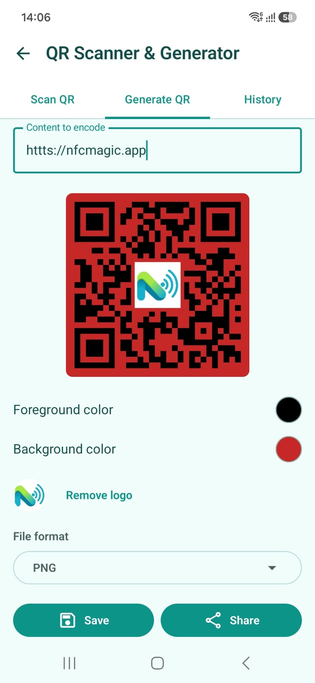
- A center logo consumes modules and error-correction budget, so every branded variant needs tests across devices and print sizes.
Create accessible fallback instructions
NFC and QR interactions need equivalent text descriptions, not just icons. The destination page must expose the same essential content through keyboard, screen reader and readable contrast, because the marker is only the entrance to the experience.
- Physical accessibility
- Place markers within reachable height and add tactile or high-contrast location cues where blind or low-vision users are expected.
- Alternative route
- Print a short human-readable URL when the product risk justifies recovery from damaged QR and NFC markers.
Separate channel analytics without splitting content
The resolver can record whether an NFC or QR entry point was used while sending both to the same canonical page. Campaign parameters should remain server-managed and must not expose personal identifiers on the physical label.
- Comparable metrics
- Track successful resolutions, destination outcomes and broad campaign identifiers rather than treating every camera preview as a completed visit.
- Privacy
- Avoid embedding customer names, emails or stable device identifiers in printed codes or public NDEF URLs.
Defend against replacement and phishing
Attackers can place a new sticker over either marker or imitate the visual call to action. Use a trusted domain, consistent brand page, tamper-evident construction where appropriate and secure NFC when product authenticity is the requirement.
- Destination review
- Show the domain before opening unfamiliar links and prevent a dynamic resolver from accepting arbitrary open-redirect targets.
- Physical inspection
- Design packaging so an added sticker is visible or damages the seal, then explain suspicious results without making unsupported claims.
Use both channels across the product lifecycle
Before purchase, the markers can provide origin and product detail; after purchase they can lead to setup, warranty and support; later they can offer repair, refill or recycling information. A stable link prevents the physical package from becoming obsolete.
- Content governance
- Assign an owner and review date to each destination so a long-lived label never resolves to an abandoned campaign.
- Graceful retirement
- Keep a useful archive or successor page when a product closes instead of deleting the resolver and creating a permanent 404.
Test the complete dual-channel journey
Validation covers printed artwork, encoded NDEF, redirect behavior, app routing, web fallback and analytics attribution. Test without the app, with the app, on phones without NFC and under the final physical installation conditions.
- Cross-channel parity
- Both entry points should resolve to equivalent core content even when one opens the app and the other remains on the web.
- Failure exercise
- Disable network access, damage a print sample and misalign a phone to confirm that instructions and fallback paths remain understandable.
Quick reference
| Context | Primary channel | Fallback |
|---|---|---|
| Close tactile interaction | NFC tap | QR and short URL |
| Poster viewed at distance | QR scan | Printed URL |
| Premium packaging | NFC plus QR | Support lookup |
| Automation station | NFC task | Manual app control |
Related NFCMagic app screens
These screenshots connect this combine QR and NFC guide to the related Android workflow in NFCMagic. They document interface states; radio behavior still requires a physical Android device and real tags.
Frequently asked questions
Should QR and NFC use exactly the same URL?
They should normally share one canonical resolver, while a controlled channel parameter can distinguish tap from scan analytics.
Which is cheaper for packaging?
QR printing adds little component cost, while NFC requires an IC and inlay. The right choice depends on interaction value, materials and production scale.
Can error correction fix any damaged QR code?
No. It can recover a limited amount depending on the selected level and damage pattern; production samples still need camera testing.
Does a QR fallback weaken secure NFC authentication?
Use QR for public fallback content, not as equivalent cryptographic proof. Clearly label the difference in the result experience.
Primary technical sources
- DENSO WAVE: History of QR Code — Primary history of the 1994 QR Code release and its industrial origins.
- DENSO WAVE: QR Code standardisation — QR versions, capacity, error-correction levels and international standards.
- NFC Forum: 15 years of NFC innovation — NFC Forum history and the roles of Nokia, Royal Philips Electronics and Sony.
- Android Developers: About App Links — Verified web-to-app routing and Digital Asset Links behavior.