Learn what UID, NDEF, capacity and write access mean before using any tag.
Professional NFC toolkit
The complete NFC tag and QR code toolkit for Android.
NFCMagic reads NFC tags, writes NDEF payloads, generates and scans QR codes, and turns everyday taps into automated tasks - one focused Android app instead of five half-working ones.
Owned by TrustQR Ltd
Built for Android NFC
NFC tag + QR code in one app
NDEF read and write
Structured data ready
Start with the right NFC workflow
Read, write, automate and manage NFC tags from one Android app.
NFCMagic connects the important search paths: reading a tag, writing a payload, pairing QR with NFC, building automation, and managing dynamic smart tags after deployment.
Create URL, text, Wi-Fi, contact and app-link payloads safely.
Choose NFC, QR, or both for product labels and business workflows.
Publish a mobile menu, share it by QR or NFC, and manage table orders.
20+
NFC and QR workflows in one Android app
0 GBP
To start reading and writing NFC tags
NTAG & MIFARE
Common Android-compatible tag families
19
In-depth NFC and QR guides in the blog
How it works
From NFC tag to automated tap in three steps
Whether you are scanning a single NFC tag, writing a batch of NDEF labels, or pairing NFC with a QR code fallback, the flow stays the same.
1
Tap an NFC tag or scan a QR code
Open the Read tab and hold an NFC tag to the back of your Android phone, or open the QR scanner to read a printed QR code with the camera.
2
Read, write or automate
See the tag type, UID and NDEF records instantly, write a new payload from a saved profile, or attach a task so the same tap runs an action next time.
3
Reuse across every tag you own
Save payload and task profiles once, then batch-write them to dozens of NFC tags, generate a matching QR code, and track results in scan history.
Why NFCMagic
Everything an Android NFC tag and QR code project needs
Most Android NFC apps only read tags. NFCMagic covers the entire lifecycle: reading, writing, automating, batch operations, QR pairing and product-authenticity trust.
Read and write NFC tags
Decode UID, tag type, capacity and NDEF records, then compose reliable text, URL, Wi-Fi, contact and app-launch payloads with reusable profiles.
Automation without confusion
Turn an NFC tag tap into an on-device action with explicit armed states, a visible cancel path and honest success or error messages.
Secure product workflows
Plan NTAG 424 DNA product authenticity, dynamic tag routing and analytics with honest Android platform boundaries, never fake credential cloning claims.
Core features
Built for Android developers, installers and product teams
NFCMagic avoids vague NFC marketing. It separates public NDEF tooling from protected credential systems and explains each user action in plain language.
NFC read layer
Detect tag technology, type, UID, NDEF support, capacity and decoded records.
Write composer
Create reusable NDEF payloads with text, URI, app, contact, Wi-Fi, geo, MIME and raw records.
Task engine
Build tap-triggered workflows with actions, conditions, saved profiles and app shortcuts.
Tools
Copy public NDEF payloads, erase, format, add or remove PASS, and make supported tags read-only.
QR studio
Scan QR codes with CameraX and generate QR assets from text or links.
Tag cycles
Bind one tag to a sequence of task profiles so first tap, second tap and later taps can run different workflows.
Friction-free Auto-run
Use an explicit active mode, foreground notification and trusted-tag controls so known tags can run prepared tasks with fewer manual steps.
AI Tap Studio
Draft tasks from plain-language prompts, explain decoded tag content, check URL safety and suggest practical tap experiences with opt-in Firebase AI.
Dynamic Smart Tag Manager
Create Firestore-backed smart tags in URL mode or task mode, generate matching QR codes, and write stable links to NFC tags.
Restaurant Menu Maker
Publish a branded mobile menu with categories, photos, ingredients, prices, allergy warnings, QR and NFC access, plus PDF download.
Digital table ordering
Let guests order by table, follow order status, call a waiter and request the bill while staff manage service in real time.
Trackable QR codes
Count opens and privately review scan time, public IP, permission-based coordinates and available browser or device details.
Product authenticity
Support NTAG 424 DNA SUN/CMAC verification patterns for product trust.
Professional workflows
Digital business cards, automation connectors, analytics and developer endpoint settings.
Who it is for
One NFC and QR toolkit, many Android use cases
NFCMagic is built so a solo maker and a professional installer can both trust the same app.
App developers
Test NDEF payloads, HCE limits and App Link flows on real Android hardware before shipping a client integration.
Retail and hospitality teams
Batch-write NFC table tags and shelf labels, then pair every tag with a QR code fallback for camera-only phones.
Installers and field technicians
Read unknown tags safely, confirm write access, and automate job-sheet and maintenance workflows with tap-triggered tasks.
Brand protection teams
Plan NTAG 424 DNA SUN/CMAC product authenticity checks so a tap can return a genuine, counterfeit or tamper result.
App screenshots
Every major app screen and new workflow preview
Device captures are used where available. New M8 workflows also include app-style visual previews so the website explains the complete product surface without using unrelated images.
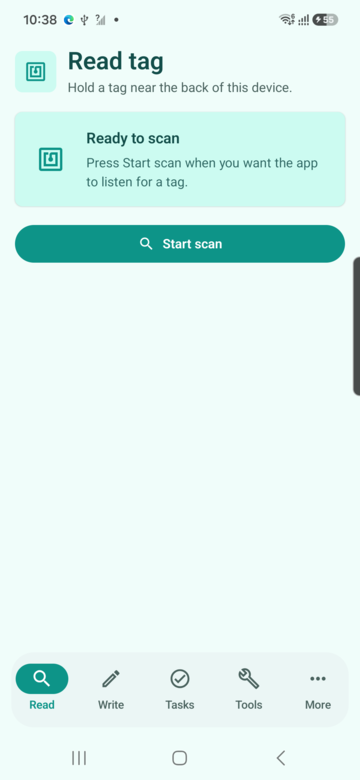
Read tags
Tag type, UID, NDEF records, capacity, write access
Scenario: A field technician taps an unknown label, confirms it is writable, checks capacity, and reads the public NDEF content before deciding whether it can be reused.
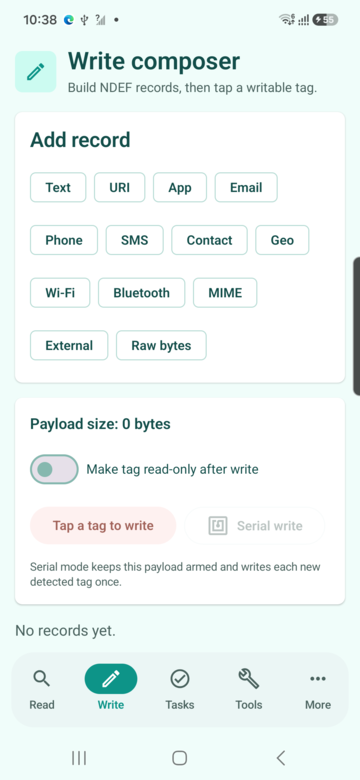
Write composer
Create NDEF payloads and save reusable profiles
Scenario: A product team prepares a URL, Wi-Fi credential or contact payload once, saves it as a profile, then writes it to a small batch of compatible tags.
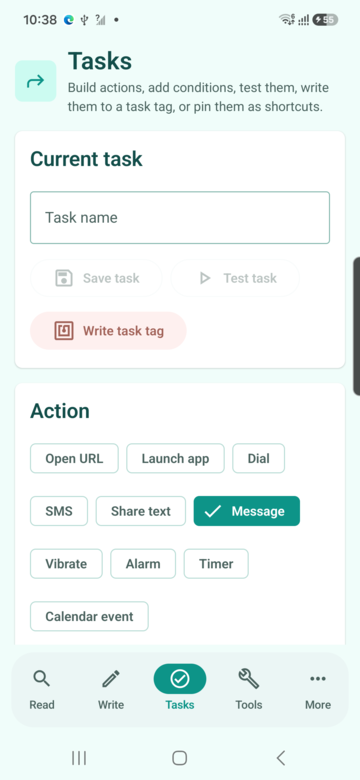
Task automation
Build tap-triggered workflows with conditions
Scenario: A workshop user creates a tag that opens a job sheet, starts a timer, shares status text and only runs when the right network or time condition is met.
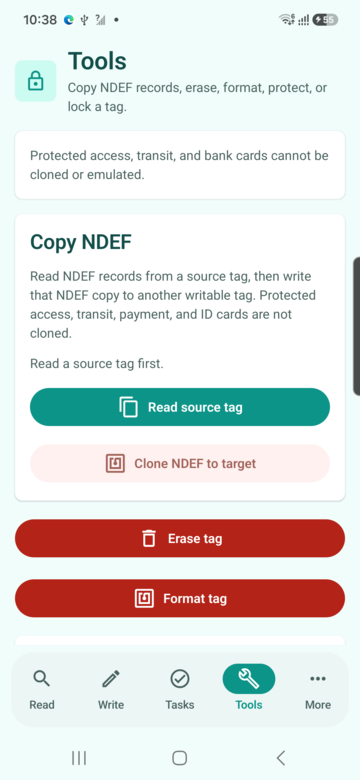
NFC tools
Copy NDEF, format, erase, protect and make read-only
Scenario: An installer reads a source NDEF tag, confirms the source payload is valid, then writes that public payload to a clean target tag with visible result feedback.
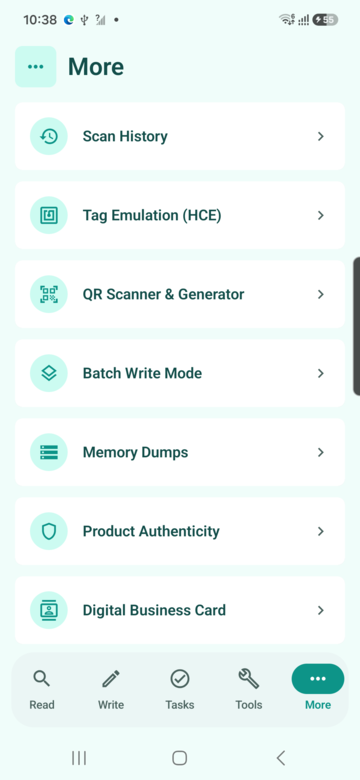
More workflows
History, HCE, QR, dumps, authenticity, cycles and analytics
Scenario: A power user opens advanced workflows from one menu instead of hunting through hidden settings.
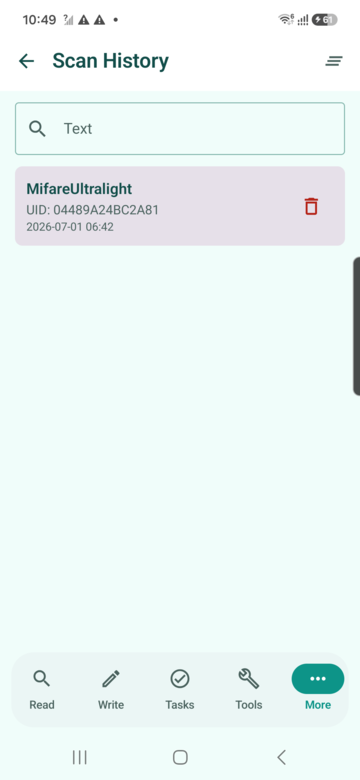
Scan history
Search, inspect and clear previous tag reads
Scenario: A support engineer searches previous scans by UID, tag type or NDEF text and opens a past result without rescanning the physical tag.
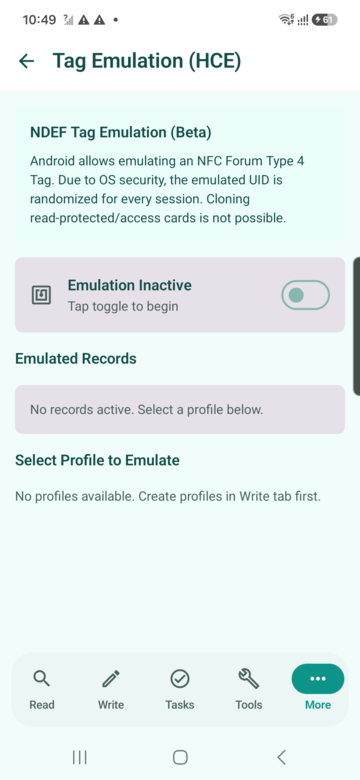
Tag emulation (HCE)
Emulate selected NDEF profiles within Android HCE limits
Scenario: A developer selects a saved profile and tests an NDEF Type 4 style sharing flow against a reader while respecting Android UID limitations.
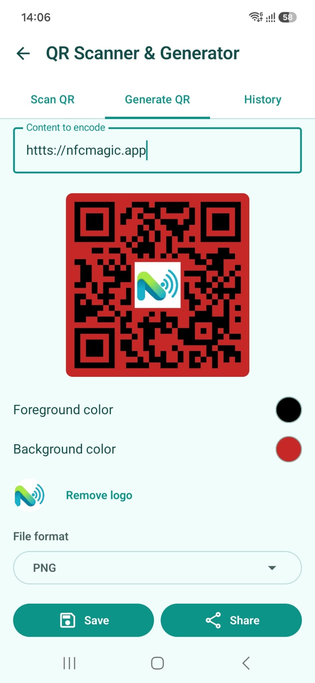
QR scanner and generator
Scan QR codes and generate QR content from text
Scenario: A product label can carry both NFC and QR so users without NFC still reach the same destination.
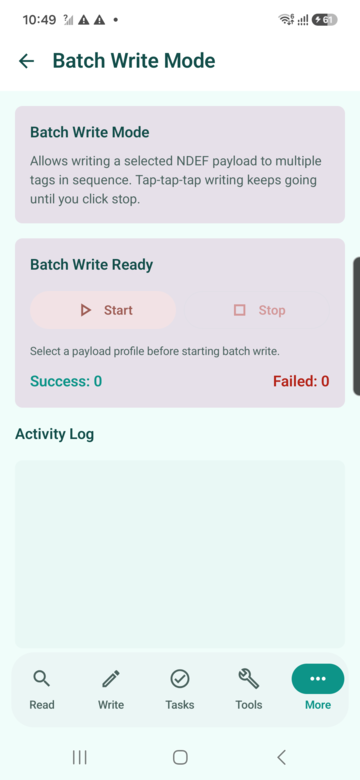
Batch write mode
Write one selected payload profile to many tags
Scenario: An operations team selects a saved payload, starts batch mode, then taps multiple blank tags and reviews success and failure counts.
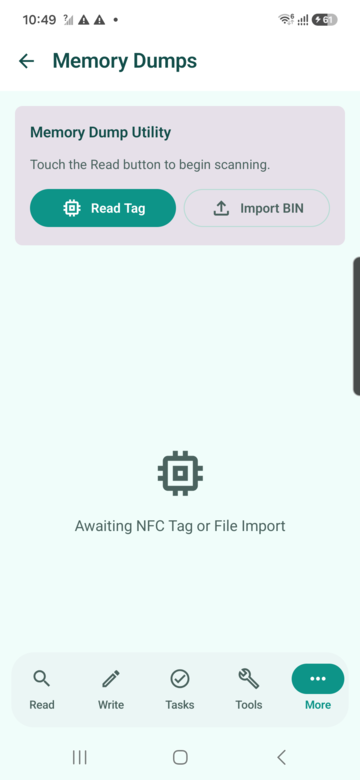
Memory dumps
Read, import, edit, export and write supported memory dumps
Scenario: A lab user reads bytes from a compatible tag, exports a BIN or Flipper-style file, and inspects the hex view for diagnostics.
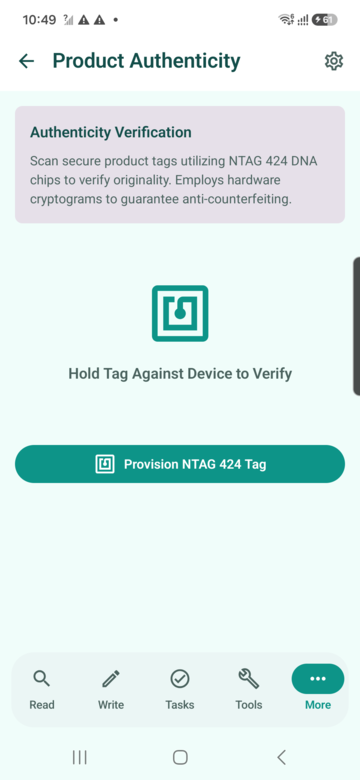
Product authenticity
Verify secure product tags with NTAG 424 DNA style flows
Scenario: A customer or inspector taps a secure product label and receives a clear genuine, counterfeit, pending or tamper result.
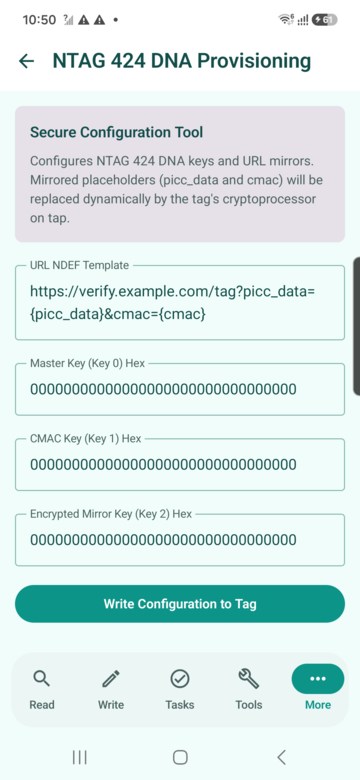
NTAG 424 DNA provisioning
Configure secure URL mirrors and AES keys for supported tags
Scenario: A trusted operator prepares a secure tag template with dynamic mirror placeholders and writes configuration to a real NTAG 424 DNA tag.
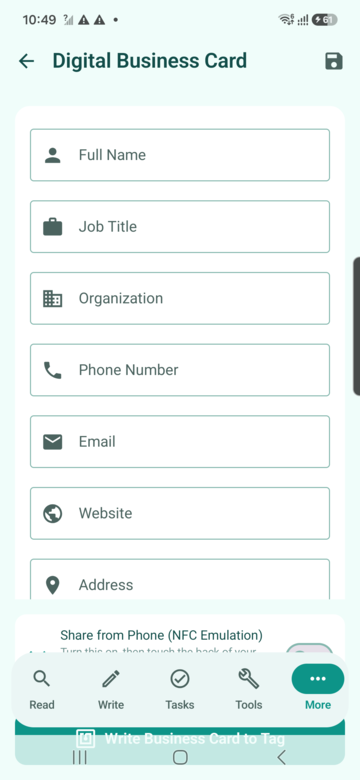
Digital business card
Create and write contact details to NFC business cards
Scenario: A consultant enters contact details once, saves them, then writes the card to an NFC tag or shares directly from the phone.
Automation connectors
Webhook, Home Assistant and MQTT-style automation setup
Scenario: A smart-space installer links a tag UID to a webhook or MQTT topic so a tap can trigger a room, asset or service workflow.
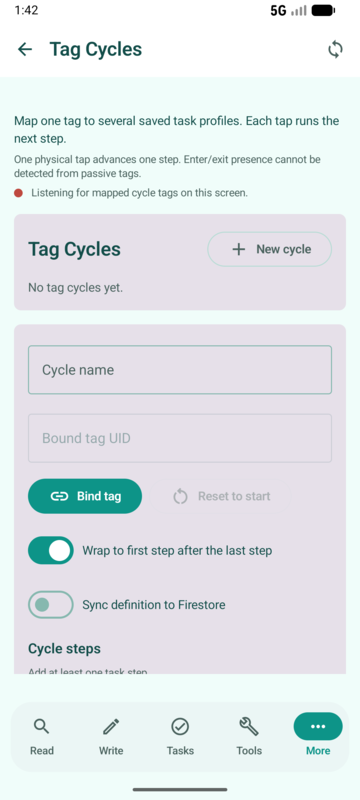
Tag cycles
One tag moves through multiple task profiles
Scenario: A single desk tag cycles through check-in, start focus mode and check-out actions, advancing one step per physical tap.
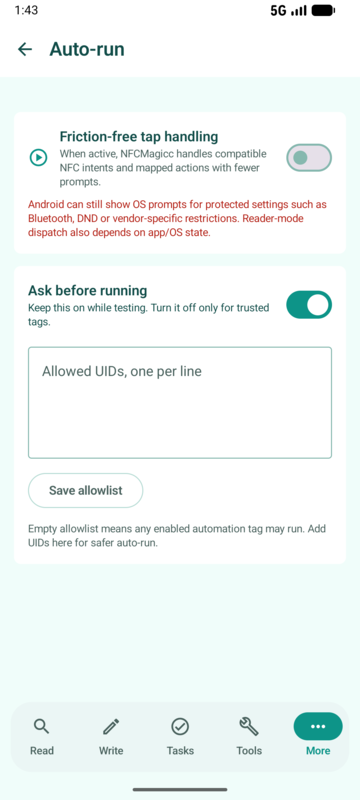
Friction-free Auto-run
Trusted taps can run task profiles with fewer manual steps
Scenario: A user enables Auto-run for a trusted bedside, car or workshop tag so NFCMagic can detect the tap, show honest status, and run the selected task route with ask-first safety controls.
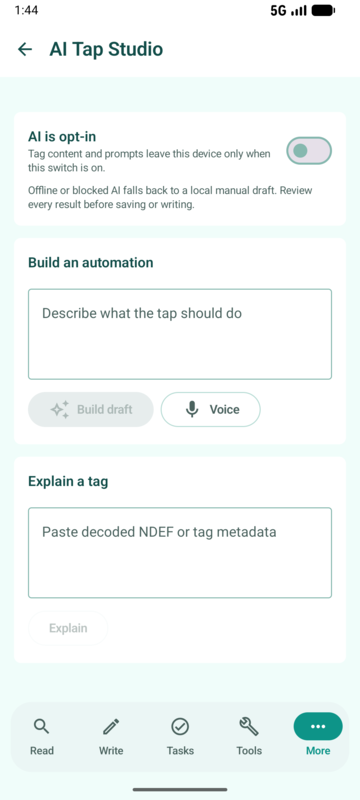
AI Tap Studio
Use chat-style prompts to draft, explain and check tap workflows
Scenario: A user describes a routine in plain English, reviews the AI-generated task draft, edits any action fields, then saves the final profile into the existing Tasks engine.
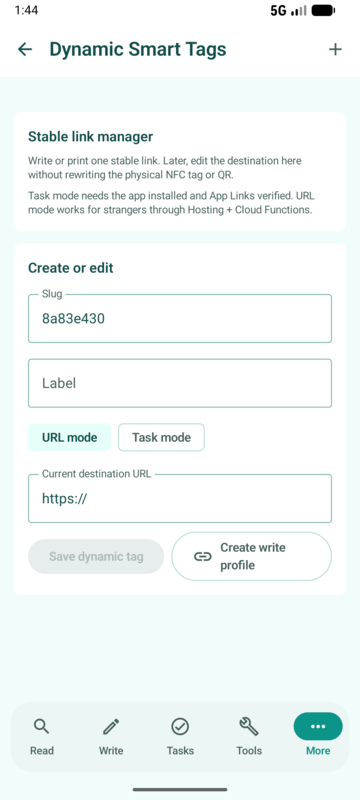
Dynamic Smart Tags
Firestore-backed URL and task tags with QR and write profiles
Scenario: A restaurant, product team or installer writes one stable smart link to a tag, then changes URL mode or task mode later without replacing the physical tag.
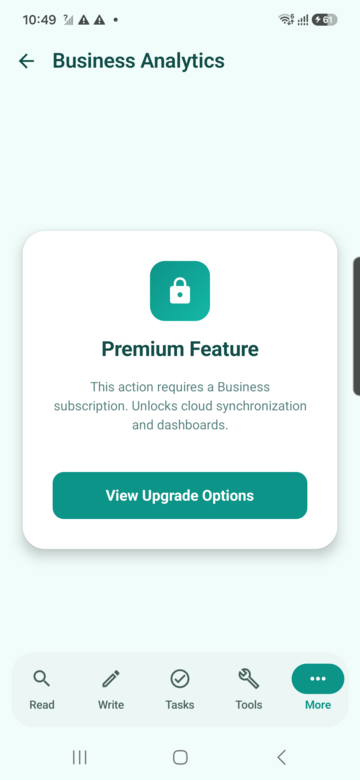
Business analytics
View tap totals, daily trends and product distribution
Scenario: A business owner reviews scan trends and product shares to understand which tags or campaigns receive engagement.
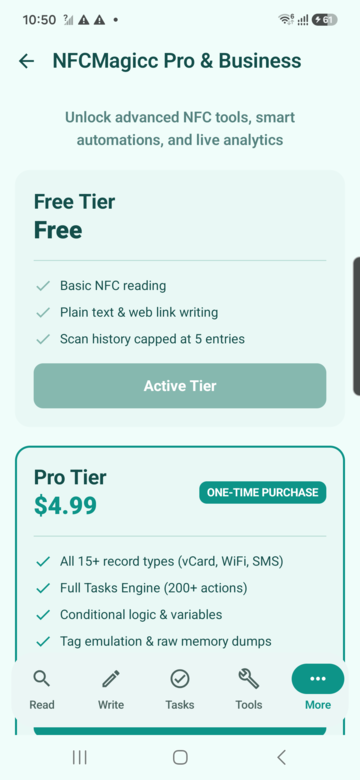
NFCMagic Pro
One paid plan, $3 once, every professional workflow unlocked
Scenario: A power user hits the free Batch Write or QR generation limit and upgrades once to unlock every advanced workflow, with no separate business tier to compare.
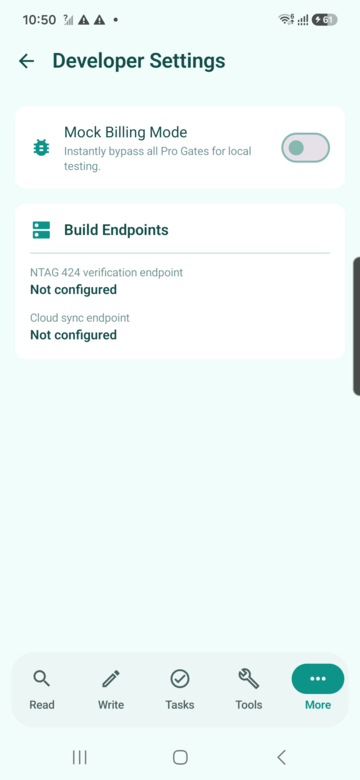
Developer settings
Mock billing and backend endpoint configuration
Scenario: A developer tests entitlement gates and backend endpoints locally before moving the Firebase and hosting configuration to production.
Simple pricing
Free to start. $3 once to unlock everything.
No subscription, no separate business tier to compare. One small one-time purchase unlocks every professional workflow for good.
Free
$0
Forever, no account required
- Unlimited NFC tag reading and writing
- Single-tag task automation
- Up to 2 saved QR codes
- Scan history, tools and tag emulation
Most popular
NFCMagic Pro
$3
One-time purchase, yours forever
- Batch Write Mode for dozens of tags at once
- Unlimited QR code generation, including SVG export
- AI Tap Studio and Dynamic Smart Tags
- Automation connectors, tag cycles and business analytics
FAQ
Answer-first support for NFC tag and QR code questions
Short, direct answers improve human support, search snippets and AI assistant retrieval.
Is NFCMagic free?
Yes. NFCMagic is free to install and covers unlimited NFC tag reading and writing, single-tag automation and up to two saved QR codes. A single $3 one-time purchase called NFCMagic Pro unlocks Batch Write Mode, unlimited QR generation, AI Tap Studio, Dynamic Smart Tags, automation connectors and business analytics. There is no subscription and no separate business tier.
Can NFCMagic clone access cards?
No. NFCMagic does not clone read-protected access cards, bank cards, passports, transit cards, or credentials that rely on secret keys. It can copy public NDEF payloads between compatible writable tags.
Why can the app detect a passport or payment card but not show its contents?
The radio technology can be detected from the Android tag object, but protected card data is encrypted, permissioned, or outside the public NDEF format. NFCMagic reports the type honestly and avoids unauthorized content access.
What does Copy NDEF do?
Copy NDEF reads a public NDEF message from a source tag. When a valid source is available, Clone writes that NDEF message to a separate writable target tag.
What is serial write mode?
Serial write mode keeps the same payload armed so you can write it to multiple tags one after another until you stop the mode.
What are PASS and PACK?
PASS is a 4-byte password entered as 8 hexadecimal characters. PACK is a 2-byte acknowledgement entered as 4 hexadecimal characters. They only apply to compatible NTAG-style tags.
Does NFCMagic verify real NTAG 424 DNA products?
The app includes an authenticity flow for NTAG 424 DNA SUN/CMAC scenarios. A production deployment still needs correctly provisioned tags, secure keys, and a backend verification process.
Does the website use Firebase Dynamic Links?
No. The app architecture uses Android App Links with hosting and backend redirect logic. Firebase Dynamic Links are not used.
What is the Smart Tag Manager?
It is the user-facing dynamic tag manager concept: a physical NFC tag or QR code points to a stable smart link, and the owner can change the final destination URL later without rewriting the tag.
What is Auto-run and can it remove every Android prompt?
Auto-run reduces friction for trusted NFC task flows by keeping NFCMagic ready through an explicit active state, notification and trusted-tag controls. Android security prompts and permission boundaries still apply, so the app must explain when the operating system requires user confirmation.
Does AI Tap Studio send tag data to AI automatically?
No. AI Tap Studio is an opt-in workflow. The user chooses what to send, reviews the AI draft, and saves only validated task actions into NFCMagic. Sensitive tags and protected credentials should not be submitted.
How are Dynamic Smart Tags different from normal NFC tags?
A normal tag stores a fixed final URL or payload. A Dynamic Smart Tag stores a stable link that can resolve to a new URL or app task later, so printed labels and installed tags can be updated without rewriting the physical tag.
Can NFCMagic create a digital restaurant menu?
Yes. The Restaurant Menu Maker publishes a mobile-friendly menu with restaurant branding, categories, food photos, ingredients, prices and allergy warnings. Its permanent link can be shared as a QR code or written to an NFC tag.
Can customers order from an NFCMagic restaurant menu?
Yes. Customers can select dishes, change quantities, enter a table number, send the order, follow its status, call a waiter and request the bill. Restaurant staff manage orders and service requests from the app or secure web dashboard.
Who owns the app?
NFCMagic is owned by TrustQR Ltd, registered in England and Wales, Company No. 17272910. Registered Office: 2, Frederick Street, Kings Cross, London, WC1X 0ND, United Kingdom.
Get started free
Download NFCMagic and read your first NFC tag in under a minute.
Free to install. No account needed to start reading NFC tags and scanning QR codes on Android.