Direct answer
Explore practical NFC tag ideas for home, work, accessibility and maintenance, with safe Android automation patterns, permissions, testing and recovery.
Design around a physical context
A good automation belongs to the place or object carrying the tag. The tap should make the next action obvious. In this nfc tag ideas guide, the distinction is treated as a deployment decision rather than a marketing shortcut: verify the physical sample, encoded payload, phone behavior and user-facing result together before scaling.
- Intent
- Use a deliberate tap rather than an invisible trigger.
- Label
- Tell users what the tag will do.
- Decision point
- For NFC Tag Ideas and Automations for Home and Work, section 1 turns the search question into a testable choice with a visible result, a failure path and evidence that another operator can reproduce.
Bedtime and morning routines
A bedside tag can open a routine, set permitted sound states or start a checklist within Android permission limits. In this nfc tag ideas guide, the distinction is treated as a deployment decision rather than a marketing shortcut: verify the physical sample, encoded payload, phone behavior and user-facing result together before scaling.
- Confirmation
- Sensitive changes may still require user action.
- Recovery
- Provide an easy way to reverse the routine.
- Decision point
- For NFC Tag Ideas and Automations for Home and Work, section 2 turns the search question into a testable choice with a visible result, a failure path and evidence that another operator can reproduce.
Desk focus and timers
A desk tag can launch a focus app, timer, task list or approved automation profile to create a consistent start ritual. In this nfc tag ideas guide, the distinction is treated as a deployment decision rather than a marketing shortcut: verify the physical sample, encoded payload, phone behavior and user-facing result together before scaling.
- Small sequence
- Prefer a few reliable actions to a fragile long chain.
- Visible state
- Show whether the focus task started.
- Decision point
- For NFC Tag Ideas and Automations for Home and Work, section 3 turns the search question into a testable choice with a visible result, a failure path and evidence that another operator can reproduce.
Smart-home shortcuts
A tag can open an authorized Home Assistant link or run an app-owned webhook after explicit setup and validation. In this nfc tag ideas guide, the distinction is treated as a deployment decision rather than a marketing shortcut: verify the physical sample, encoded payload, phone behavior and user-facing result together before scaling.
- Never trust arbitrary tags
- Do not execute an unknown URL without confirmation.
- Network failure
- Explain offline and server error states.
- Decision point
- For NFC Tag Ideas and Automations for Home and Work, section 4 turns the search question into a testable choice with a visible result, a failure path and evidence that another operator can reproduce.
Workplace checklists
Equipment tags can open the correct checklist, manual or inspection form at the point of work. In this nfc tag ideas guide, the distinction is treated as a deployment decision rather than a marketing shortcut: verify the physical sample, encoded payload, phone behavior and user-facing result together before scaling.
- Stable URL
- Use a resolver when documents may move.
- Audit
- Keep completion records in the authorized system, not public NDEF.
- Decision point
- For NFC Tag Ideas and Automations for Home and Work, section 5 turns the search question into a testable choice with a visible result, a failure path and evidence that another operator can reproduce.
Inventory and asset information
Public identifiers can route staff to current asset records while the backend applies authentication and authorization. In this nfc tag ideas guide, the distinction is treated as a deployment decision rather than a marketing shortcut: verify the physical sample, encoded payload, phone behavior and user-facing result together before scaling.
- Minimal tag data
- Avoid personal or confidential inventory details on the tag.
- Fallback
- Print an identifier for damaged-tag recovery.
- Decision point
- For NFC Tag Ideas and Automations for Home and Work, section 6 turns the search question into a testable choice with a visible result, a failure path and evidence that another operator can reproduce.
Accessibility cues
Tactile placement and an NFC tap can open audio instructions or simplified content when paired with clear non-NFC alternatives. In this nfc tag ideas guide, the distinction is treated as a deployment decision rather than a marketing shortcut: verify the physical sample, encoded payload, phone behavior and user-facing result together before scaling.
- Redundant feedback
- Use sound, vibration and text without relying on color alone.
- Placement
- Keep tag location consistent and discoverable.
- Decision point
- For NFC Tag Ideas and Automations for Home and Work, section 7 turns the search question into a testable choice with a visible result, a failure path and evidence that another operator can reproduce.
Car and travel routines
A stationary tag can open navigation or a travel checklist, but actions must never distract a driver or bypass system safety controls. In this nfc tag ideas guide, the distinction is treated as a deployment decision rather than a marketing shortcut: verify the physical sample, encoded payload, phone behavior and user-facing result together before scaling.
- Parked setup
- Configure and test while stationary.
- Confirmation
- Let the operating system control protected driving actions.
- Decision point
- For NFC Tag Ideas and Automations for Home and Work, section 8 turns the search question into a testable choice with a visible result, a failure path and evidence that another operator can reproduce.
Tag cycles and repeat taps
A managed profile can alternate states, such as start and stop, when the application owns the current state and shows it clearly. In this nfc tag ideas guide, the distinction is treated as a deployment decision rather than a marketing shortcut: verify the physical sample, encoded payload, phone behavior and user-facing result together before scaling.
- Do not infer blindly
- A missed tap can desynchronize a hidden toggle.
- State display
- Show the next action before execution.
- Decision point
- For NFC Tag Ideas and Automations for Home and Work, section 9 turns the search question into a testable choice with a visible result, a failure path and evidence that another operator can reproduce.
Automation test matrix
Test the tag, phone, permissions, network, locked state and recovery path. NFC radio behavior requires physical devices. In this nfc tag ideas guide, the distinction is treated as a deployment decision rather than a marketing shortcut: verify the physical sample, encoded payload, phone behavior and user-facing result together before scaling.
- Denied permission
- Every action needs an understandable fallback.
- Repeatability
- Record model, OS and profile version for failures.
- Decision point
- For NFC Tag Ideas and Automations for Home and Work, section 10 turns the search question into a testable choice with a visible result, a failure path and evidence that another operator can reproduce.
Quick reference
| Place | Idea | Guardrail |
|---|---|---|
| Desk | Focus timer | Visible state |
| Home | Routine | Permission limits |
| Equipment | Checklist | Authorized backend |
| Public space | Instructions | Accessible fallback |
Related NFCMagic app screens
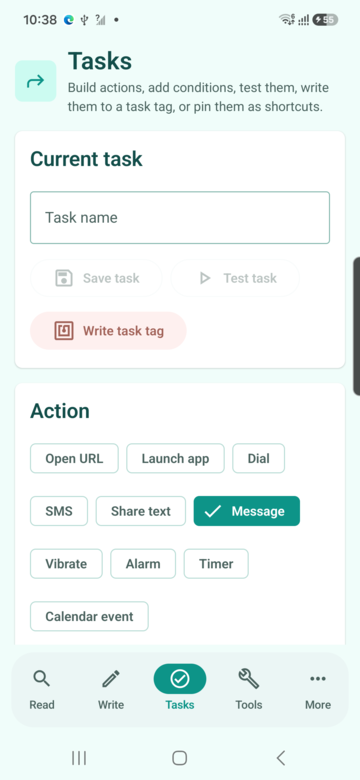
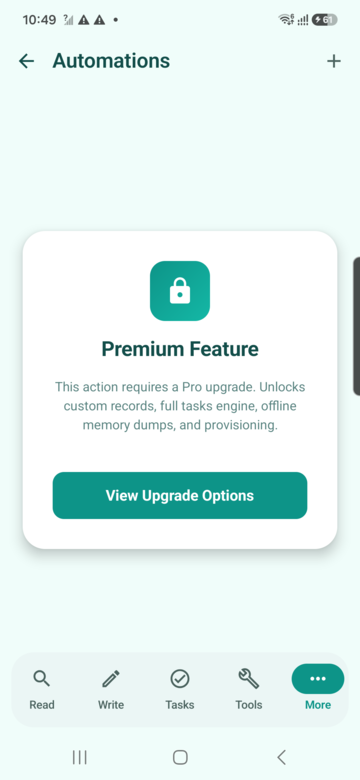
These screenshots connect this nfc tag ideas guide to the related Android workflow in NFCMagic. They document interface states; radio behavior still requires a physical Android device and real tags.
Frequently asked questions
What can an NFC tag automate?
It can trigger app-supported, permission-aware routines such as links, timers, checklists and managed webhooks.
Can a tag change every phone setting?
No. Modern platforms restrict sensitive actions.
Do automations work offline?
Local actions may; cloud actions need network and error handling.
Can I test without a tag?
App logic can be tested, but real NFC behavior needs a phone and tag.
Primary technical sources
- Android Developers: NFC overview — Official overview of Android NFC, NDEF messages and raw tag technology access.
- Android Developers: Advanced NFC — Official guidance for tag technologies, NDEF writing and foreground dispatch.
- Apple Support: Automation triggers in Shortcuts — Official explanation of the NFC personal-automation trigger and how the scanned tag identifier is used.
- W3C: Web Content Accessibility Guidelines 2.2 — Normative accessibility guidance for readable destinations, labels, contrast and non-visual alternatives.