Direct answer
Use Foqos with an NFC tag on iPhone to start and stop focus sessions, choose timer or pause strategies, place the tag well and protect your routine.
What Foqos is
Foqos describes itself as a free, open-source, privacy-first iPhone blocker for distracting apps and websites using Apple's Screen Time APIs. In this foqos guide, the distinction is treated as a deployment decision rather than a marketing shortcut: verify the physical sample, encoded payload, phone behavior and user-facing result together before scaling.
- Platform
- Foqos is for iPhone; NFCMagic is an Android toolkit.
- Local privacy
- The project documents local data with no account, ads or cloud analytics.
- Decision point
- For Use Foqos with an NFC Tag to Block Distractions, section 1 turns the search question into a testable choice with a visible result, a failure path and evidence that another operator can reproduce.
Why add a physical tag
A tag adds intentional friction: starting or ending a block requires moving to a chosen physical place instead of tapping an easy software override. In this foqos guide, the distinction is treated as a deployment decision rather than a marketing shortcut: verify the physical sample, encoded payload, phone behavior and user-facing result together before scaling.
- Cue
- Place the tag where the focused activity begins.
- Distance
- A remote stop tag makes impulsive bypass less convenient.
- Decision point
- For Use Foqos with an NFC Tag to Block Distractions, section 2 turns the search question into a testable choice with a visible result, a failure path and evidence that another operator can reproduce.
Choose a compatible tag
Foqos states that ordinary inexpensive NFC tags such as NTAG213 or similar can be used. Test the exact sample with the iPhone. In this foqos guide, the distinction is treated as a deployment decision rather than a marketing shortcut: verify the physical sample, encoded payload, phone behavior and user-facing result together before scaling.
- No premium device required
- The workflow does not require dedicated Brick hardware.
- Construction
- Avoid ordinary stickers directly on metal.
- Decision point
- For Use Foqos with an NFC Tag to Block Distractions, section 3 turns the search question into a testable choice with a visible result, a failure path and evidence that another operator can reproduce.
Create the focus profile
Choose the apps and websites to block and name the profile for a context such as work, study or bedtime. In this foqos guide, the distinction is treated as a deployment decision rather than a marketing shortcut: verify the physical sample, encoded payload, phone behavior and user-facing result together before scaling.
- Scope
- Block the actual distraction set rather than every application.
- Recovery
- Understand emergency and temporary-access options before starting.
- Decision point
- For Use Foqos with an NFC Tag to Block Distractions, section 4 turns the search question into a testable choice with a visible result, a failure path and evidence that another operator can reproduce.
NFC start and stop
Foqos officially documents scanning the same tag to start and stop a session, creating one memorable physical control. In this foqos guide, the distinction is treated as a deployment decision rather than a marketing shortcut: verify the physical sample, encoded payload, phone behavior and user-facing result together before scaling.
- Confirm behavior
- Run a short test session before relying on it.
- Placement
- Keep the tag accessible but not within reflex reach.
- Decision point
- For Use Foqos with an NFC Tag to Block Distractions, section 5 turns the search question into a testable choice with a visible result, a failure path and evidence that another operator can reproduce.
Timer and pause strategies
The product also documents NFC plus timer, NFC pause timer and temporary-access combinations for different focus boundaries. In this foqos guide, the distinction is treated as a deployment decision rather than a marketing shortcut: verify the physical sample, encoded payload, phone behavior and user-facing result together before scaling.
- Timer
- A duration can end automatically or use the tag for early stop.
- Pause
- A timed pause can grant a break without ending the session.
- Decision point
- For Use Foqos with an NFC Tag to Block Distractions, section 6 turns the search question into a testable choice with a visible result, a failure path and evidence that another operator can reproduce.
Foqos and Brick search intent
People searching Brick often want a physical barrier to distracting apps. Foqos offers a software-and-tag approach rather than a dedicated paid object. In this foqos guide, the distinction is treated as a deployment decision rather than a marketing shortcut: verify the physical sample, encoded payload, phone behavior and user-facing result together before scaling.
- Not affiliated
- Foqos states it is not affiliated with Brick or other compared products.
- Compare workflow
- Evaluate friction, platform, privacy and recovery—not only price.
- Decision point
- For Use Foqos with an NFC Tag to Block Distractions, section 7 turns the search question into a testable choice with a visible result, a failure path and evidence that another operator can reproduce.
Tag placement ideas
Put a work tag at the desk, a bedtime tag away from bed or a study tag near books. Avoid unsafe, wet or hard-to-reach locations. In this foqos guide, the distinction is treated as a deployment decision rather than a marketing shortcut: verify the physical sample, encoded payload, phone behavior and user-facing result together before scaling.
- Visual label
- Mark the profile and expected tap action.
- Spare path
- Keep documented recovery for a lost or damaged tag.
- Decision point
- For Use Foqos with an NFC Tag to Block Distractions, section 8 turns the search question into a testable choice with a visible result, a failure path and evidence that another operator can reproduce.
Troubleshooting
If the scan fails, wake the iPhone, align the top area, remove interfering accessories and retry with another known tag. In this foqos guide, the distinction is treated as a deployment decision rather than a marketing shortcut: verify the physical sample, encoded payload, phone behavior and user-facing result together before scaling.
- App state
- Check Foqos permissions and current strategy.
- Hardware
- Test the tag in free air if it was installed on metal.
- Decision point
- For Use Foqos with an NFC Tag to Block Distractions, section 9 turns the search question into a testable choice with a visible result, a failure path and evidence that another operator can reproduce.
A sustainable focus routine
Use the tag as a cue within a realistic schedule, review whether blocked apps match the goal and avoid making essential communication inaccessible. In this foqos guide, the distinction is treated as a deployment decision rather than a marketing shortcut: verify the physical sample, encoded payload, phone behavior and user-facing result together before scaling.
- Measure outcome
- Judge completed focused work, not only blocked minutes.
- Adjust
- Update profiles as responsibilities change.
- Decision point
- For Use Foqos with an NFC Tag to Block Distractions, section 10 turns the search question into a testable choice with a visible result, a failure path and evidence that another operator can reproduce.
Quick reference
| Strategy | Start | Stop |
|---|---|---|
| NFC | Tap tag | Tap same tag |
| NFC + timer | Start session | Timer or tag |
| NFC pause | Active session | Timed pause |
| Temporary access | Limited open | Tag returns to block |
Related NFCMagic app screens
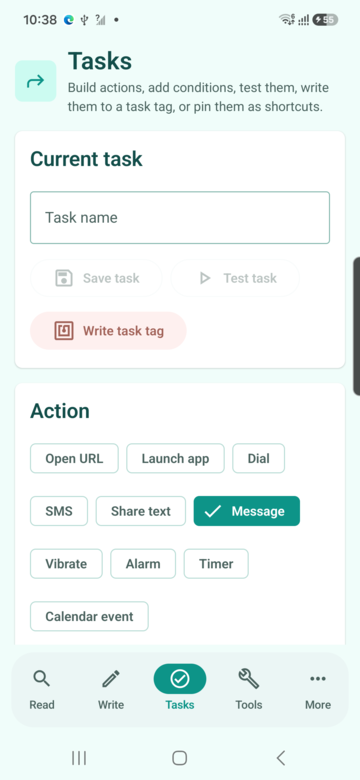
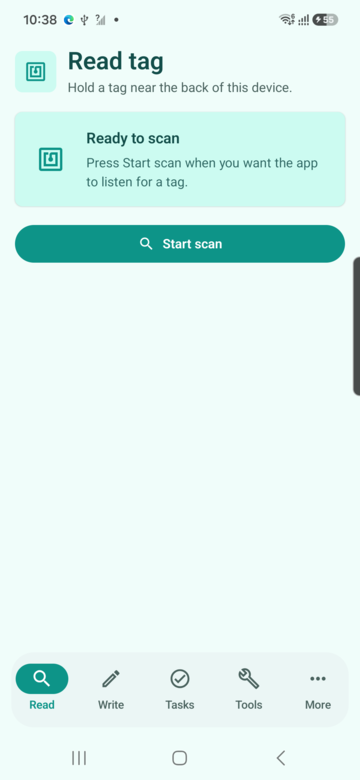
These screenshots connect this foqos guide to the related Android workflow in NFCMagic. They document interface states; radio behavior still requires a physical Android device and real tags.
Frequently asked questions
Does Foqos support NFC tags?
Yes. Its official site documents several NFC start, stop, timer and pause strategies.
Is Foqos an Android app?
No. Foqos is an iPhone app; its site points Android users to other products.
Do I need a Brick device?
No. Foqos documents use with ordinary NFC tags or QR codes.
Is NFCMagic required for Foqos?
No. NFCMagic is a separate Android toolkit; the article explains tag concepts across the two platforms.
Primary technical sources
- Foqos official website — Product source documenting NFC start/stop, timer, pause and temporary-access focus strategies on iPhone.
- Foqos open-source repository — Public project documentation for Foqos features, local-first privacy and supported activation methods.
- Apple Developer: Core NFC — Official iPhone framework documentation for reading NDEF and protocol-specific tags and writing compatible tags.
- Apple Support: Detect unwanted trackers — Official safety guidance explaining AirTag notifications and the separate NFC tap used to view item information.