Direct answer
Learn how Android NFC works from the 13.56 MHz radio field to TagTechnology, NDEF parsing, antenna placement and production-ready reader workflows.
From RFID research to the NFC Forum
Near Field Communication grew from inductively coupled RFID and smart-card systems into a consumer interoperability layer. The NFC Forum was formed in 2004 by Nokia, Royal Philips Electronics and Sony to align devices, tags, formats and conformance work around predictable tap interactions.
- Historical boundary
- NFC did not replace every RFID technology; it concentrated on close-range interactions compatible with widely deployed contactless standards.
- Developer consequence
- Modern Android APIs inherit several protocol layers, so a single Tag object can expose more than one technology class at the same time.
What happens in a 13.56 MHz NFC field
A passive tag receives energy through magnetic coupling when the phone creates an RF field. The chip powers up, participates in anti-collision, answers protocol commands and returns data while the user keeps the tag inside a small usable field rather than at an exact geometric point.
- Orientation
- Maximum coupling usually occurs when the phone and tag antenna planes are roughly parallel; rotating either object can turn an unreliable tap into a stable one.
- Environment
- Metal detunes ordinary inlays and liquid absorbs or disturbs energy, which is why on-metal labels use a spacing or ferrite layer and beverage packaging needs physical testing.
Inside an Android NFC device
The interaction crosses the phone antenna, NFC controller, Android system service and application process. An app cannot create NFC hardware on a phone that lacks it, and it does not directly control every analogue parameter negotiated by the controller.
- Feature detection
- A robust Android NFC app checks PackageManager features and the NfcAdapter state before presenting scan controls.
- Hardware variation
- Antenna position, enclosure design and controller firmware differ between devices, so instructions should tell users where to place the tag and when to move slowly.
NFC Forum tag types and common chip families
NFC Forum tag types describe interoperable operation rather than a single manufacturer. Type 2 products such as NTAG21x are common in labels, Type 4 products use ISO-DEP and a file-oriented exchange, while Type 5 products extend NFC use toward ISO 15693-based tags.
- Do not infer by artwork
- Two visually identical stickers can contain different ICs, capacities and lock configurations; the app should inspect the technology and reported memory.
- Manufacturer ecosystem
- NXP, STMicroelectronics, Infineon, Sony and specialist inlay vendors serve different parts of the controller, secure IC, tag and label supply chain.
How Android represents discovered tag technologies
Android creates a new immutable Tag handle for each discovery event and publishes a technology list. Classes such as NfcA, NfcB, NfcF, NfcV, IsoDep, Ndef and NdefFormatable represent different operations, not competing guesses about the tag.
- Layered view
- An ISO-DEP card may expose both a low-level RF technology and IsoDep, while an ordinary label may additionally expose Ndef when Android recognises an NDEF container.
- Connection discipline
- Only one technology connection should own the tag at a time, and every blocking I/O path needs close, timeout and TagLostException handling.
Android tag discovery and reader workflow
A controlled scan screen normally enables reader mode during the visible lifecycle, receives the Tag callback, moves I/O off the main thread and disables reader mode when the screen stops. Background dispatch is a separate product decision with different user expectations.
- Fresh handles
- When a tag leaves and re-enters the field Android creates a new Tag object; code should not reuse a stale handle from an earlier tap.
- Visible state
- Waiting, detected, reading, success and error states reduce double taps and make physical timing understandable to users.
NDEF versus raw technology access
NDEF gives applications a standard message made from typed records such as text, URI or MIME. Raw access is required for non-NDEF data, diagnostics and manufacturer commands, but it carries more compatibility and safety responsibility.
- Prefer interoperability
- Use NDEF when the product goal is to share public content across phones and readers; it avoids binding a deployment to one proprietary memory map.
- Escalate deliberately
- Open NfcA, IsoDep or another raw technology only when the use case has an identified protocol, explicit authorization and error recovery.
Capacity, locking and lifecycle planning
Reported chip memory is not identical to NDEF payload capacity because capability data, lock bytes, configuration and record overhead consume space. A writer should calculate the final encoded message, compare it with maxSize and re-read after a successful write.
- Permanent actions
- Read-only conversion can set irreversible lock state, so it belongs behind an explicit confirmation that explains the consequence before the user taps.
- Wear and handling
- Production quality depends on more than nominal write endurance; bending, adhesive, temperature, print processes and antenna damage can fail a label before memory endurance matters.
Where Android NFC is useful
NFC is strongest when a physical location or object should trigger a short, intentional interaction. Product pages, maintenance instructions, business cards, smart-home routines and equipment records work because the user understands why a tap belongs at that place.
- Public-content pattern
- Use a standard NDEF URL or contact record when any compatible phone should understand the tag without proprietary credentials.
- Managed-workflow pattern
- Use an app-owned task identifier or verified smart link when permissions, updates, auditing or conditional behavior are required.
A physical-device validation matrix
NFC behavior cannot be proven by a browser preview or emulator. A release checklist should combine representative phones, Android versions, tag families, antenna sizes, payload lengths and adverse placement conditions.
- Minimum matrix
- Test at least one compact phone, one large phone and devices from different OEMs against known Type 2 and Type 4 samples.
- Record evidence
- Capture model, OS version, chip family, operation, payload size, result and recovery behavior so a failure can be reproduced instead of described as simply NFC not working.
Quick reference
| Layer | Question | Recommended evidence |
|---|---|---|
| RF | Can the tag remain powered? | Antenna alignment and material test |
| Protocol | Which technology is exposed? | Android Tag tech list |
| Data | Is the message interoperable? | Decoded NDEF records and byte size |
| Workflow | Can the user recover? | Visible state and repeatable error path |
Related NFCMagic app screens
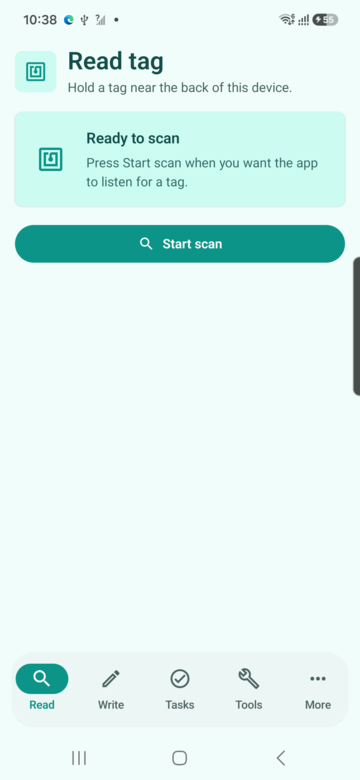
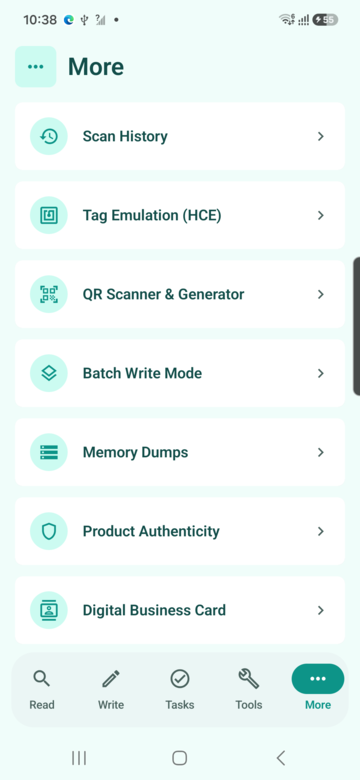
These screenshots connect this NFC fundamentals for Android developers guide to the related Android workflow in NFCMagic. They document interface states; radio behavior still requires a physical Android device and real tags.
Frequently asked questions
Does every Android phone support NFC?
No. NFC requires a physical controller and antenna. Applications should detect support and explain the limitation on devices without the hardware.
Is NDEF the same as NFC?
No. NFC describes the contactless communication family; NDEF is a standard message format commonly carried by compatible NFC tags.
Why does the same tag read differently through different APIs?
Each Android technology class exposes a different protocol layer. Ndef may decode records while NfcA or IsoDep exposes lower-level communication.
Can an emulator verify tag reading?
No. Emulator tests can validate application state, but RF coupling, antenna placement and physical tag I/O require real hardware.
Primary technical sources
- NFC Forum: 15 years of NFC innovation — NFC Forum history and the roles of Nokia, Royal Philips Electronics and Sony.
- NFC Forum specifications — Primary index for NDEF, record types and NFC Forum tag specifications.
- Android Developers: NFC overview — Platform overview for Android reader, writer and tag-discovery behavior.
- Android Developers: Advanced NFC — Official guidance for tag technologies, NDEF operations and foreground dispatch.