Direct answer
Diagnose Android NFC read and write failures with a structured decision tree covering hardware, antenna position, tag technology, capacity, locks and TagLost errors.
Start with a reproducible symptom
Not detected, detected but unreadable, read succeeds but write fails, and write reports success but content is wrong are separate branches. Record the exact stage, phone, Android version, tag and action before changing settings.
- One variable
- Change position, case, phone or tag one at a time so a successful retry identifies the likely cause.
- Known reference
- Keep a known-good simple NDEF tag and a known-good phone to divide hardware, tag and application problems quickly.
Confirm phone hardware and NFC state
Some Android devices do not contain NFC, and supported phones can have the radio disabled or limited by device policy. Check system feature support and adapter enabled state before diagnosing the tag.
- No hardware
- An application update cannot add a missing controller or antenna; provide QR or manual alternatives.
- Managed device
- Enterprise policy, secure NFC or work-profile restrictions can alter behavior even when the settings tile appears normal.
Find the antenna and remove interference
Move the tag slowly around the upper, center or camera-adjacent back area documented for the phone. Thick cases, magnets, wallets, metal plates and nearby tags can weaken or confuse the field.
- Keep still
- After detection, hold the target in place until reading, writing and any verification complete.
- Final surface
- A tag that works in the hand can fail after installation on metal, liquid packaging or a curved enclosure.
Identify unsupported technology versus non-NDEF data
Android may detect a Tag and list technologies even when it contains no NDEF message. This is different from an unsupported chip and from a protected application that requires credentials.
- NdefFormatable
- Some blank compatible tags can be formatted into an NDEF container; others require a protocol the app intentionally does not implement.
- Protected card
- Detection of IsoDep, MIFARE or another class does not grant access to protected payment, transit or access data.
Diagnose TagLostException
TagLostException means the active technology connection no longer sees the target. Movement, weak coupling, screen or power transitions and long operations can all contribute; repeating the same tap without changing conditions may repeat the failure.
- Recovery
- Close the stale connection, return to waiting and ask for a fresh tap rather than reusing the old Tag handle.
- Write caution
- After loss during writing, re-read the content before retrying because the physical state may be unchanged or partial.
Check capacity using encoded bytes
A write can fail because the complete NDEF message exceeds maxSize even when the visible text seems short. Inspect record headers, language fields, URI encoding and multiple-record overhead.
- Fix
- Shorten the controlled URL, remove unnecessary records or select a higher-capacity tag based on the final serialized byte array.
- Do not truncate
- Silently cutting text or binary payload produces misleading or malformed content; require an intentional edit.
Distinguish read-only, locked and password-protected
Ndef.isWritable reports the standard container state, while manufacturer-specific password or lock configuration can impose additional behavior. A permanent lock cannot be repaired by another formatting attempt.
- Known password
- Only attempt authorized password operations for a supported tag family and never brute-force or log submitted values.
- Replacement
- When a target is permanently read-only and content must change, use a new tag or a previously encoded dynamic URL.
Handle malformed NDEF safely
Interrupted or non-conforming data can have invalid lengths, flags or encodings. A decoder should bound every read, show a safe hex fallback and let authorized users erase or reformat only when the technology supports it.
- No crash
- Treat all tag bytes as untrusted input and escape decoded output before placing it in rich UI or web content.
- Preserve evidence
- Capture the smallest diagnostic sample before erasing a tag that may reveal a repeatable production fault.
Account for OEM and version behavior
Antenna layout, controller firmware, system sounds, secure NFC and background restrictions differ between devices. Reproduce on the same model first, then compare a second OEM before changing protocol code.
- Environment record
- Include exact OS build, NFC setting, screen state and app version in the issue report.
- Reader APIs
- Verify reader-mode and foreground-dispatch lifecycle because a screen that fails to disable or re-enable scanning can mimic hardware failure.
Collect safe diagnostic evidence
Useful logs name the operation stage, technology, size, writability, exception category and recovery result. They do not need full UIDs, secret keys, private URLs or complete memory dumps in analytics.
- User export
- Let the user review and deliberately share a redacted report with support.
- Physical verification
- State clearly when a result is compiled or simulated and reserve working claims for the user's real-device test.
Quick reference
| Symptom | First check | Next evidence |
|---|---|---|
| No detection | NFC hardware, state and antenna | Known-good tag |
| Detected, no NDEF | Tech list and format state | Raw protocol classification |
| Read works, write fails | Writability and encoded size | Lock or password state |
| Intermittent loss | Position and material | Device and tag matrix |
Related NFCMagic app screens
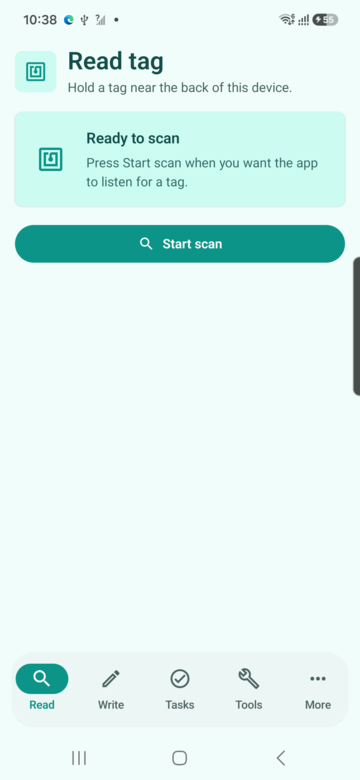
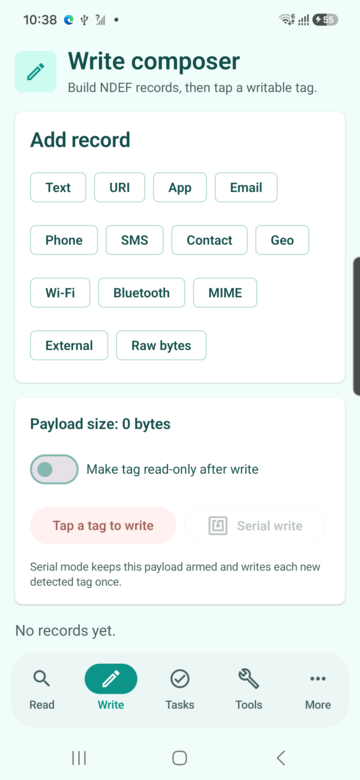
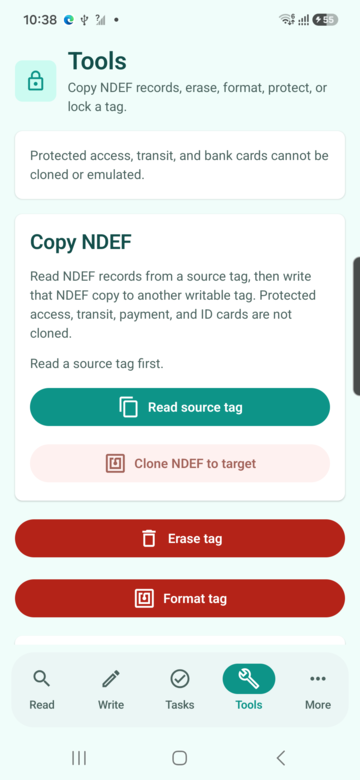
These screenshots connect this troubleshooting NFC read and write failures guide to the related Android workflow in NFCMagic. They document interface states; radio behavior still requires a physical Android device and real tags.
Frequently asked questions
Why will my phone not detect an NFC tag?
Check that the phone has NFC, the radio is enabled, the tag is over the antenna and no metal or stacked tag is interfering.
What does TagLostException mean?
The active connection lost the physical tag. Re-present it, keep it still and re-read state before retrying a write.
Why can a tag be read but not written?
It may be read-only, password-protected, unsupported for writing or too small for the encoded message.
Can a malformed NFC tag crash the app?
It should not. NFCMagic must bound parsing, catch protocol errors and show a safe diagnostic fallback.
Primary technical sources
- Android Developers: NFC overview — Platform overview for Android reader, writer and tag-discovery behavior.
- Android Developers: Advanced NFC — Official guidance for tag technologies, NDEF operations and foreground dispatch.
- Android Developers: Ndef API — API contract for capacity, writability, NDEF I/O and permanent read-only operations.