Direct answer
Compare Android NFC reader mode with foreground dispatch across lifecycle, callbacks, intent filters, reader flags, performance and device testing.
How Android NFC dispatch evolved
Android first centered tag delivery on intents and later added reader mode for applications that want a direct callback while a foreground Activity owns the interaction. Both models remain useful, but they imply different lifecycle and navigation behavior.
- Intent heritage
- Foreground dispatch builds on the system tag-dispatch pipeline and gives the visible Activity priority over competing filters.
- Callback model
- Reader mode sends a Tag to ReaderCallback and lets a dedicated scan screen express that it is actively waiting for a physical tag.
Foreground dispatch step by step
An Activity creates a PendingIntent plus optional intent filters and technology lists, enables foreground dispatch while resumed and processes the incoming NFC intent. Incorrect PendingIntent flags or lifecycle symmetry can make the flow unreliable on newer Android versions.
- Filtering
- NDEF filters match MIME types or URI schemes, while tech lists narrow delivery by TagTechnology combinations.
- Lifecycle
- Enable in onResume and disable in onPause so an Activity that is no longer interactive does not continue claiming taps.
Reader mode step by step
Reader mode is enabled with a callback, flag set and optional extras. Android can skip platform NDEF checks, suppress platform sounds or poll selected technologies, allowing the scanning screen to own both performance and feedback.
- Flag selection
- Choose only the NFC-A, NFC-B, NFC-F, NFC-V or barcode polling flags needed by the product instead of copying every flag without a compatibility reason.
- Threading
- The callback is not a license to block UI work; move tag I/O into a controlled coroutine or worker path and publish state back to the screen.
Intent delivery versus direct callbacks
Foreground dispatch arrives through onNewIntent or Activity creation, which can couple NFC handling to navigation. Reader mode isolates discovery in a callback, making it easier to keep a single scan session and discard stale events when the screen closes.
- State ownership
- A ViewModel can hold waiting and result states, but the Activity still owns enabling the hardware-facing mode at the correct lifecycle boundary.
- Duplicate events
- Use one event channel and a debounce rule so recomposition, Activity intents and repeated field detection do not process the same tap twice.
Reader flags and presence-check timing
Reader-mode extras can influence presence-check delay, while flags affect which poll technologies are active and whether Android performs its own NDEF check. Aggressive values may appear fast in one lab yet drain power or destabilize another reader interaction.
- Presence check
- Tune only after measuring real devices; the default is safer than a copied magic number that shortens tolerance for user movement.
- Platform sound
- If NFCMagic suppresses the system sound, the app must provide an accessible success or error cue so the tap never feels ignored.
Background behavior and user expectation
Neither API should be presented as unrestricted background automation. Foreground dispatch requires the Activity in front, while reader mode expresses an active reader session and stops when the owning Activity leaves its intended lifecycle.
- Explicit mode
- For a longer trusted workflow, show a persistent state and an obvious stop control rather than silently scanning after the user's task ends.
- Sensitive actions
- A discovered tag should not bypass Android permission prompts or application confirmation for messages, calls, network requests or destructive writes.
Error handling in either architecture
TagLostException, unsupported technology, malformed data and I/O failures occur after discovery, so API selection does not remove the need for a result model. Close connections in finally and distinguish a retryable movement error from permanent write protection.
- Cancellation
- Cancel in-flight work when the scan session ends and ignore a late result that belongs to an Activity no longer visible.
- Recovery
- Offer scan again after the app has returned to a known waiting state rather than recursively reopening a failed technology connection.
Choosing an API by product workflow
Reader mode usually suits an explicit inspection or writing screen where the app controls the whole tap. Foreground dispatch remains relevant when an existing intent-driven Activity must take priority and its filters accurately describe supported content.
- Read and write tools
- A focused utility benefits from reader mode's direct callback and controllable platform behavior while the operation screen is visible.
- Deep content entry
- An intent-based design can be appropriate when a known URI or MIME record should route into an existing Activity flow.
OEM and Android-version differences
The framework contract is shared, but controller firmware, antenna geometry, lock-screen policy and power management vary. A code path that compiles and works on one device is not evidence that RF timing works across the supported market.
- Representative devices
- Include multiple OEMs and both recent and minimum-supported Android releases in the manual test matrix.
- Reader diversity
- For HCE or IsoDep workflows, test against the actual external readers because their timeout and APDU expectations can differ from phone-to-phone tests.
A maintainable NFC session architecture
Separate discovery, technology I/O, decoding and UI state. The Activity controls enable and disable calls, a repository owns cancellable tag operations, and the ViewModel exposes immutable states such as Idle, Waiting, Reading, Success and Error.
- Single source of truth
- Do not parse the same Tag independently in the Activity and ViewModel; one operation should produce one domain result.
- Test seam
- Unit tests can cover state transitions and decoding with byte fixtures, while only physical-device checks can validate RF discovery and tag retention.
Quick reference
| Decision | Reader mode | Foreground dispatch |
|---|---|---|
| Delivery | ReaderCallback | Activity intent |
| Best context | Dedicated scan session | Intent-oriented foreground Activity |
| Filtering | Reader flags | Intent filters and tech lists |
| Lifecycle risk | Forgotten disableReaderMode | Mismatched enable/disable dispatch |
Related NFCMagic app screens
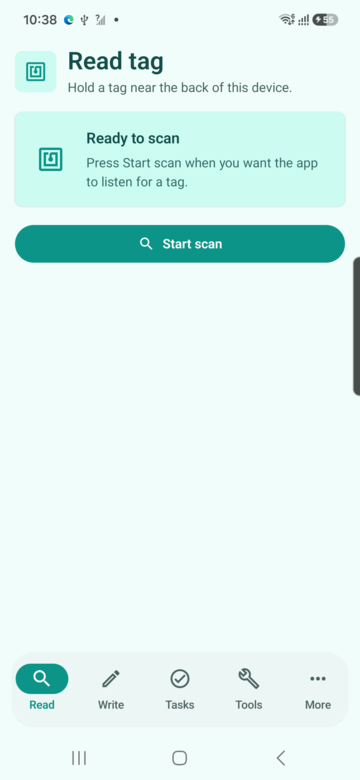
These screenshots connect this reader mode vs foreground dispatch guide to the related Android workflow in NFCMagic. They document interface states; radio behavior still requires a physical Android device and real tags.
Frequently asked questions
Is reader mode always better than foreground dispatch?
No. Reader mode is often clearer for a dedicated scan UI, while foreground dispatch can fit an Activity already designed around NFC intents.
Can both approaches run at the same time?
A product should avoid competing ownership. Choose one delivery path for a visible workflow and keep lifecycle enable and disable calls symmetrical.
Does reader mode read NDEF automatically?
The Tag callback exposes technologies. The app still decides whether to use Ndef or another technology and can request skipping the platform NDEF check with a flag.
Can unit tests prove reader-mode reliability?
They can verify business logic and state transitions, but antenna coupling, controller timing and real tag loss require physical-device testing.
Primary technical sources
- Android Developers: NFC overview — Platform overview for Android reader, writer and tag-discovery behavior.
- Android Developers: Advanced NFC — Official guidance for tag technologies, NDEF operations and foreground dispatch.