Direct answer
Set up an NFC tag for Wi-Fi sharing on Android with receiver compatibility checks, guest-network security and modern Wi-Fi Easy Connect alternatives.
Choose the sharing outcome before encoding
Decide whether the label should expose legacy network credentials, open an owner-controlled setup page or carry a Wi-Fi Easy Connect bootstrap reference. These are different interoperability and security models, so a generic promise that every Android phone will join after one tap is inaccurate.
- Compatibility first
- Test the exact receiving phones and Android versions because native handling of Wi-Fi-related NFC payloads is not universal.
- Safe fallback
- A visible QR code or short setup URL can serve devices that recognise the tag but do not present a native join action.
Separate legacy credentials from Easy Connect
A static profile can contain SSID, security type and password for an application to decode. Wi-Fi Easy Connect, also called DPP, is a modern provisioning system available on supported Android devices from Android 10 and replaces deprecated WPS workflows with a capability-checked bootstrap URI.
- DPP check
- An Android application should call WifiManager.isEasyConnectSupported before presenting an Easy Connect provisioning path.
- Input channel
- Official Android guidance allows a DPP URI to be acquired through QR scanning and also through supported Bluetooth LE or NFC advertisement flows.
Create a dedicated guest network
Use a guest SSID isolated from private devices, administration interfaces and sensitive services before distributing credentials through any physical label. A tag at a reception desk is effectively a reusable credential handout, so the network architecture must assume many authorised visitors will use it.
- Least privilege
- Enable client isolation or an equivalent router policy when visitors do not need to communicate with each other or internal equipment.
- Lifecycle
- Document who rotates the credential, rewrites labels and removes obsolete copies after an employee, event or venue configuration changes.
Prepare the SSID and security fields accurately
Copy the exact case-sensitive SSID and password from the approved network configuration and select the matching security type. Hidden networks and unusual enterprise authentication require more context than a simple personal WPA profile and may not be suitable for a public static tag.
- Character handling
- Preserve spaces and punctuation exactly, and measure the final encoded byte length because non-ASCII credentials can use multiple UTF-8 bytes.
- No live validation
- Writing software usually cannot prove the supplied password matches the access point, so complete an end-to-end test with a clean receiving device.
Write the profile with a controlled NFC flow
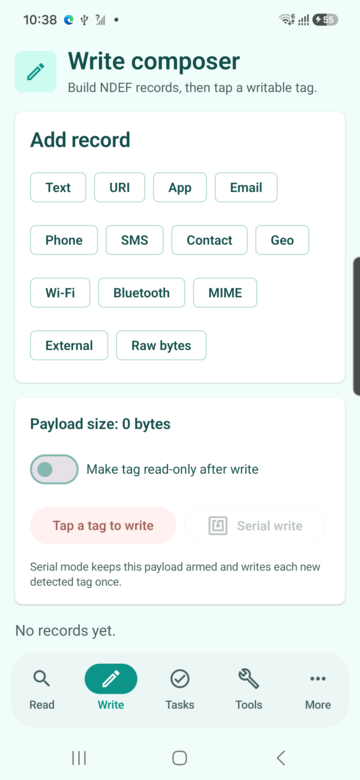
Read the target, compose the selected Wi-Fi or setup payload, validate capacity, arm one operation and hold the tag steady until writing completes. Re-read the tag and compare its records before mounting it in a public location or duplicating the profile across a batch.
- Tag capacity
- A short profile may fit on a small Type 2 label, but longer credentials, explanatory records or managed URLs require measuring the complete NDEF message.
- Verification
- Treat write success and verified content as separate results so an interrupted tag never reaches the deployment pile.
Add a QR and human-readable fallback
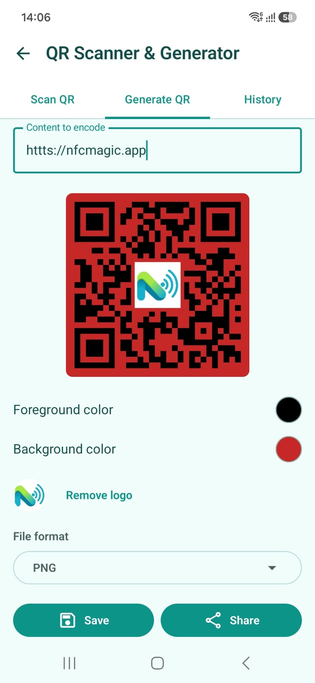
Place a tested QR code or short setup instruction beside the NFC mark so users without compatible NFC handling can reach the same approved flow. Keep the fallback aligned with the tag and avoid printing the main-network password as unrestricted plain text.
- Common destination
- When both channels open a managed setup page, use one canonical URL so support guidance and future updates remain consistent.
- Accessible label
- State the network purpose and action in readable text instead of relying only on an NFC icon or color.
Place and label the tag for reliable taps
Install the tag on a non-metallic area that lets a phone rest near it without slipping, and mark the actual antenna location. Reception counters, meeting rooms and guest information cards work better than hiding a small inlay behind thick furniture or a metal router enclosure.
- On-metal requirement
- Use a tag specifically constructed for metal when the final surface cannot be changed, then validate the complete mounted assembly.
- Privacy of placement
- Do not place the credential label where people outside the intended guest area can tap or photograph it unnoticed.
Test the receiver experience across Android devices
Build a small compatibility matrix covering at least two manufacturers, supported Android versions and both fresh and previously connected devices. Record whether the phone opens NFCMagic, shows a system action, presents a setup page or requires the QR fallback rather than declaring a single universal behavior.
- Clean-state test
- Remove the saved network before each acceptance run so an automatic reconnection is not mistaken for successful credential transfer.
- Negative test
- Include wrong password, unsupported security type, disabled NFC and unavailable Easy Connect states with guidance that tells the user what to do next.
Rotate credentials and retire old labels
A static tag keeps the old profile after a router password change. Maintain an inventory of deployed labels, set a rotation owner and either rewrite every writable tag or point managed labels to a current setup flow that can be disabled centrally.
- Incident response
- After suspected exposure, change the network credential first, then update or remove every physical and printed sharing artifact.
- Status signal
- An expired setup page should explain that the network information changed instead of silently redirecting to an unrelated destination.
Protect credentials, history and support exports
Wi-Fi passwords are sensitive even when intended for guests. Avoid placing them in analytics, crash logs, screenshots, cloud backups or unredacted support attachments, and provide a clear way to delete locally saved profiles and scan history.
- Redaction
- Diagnostic views can show security type and credential length while masking the actual password unless the user explicitly reveals it.
- Scope statement
- Explain whether a profile stays on the device or reaches a backend before the user stores a real network credential.
Quick reference
| Choice | Best use | Main limitation |
|---|---|---|
| Static Wi-Fi profile | Known compatible reader workflow | Credential exposure and uneven native support |
| Wi-Fi Easy Connect | Supported DPP provisioning | Capability and role requirements |
| QR fallback | Broad camera compatibility | Visible credential or setup payload |
| Managed setup URL | Central updates and support | Requires network access and secure backend design |
Related NFCMagic app screens
These screenshots connect this NFC tag for Wi-Fi sharing on Android guide to the related Android workflow in NFCMagic. They document interface states; radio behavior still requires a physical Android device and real tags.
Frequently asked questions
Will every Android phone join Wi-Fi after tapping an NFC tag?
No. Behavior varies by device, Android version, payload and installed apps, so provide a tested QR or setup-page fallback.
What is Wi-Fi Easy Connect?
It is Android's DPP-based provisioning path for supported devices, available from Android 10 and intended to replace deprecated WPS workflows.
Should I put my main Wi-Fi password on an NFC tag?
Use an isolated guest network with limited access because anyone who can read the physical payload may recover or use the shared credential.
What happens after the Wi-Fi password changes?
Static tags and QR codes retain the old data until rewritten; inventory every deployed label and update or retire it during rotation.
Primary technical sources
- Android Developers: Wi-Fi Easy Connect — Current Android guidance for DPP provisioning, capability checks and QR or NFC bootstrap URIs.
- Android Developers: NFC overview — Official overview of Android reader/writer mode, card emulation and tag discovery.
- Android Developers: Ndef API — API contract for connection state, maximum size, writability, reads, writes and read-only conversion.
- NFC Forum specifications — Primary index for NDEF, record types and interoperable NFC Forum tag behavior.
- DENSO WAVE: QR Code standardisation — QR versions, data capacity, error-correction levels and ISO/IEC 18004 standardisation.