Direct answer
Learn how to write NFC tags on Android using valid NDEF records, exact capacity checks, verify-after-write, safe retries and warnings for permanent locks.
Choose a compatible writable tag
Begin with an NFC Forum compatible tag whose data sheet matches the intended payload and mounting surface. A blank label can still be factory-locked, damaged, password-protected or too small, so read the actual target before arming any write operation.
- Common choice
- NTAG21x Type 2 labels are widely used for public NDEF links, text and simple profiles, with several capacities and physical inlay sizes.
- Environment
- Ordinary labels perform poorly directly on metal unless the construction includes an on-metal spacer or ferrite layer designed for that surface.
Select the correct NDEF record type
Match the record to the consumer that will read it: URI for a web destination, text for human-readable content, MIME for an identified application format and external type for a domain-controlled contract. Avoid inventing an opaque payload when a standard record already fits.
- Interoperability
- A standard URI record can be interpreted by the Android platform and many third-party readers without installing the application that created it.
- Multiple records
- Record order, type names and identifiers should be intentional because readers may prioritise the first actionable record or ignore unknown types.
Validate and normalize the payload
Validate every required field before asking the user to tap. Normalize URLs, reject unsupported schemes, preserve deliberate text encoding and produce the final NdefMessage in memory so its encoded byte size can be measured before connecting to a physical target.
- URL safety
- Prefer an HTTPS destination controlled by the product and show the normalized host before writing a label that may remain deployed for years.
- Encoding
- UTF-8 byte length can exceed the visible character count, particularly for non-Latin scripts, so capacity checks must use encoded bytes.
Calculate real NDEF capacity
Compare the complete encoded message against Ndef.getMaxSize rather than comparing plain text characters with a marketing capacity number. Headers, type fields, identifiers, language codes and URI structure all consume bytes before the user payload is stored.
- Capacity families
- Approximate NTAG213, NTAG215 and NTAG216 user capacities are useful for purchasing, but the live NDEF maximum remains the decisive application check.
- No partial intent
- Reject an oversized message before writing so the user never mistakes an attempted or truncated operation for a valid result.
Use an explicit armed-write state
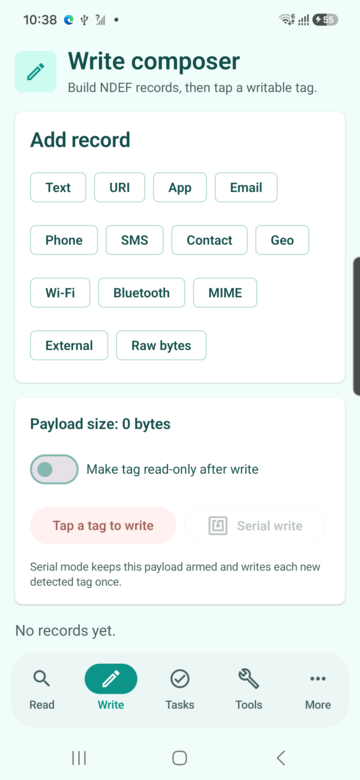
A safe writer separates editing from physical execution. The user reviews the payload, intentionally arms one operation, sees that the app is waiting for a target and can cancel before a tag enters the field; this prevents ordinary navigation from becoming a hidden writer.
- Single ownership
- Keep reader mode and the pending write tied to the visible Activity lifecycle so leaving the screen disarms the operation.
- Debounce
- Ignore duplicate callbacks from the same physical presentation after one accepted result instead of writing repeatedly while the tag remains coupled.
Connect, write and close correctly
When a target is discovered, obtain its Ndef technology, connect away from the main thread, recheck writability and capacity, write the NdefMessage and close the connection on success or failure. Each stage should map to a precise result instead of one generic error.
- Fresh target state
- Conditions may have changed since the preliminary read, so validate max size and writability again inside the active write session.
- Cleanup
- Close technology connections in a finally path so a failed operation does not leave the workflow waiting on a stale handle.
Verify the physical result after writing
A successful API return is not the final acceptance criterion. Remove and present the tag again, read the stored NDEF message and compare canonical records with the intended payload; only this fresh scan produces a verified outcome suitable for a production count.
- Canonical comparison
- Compare record type, identifier and payload bytes or normalized semantic values rather than relying on a success toast.
- User evidence
- Display written and verified as separate states so operators know when an uncertain tag needs inspection instead of shipment.
Recover safely from interrupted writes
If the tag leaves the field, do not immediately replay the previous command. Mark the outcome uncertain, instruct the user to scan the target, inspect its current NDEF state and retry only when the app understands whether the original content, new content or malformed data remains.
- Tag lost
- Movement, small antennas and RF interference can end a connection at any command boundary, producing different recovery needs.
- Quarantine
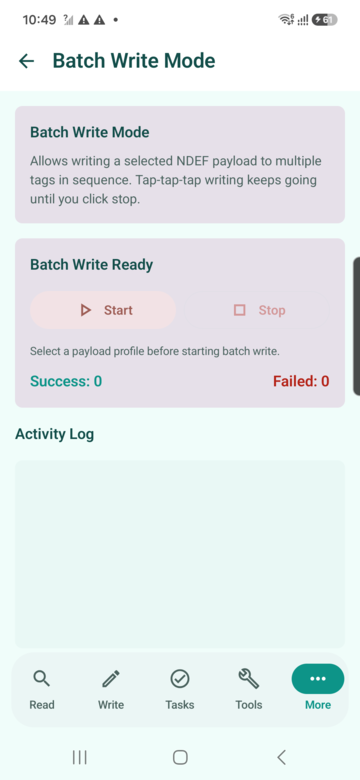
- In batch operations, place every uncertain target in a separate physical tray until it passes a clean read and verification cycle.
Treat locks and passwords as advanced operations
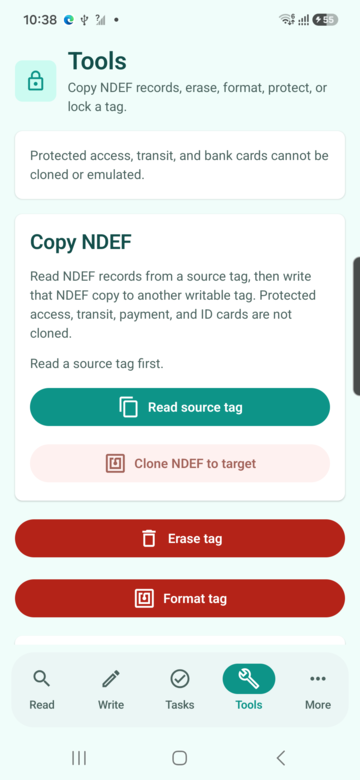
Permanent read-only conversion and manufacturer-specific password configuration should never be bundled into a normal write button. Explain the exact consequence, require a separate confirmation and verify the resulting state with documentation for the identified chip family.
- Irreversibility
- Some lock bits can only move from writable to locked, so no software promise can restore the previous state after they are committed.
- Password scope
- Short NTAG password protection controls compatible memory access but is not equivalent to modern mutual cryptographic authentication.
Scale writing with profiles and audit evidence
For repeated production, freeze an approved payload profile, record a batch identifier and count written, verified, rejected and uncertain tags separately. Randomly sample deployed outputs and keep secrets out of logs, screenshots and exported diagnostics.
- Versioned profile
- Store the schema version and payload digest so an operator can prove which approved content was used for a particular batch.
- Physical validation
- Automated tests cover encoders and state machines, while representative phones, tag lots and mounting materials validate real RF behavior.
Quick reference
| Stage | Required evidence | Unsafe shortcut |
|---|---|---|
| Compose | Validated encoded NDEF message | Counting visible characters |
| Arm | Explicit user confirmation | Writing from ordinary navigation |
| Write | Fresh capacity and writability check | Assuming a blank label |
| Verify | New read matches intended records | Trusting only the write return |
Related NFCMagic app screens
These screenshots connect this how to write NFC tags on Android guide to the related Android workflow in NFCMagic. They document interface states; radio behavior still requires a physical Android device and real tags.
Frequently asked questions
Can I overwrite an existing NFC tag?
Yes when the detected NDEF container is writable, large enough and not protected by an unknown password or permanent lock state.
Why does an NFC write need a second read?
A fresh read confirms the physical tag actually stores the intended message after it leaves and re-enters the RF field.
Can a read-only NFC tag be unlocked?
Permanent read-only conversion is designed to be irreversible; treat the operation as final and confirm it separately.
Why does a short message exceed tag capacity?
NDEF headers, record types, identifiers, URI prefixes and multibyte text add encoded bytes beyond the visible characters.
Primary technical sources
- Android Developers: Advanced NFC — Official guidance for NDEF operations, raw technologies and foreground dispatch.
- Android Developers: Ndef API — API contract for connection state, maximum size, writability, reads, writes and read-only conversion.
- Android Developers: NFC basics — Official NDEF dispatch, record construction and Android 16 URL-tag behavior.
- NXP: NTAG213, NTAG215 and NTAG216 — Manufacturer capacities, lock features, RF behavior and intended tag applications.
- NFC Forum specifications — Primary index for NDEF, record types and interoperable NFC Forum tag behavior.