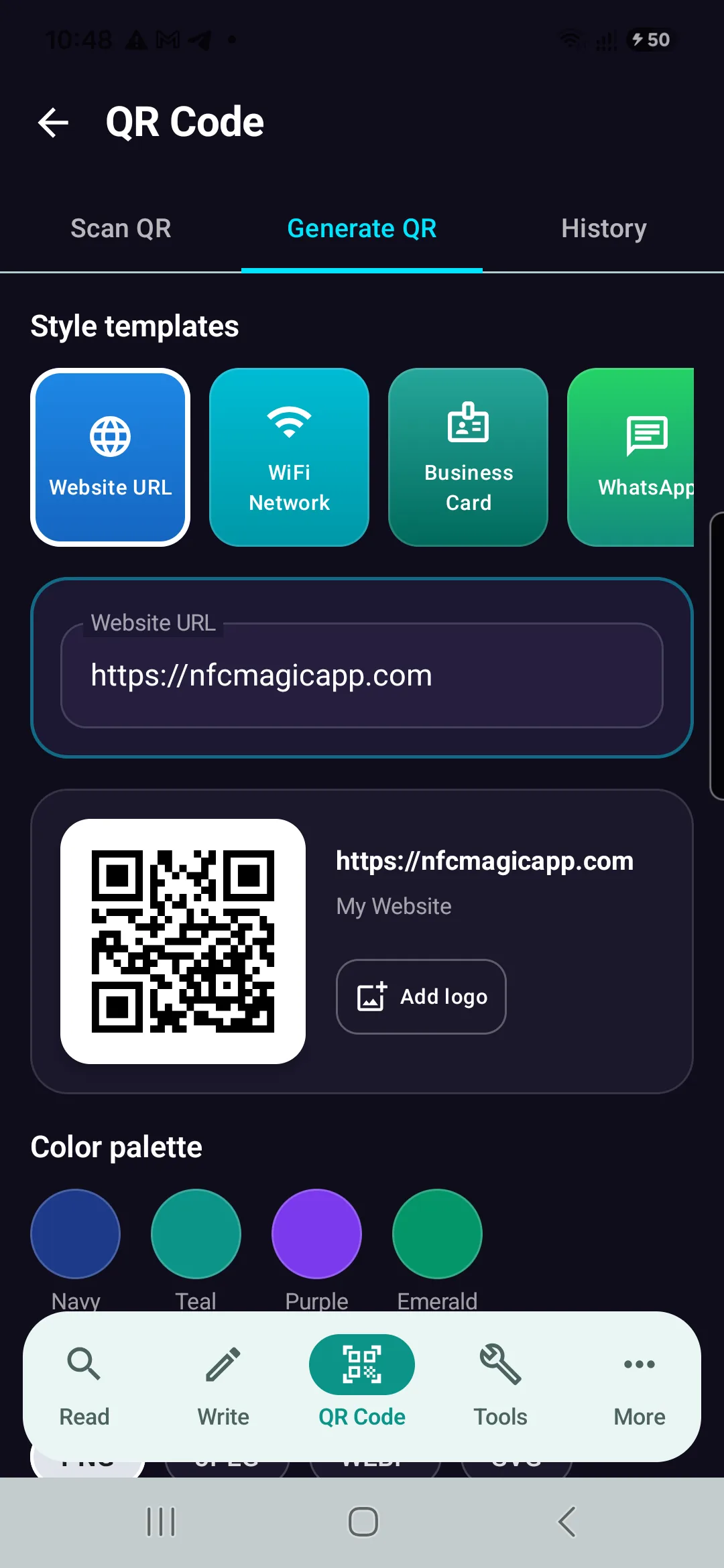
Why Do QR Codes Have Three Large Squares?
The three large squares that appear in the corners of most QR codes are not decorative.
They are called finder patterns.
A QR code reader uses these patterns to detect the position, orientation, and approximate scale of the QR code inside an image.
Without them, scanning would be slower and less reliable.
The finder patterns are one of the most recognizable parts of QR code design.
They allow a QR code reader to quickly distinguish a QR code from other shapes, text, graphics, and visual noise.
A QR code generator places these patterns according to the QR standard.
Their position and structure are highly controlled.
Where Are the Three Squares Located?
Standard QR codes contain three major finder patterns.
One appears near the top-left corner.
One appears near the top-right corner.
One appears near the bottom-left corner.
The bottom-right corner does not contain the same large finder pattern.
This three-corner arrangement gives the QR code reader enough geometric information to determine orientation.
Why Are There Only Three?
Three points are sufficient to define a plane and orientation in two-dimensional geometry.
For QR scanning, the three finder patterns provide strong reference points.
The QR code reader can determine which side is the top.
It can estimate how the code is rotated.
It can estimate the scale of the module grid.
It can also infer the approximate location of the fourth corner.
Using three finder patterns therefore provides a useful balance between reliability and data efficiency.
What Is Inside a Finder Pattern?
A finder pattern is not simply a solid black square.
It contains a specific nested structure.
The pattern includes alternating dark and light regions.
From the outside toward the center, the scanner sees a characteristic ratio of dark and light widths.
This ratio is designed to be easy to detect.
A QR code reader searches for these sequences in the image.
The Famous 1:1:3:1:1 Ratio
A finder pattern contains a distinctive line-width relationship.
When scanned across the center, the dark and light regions approximately follow a 1:1:3:1:1 ratio.
This pattern is unusual enough to be detected efficiently.
The QR code reader can search horizontal and vertical image regions for this relationship.
Potential matches are then checked geometrically.
This is one reason finder patterns are so robust.
How a QR Code Reader Finds the Code
The scanning process usually begins with image analysis.
The QR code reader examines the camera frame.
It searches for shapes or intensity transitions that resemble finder patterns.
Once several candidates are found, the software tests their relative positions.
Three patterns arranged in the expected geometry strongly suggest the presence of a QR code.
The reader can then move to more detailed decoding.
Why Finder Patterns Make Scanning Fast
Imagine trying to locate an arbitrary square grid in a photograph.
The image may contain text.
Windows.
Tiles.
Boxes.
Icons.
Logos.
Other geometric patterns.
Searching every region for possible encoded data would be inefficient.
Finder patterns act like visual beacons.
They tell the QR code reader where to look.
Detecting Rotation
A QR code can be rotated.
It may appear upright.
Sideways.
Upside down.
Or at an arbitrary angle.
The three finder patterns help the QR code reader determine the orientation.
Their arrangement is asymmetric.
Because one corner is missing the large pattern, the scanner can distinguish the orientation after locating the three existing ones.
Can a QR Code Be Scanned Upside Down?
Yes.
The user does not need to rotate the code manually.
The finder patterns allow the reader to determine orientation automatically.
The code can often be decoded at many rotational angles.
This is one of the practical advantages of QR technology over more orientation-sensitive visual formats.
Finder Patterns and Perspective
QR codes are rarely photographed perfectly from the front.
Perspective distortion can make the code appear trapezoidal.
The three finder patterns provide reference points for estimating the QR geometry.
A QR code reader can use their locations to calculate a perspective transformation.
The distorted image can then be mapped back toward an ideal square.
The Missing Fourth Finder Pattern
The absence of a large finder pattern in the bottom-right corner is intentional.
Adding a fourth large square would consume additional space.
The scanner already has enough information from three corners.
The fourth region can therefore be used for other QR structures and data.
This improves capacity without sacrificing detection.
What Are Alignment Patterns?
Finder patterns are not the only square-like structures in a QR code.
Larger QR versions also contain alignment patterns.
These are smaller than finder patterns.
They help the QR code reader correct geometric distortion.
Alignment patterns are especially useful in larger codes because distortion can vary across the surface.
Finder Patterns vs. Alignment Patterns
Finder patterns answer questions such as:
Where is the QR code?
How is it rotated?
How large is it?
Alignment patterns help answer:
How is the internal grid distorted?
A QR code reader uses both types of information for reliable decoding.
The roles are related but not identical.
Timing Patterns
QR codes also contain timing patterns.
These are alternating dark and light modules positioned between structural regions.
They help determine the spacing of the module grid.
After the finder patterns establish overall orientation, timing patterns assist with accurate sampling.
This ensures that the QR code reader reads modules at the correct positions.
Why QR Codes Need So Much Structure
A QR code may look like a random field of squares.
In reality, significant portions are reserved for structure.
The system must solve several problems before data can be decoded.
Locate the code.
Determine orientation.
Estimate module size.
Correct perspective.
Identify version.
Identify error correction settings.
Determine the mask pattern.
Only then can the data be reconstructed accurately.
Finder Patterns Are Not Data
The three large corner squares do not contain the user payload in the same way as data modules.
They are functional structures.
A QR code generator reserves these areas automatically.
Users cannot normally replace them with arbitrary data without breaking standard compatibility.
This is why the visible size of a QR code is not equal to its data capacity.
Can Finder Patterns Be Customized?
Many modern QR code generator tools allow visual customization.
Finder patterns may be rounded.
Stylized.
Colored.
Decorated.
Some QR code maker tools allow the outer frame and inner square to use different shapes.
These modifications can still work.
However, excessive customization can reduce scan reliability.
Rounded Finder Patterns
Rounded corners often remain readable because the overall pattern still resembles the expected structure.
Modern QR code readers are generally tolerant.
However, very aggressive rounding can distort the critical dark-light ratios.
A decorative QR code should always be tested across multiple devices.
Circular Finder Patterns
Some QR code maker tools create circular-looking finder patterns.
These may work if enough of the expected geometry remains.
The scanner does not necessarily require mathematically perfect squares in every implementation.
But the farther the design moves from the standard, the more reader compatibility can vary.
Different Colors for Finder Patterns
Finder patterns can be colored.
A dark blue finder pattern on a white background may scan perfectly.
The important requirement is strong contrast.
Very light colors can make detection difficult.
Because finder patterns are used in the earliest detection stage, poor contrast here can cause the entire scan to fail.
Can Finder Patterns Be Removed?
Removing the finder patterns from a standard QR code generally prevents normal QR readers from detecting it reliably.
An AI system might potentially recognize the remaining structure.
Specialized software could use alternative detection methods.
But the result would no longer have the same universal compatibility as a normal QR code.
For standard QR use, the finder patterns should remain intact.
What Happens if One Finder Pattern Is Damaged?
A QR code may still be recoverable.
The result depends on the severity of the damage and the QR code reader implementation.
If enough of the structure remains, the scanner may infer the missing geometry.
Error correction can help recover data damage.
However, finder-pattern damage occurs before ordinary data decoding.
This means structural damage can be more problematic than damage to some data regions.
Does Error Correction Restore Finder Patterns?
Not directly in the same way it restores data codewords.
QR error correction operates on encoded data structures.
Finder patterns are part of the physical layout used to detect and interpret the code.
If the scanner cannot locate the QR code because structural patterns are destroyed, data error correction may never be reached.
This is why protecting finder patterns is important.
What Happens if a Logo Covers a Finder Pattern?
The QR code may become difficult or impossible to scan.
Logos are usually placed near the center of a QR code.
This keeps them away from finder patterns.
A QR code generator that supports logos should protect critical structural regions.
Covering one of the three large corner squares is generally a poor design choice.
Why Logos Usually Go in the Center
The center of the QR code contains data and error-correction modules rather than the three primary finder patterns.
Higher error correction can tolerate some central obstruction.
This gives designers limited space for logos.
The QR code reader still needs the main structural features to remain clearly visible.
Quiet Zone Around the QR Code
Finder patterns also depend on the surrounding quiet zone.
The quiet zone is the blank area around the QR code.
It separates the code from neighboring visual content.
Without enough blank space, the finder patterns may blend with nearby text or graphics.
A QR code maker should preserve this margin automatically.
Why Borders Can Cause Problems
A decorative border placed too close to the QR code can interfere with detection.
The scanner may interpret the border as part of the QR structure.
This can make finder-pattern detection less reliable.
A clear gap should remain between the QR code and surrounding design elements.
Finder Patterns on Busy Backgrounds
A QR code placed over a photograph creates additional visual complexity.
The finder patterns may overlap dark objects or strong edges.
This reduces the distinction between the QR code and the background.
A solid background provides much more reliable detection.
If a transparent QR code is used, the final background must be evaluated carefully.
Finder Patterns and Low Contrast
A QR code can fail even when every module is technically present.
If finder patterns are only slightly darker than the background, the QR code reader may not detect them confidently.
Strong contrast is therefore especially important in the corner structures.
This is one reason black on white remains highly reliable.
Finder Patterns and Blur
Blur softens edges.
A finder pattern is relatively large, so it can tolerate more blur than individual data modules.
This means a QR code reader may successfully detect a blurry QR code even when it cannot decode the payload.
The scanner knows where the QR code is.
But the internal modules are too blurred to read.
Finder Patterns and Motion Blur
Motion blur can distort the characteristic ratios used for detection.
A finder pattern may become stretched horizontally or vertically.
Mild blur may still preserve enough structure.
Severe blur can cause the pattern to merge into surrounding modules.
Strong lighting and fast camera exposure help reduce this problem.
Finder Patterns at Long Distance
At long distances, the entire QR code occupies fewer pixels.
Finder patterns may still remain visible because they are large structures.
However, individual modules eventually become too small to decode.
This creates another situation where detection succeeds but decoding fails.
The user may see a camera attempting to recognize the code without receiving a result.
QR Code Size and Finder Detection
Larger physical QR codes generally provide larger finder patterns.
This makes detection easier from greater distances.
However, the internal module density still matters.
A very dense QR code can have large finder patterns while individual data modules remain relatively small.
The entire design must therefore be considered.
QR Code Version and Finder Patterns
The basic finder patterns remain recognizable across standard QR versions.
As the QR version increases, more modules are added elsewhere.
The finder patterns continue to provide stable reference points.
This consistency allows a QR code reader to begin detection without knowing the version in advance.
How the Reader Determines QR Version
After locating the code and estimating module spacing, the scanner can infer dimensions.
Larger QR versions also contain additional version information in defined locations.
The QR code reader combines structural measurements and encoded metadata to interpret the matrix correctly.
The finder patterns provide the starting geometry.
Mask Patterns
QR codes apply one of several mask patterns to data modules.
The purpose is to avoid visual patterns that could interfere with reliable scanning.
Finder patterns are not masked in the same way as payload areas.
They must remain recognizable.
The QR code generator handles these distinctions automatically.
Why Random QR Data Does Not Confuse Finder Detection
The encoded payload may accidentally create local shapes that resemble squares.
Masking and validation help reduce problematic patterns.
The true finder patterns are also larger, more structured, and positioned according to a specific geometry.
A QR code reader tests multiple conditions before accepting a candidate.
This reduces false detections.
False Finder Patterns
In complex images, other objects may resemble QR finder patterns.
For example, graphic designs can contain nested squares.
The QR code reader therefore does not trust a single pattern.
It searches for a set of three patterns with the correct relative geometry.
This dramatically reduces false positives.
Why Three Patterns Work Better Than One
One nested square could appear accidentally.
Two might also occur in a structured image.
Three patterns arranged as expected are much stronger evidence.
Their distances and angles can also be checked.
This provides both recognition and geometric information at the same time.
Finder Patterns in QR Code Readers
A conventional QR code reader may use image-processing techniques such as thresholding, contour analysis, run-length detection, and geometric filtering.
Different implementations vary.
Some readers use optimized computer vision libraries.
Others combine traditional methods with machine learning.
The underlying goal remains the same: locate the structural patterns quickly and reliably.
Can AI Detect QR Codes Without Finder Patterns?
Potentially.
An object-detection neural network can be trained to recognize QR codes based on the entire visual pattern.
It may detect partially damaged codes even when one finder pattern is missing.
Another model could estimate the corners.
This can improve difficult scanning cases.
However, standard finder patterns remain much faster and more universally compatible.
Why AI Does Not Make Finder Patterns Obsolete
Finder patterns are computationally efficient.
They provide deterministic geometry.
They work without network access.
They require little processing power.
AI may improve edge cases, but replacing a simple reliable structure with a complex learned system offers limited benefit for ordinary QR scanning.
The best future readers may combine both.
Finder-Pattern-Free QR Research
Researchers can explore visual codes that do not use the traditional three large squares.
Alternative structures could potentially use more area for data.
AI could locate these codes.
But such systems would not be standard QR codes.
They would require specialized QR code reader software.
The trade-off would be additional capacity or design freedom versus compatibility.
Why Designers Sometimes Want to Hide the Squares
The finder patterns dominate the visual appearance of a QR code.
For some branding applications, designers want a code that blends into artwork.
This motivates stylized QR codes and AI-generated artistic designs.
However, these three structures are a major reason QR codes scan so reliably.
Removing them sacrifices one of the strongest features of the format.
Artistic QR Codes and Finder Patterns
AI-generated QR artwork often disguises finder patterns as visual objects.
A square might resemble a window.
A frame.
A building.
A decorative motif.
The design attempts to satisfy both human aesthetics and machine-readable geometry.
Success should always be verified using real QR code readers.
QR Code Generator Responsibilities
A good QR code generator should protect finder patterns automatically.
If users customize them, the QR code maker should maintain sufficient contrast and recognizable geometry.
It can warn against excessive modification.
It can prevent logos from overlapping them.
It can preserve the quiet zone.
These controls reduce the chance of producing visually attractive but unreadable codes.
Testing Customized Finder Patterns
Testing should include several conditions.
Different smartphones.
Different QR code reader applications.
Low light.
Longer distance.
Moderate blur.
Angled scanning.
Printed output.
A customized design that works only under ideal conditions should not be considered robust.
Finder Patterns on Printed QR Codes
Printing can soften finder-pattern edges.
Ink may spread.
Paper can absorb pigment.
Low-resolution printers can create jagged edges.
Because finder patterns are relatively large, they tolerate some printing imperfections.
Dense internal modules usually become problematic before the finder patterns do.
Finder Patterns on Screens
Digital displays generally render the patterns sharply.
However, screen scaling can introduce interpolation.
The QR image should ideally be rendered at dimensions that preserve clear module boundaries.
Strong screen reflections can also hide finder patterns.
A QR code reader needs visible contrast regardless of whether the code is printed or digital.
Micro QR Codes
Not every member of the broader QR family uses exactly the same three-corner layout.
Micro QR Code is designed for smaller data and reduced symbol size.
It uses a more compact structure.
This illustrates an important principle.
Structural overhead can be reduced when application requirements change.
The trade-off is reduced capacity or different compatibility characteristics.
Standard QR Code vs. Other 2D Codes
Other two-dimensional barcode formats use different locator structures.
Data Matrix has its own border design.
Aztec codes use a central bullseye structure.
Each format solves the same basic problem differently:
How can a reader quickly locate and interpret a two-dimensional data matrix?
QR code finder patterns are one successful answer.
Why the Three Squares Became Iconic
The finder patterns are so distinctive that people recognize QR codes even from a distance.
They have become part of the visual language of digital interaction.
A person often understands that an image is meant to be scanned before seeing any instructions.
This human recognition is an accidental but useful consequence of the technical design.
Frequently Asked Questions
What are the three squares on a QR code called?
They are called finder patterns or position detection patterns. A QR code reader uses them to locate the QR code and determine its orientation.
Why does a QR code have three squares instead of four?
Three finder patterns provide enough geometric information to determine position and orientation while leaving more space available for other QR structures and data.
Can a QR code be scanned if one corner square is damaged?
Sometimes. Recovery depends on how much of the structure remains, image quality, and the capabilities of the QR code reader. Severe finder-pattern damage can prevent detection.
Can I remove the three squares from a QR code?
Not if you want to maintain normal compatibility with standard QR code readers. The finder patterns are fundamental parts of the standard QR structure.
Can a QR code generator change the finder pattern design?
Many QR code generator and qrcode maker tools allow some customization, including colors and shapes. Excessive modification can reduce scanning reliability.
Can the three QR squares be different colors?
Yes, provided they remain sufficiently dark relative to the background and recognizable to QR code readers.
Why is there no large square in the bottom-right corner?
Three finder patterns are enough to establish orientation. The fourth corner can therefore be used for other structural elements and encoded information.
Are the corner squares part of the encoded data?
No. They are primarily structural patterns used for QR code detection and orientation.
Can AI read a QR code without visible finder patterns?
Specialized AI systems may detect partially damaged or unusual QR-like codes without all finder patterns, but standard QR code reader compatibility will be reduced.
Do you have a Reddit account?
Yes. We have an official Reddit account with the same name as our website.
Conclusion
The three large squares in a QR code are among the most important features of the entire format.
They are called finder patterns.
A QR code reader uses them to locate the code, estimate its size, determine its orientation, and begin correcting geometric distortion.
Their distinctive internal structure makes them easy to recognize in complex images.
Their three-corner arrangement gives the QR code reader enough information to distinguish rotation while avoiding the space cost of a fourth large finder pattern.
Other QR structures then provide additional information.
Timing patterns help establish module spacing.
Alignment patterns help correct distortion.
Format and version information guide decoding.
Error correction helps reconstruct damaged data.
Together, these systems allow a QR code to be scanned quickly under a wide range of conditions.
Modern QR code generator tools may allow users to customize finder-pattern colors and shapes, but these changes should be made carefully.
The patterns are not decorative ornaments.
They are part of the fundamental machine-readable structure.
A good QR code maker preserves their contrast, geometry, and surrounding quiet zone.
AI may eventually allow specialized readers to recover QR codes with severely damaged finder patterns or support visual codes with completely different detection structures.
For standard QR technology, however, the three familiar squares remain one of the key reasons a small camera can locate and decode a QR code so quickly.
Generate Reliable QR Codes with NFCMagic
Download NFCMagic on Android to generate high-resolution QR codes with vector SVG exports, error correction controls, and seamless NFC tag writing.