What Is QR Code Error Correction?
One of the most remarkable features of a QR code is its ability to remain readable even when part of the code is damaged, dirty, scratched, faded, or partially covered.
This capability is called error correction.
When a QR code generator creates a code, it does not simply convert the original data into black and white modules.
It also calculates additional recovery information.
A QR code reader can use this additional information to reconstruct certain missing or corrupted portions of the encoded data.
This is one of the major reasons QR codes are practical for printed labels, posters, packaging, tickets, documents, industrial environments, and many other physical applications.
The technology behind this recovery process is based on Reed–Solomon error correction.
Understanding how it works also explains why some damaged QR codes scan successfully while others fail.
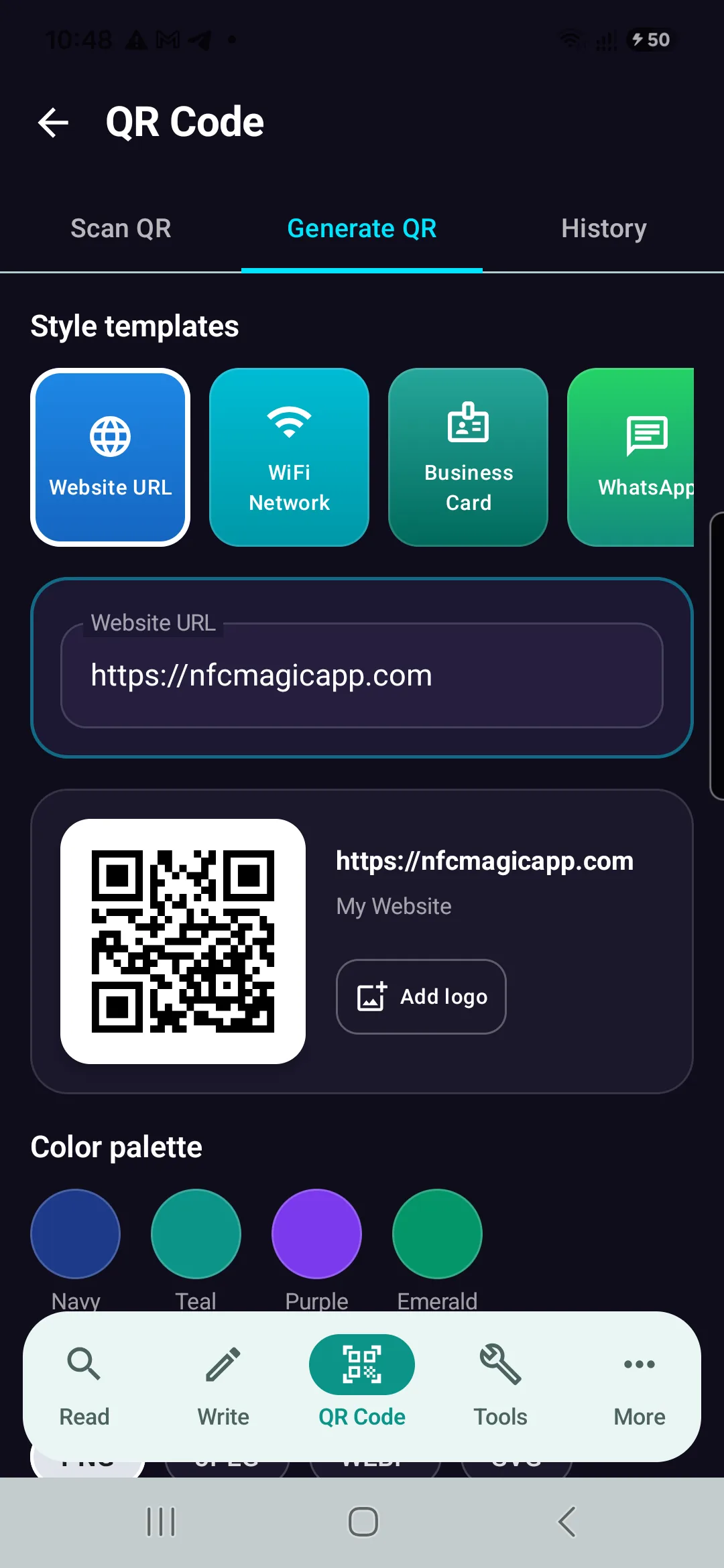
NFCMagic QR Code Generator Interface on Android — Utilizing Level H Reed-Solomon Error Correction to embed custom brand logos into the central canvas without scanning loss.
Install NFCMagic Free on AndroidWhy Do QR Codes Need Error Correction?
A QR code displayed digitally may remain almost perfect.
Printed QR codes face a much harsher environment.
A label can become scratched.
Paper can be folded.
Ink can fade.
A package can become dirty.
Part of a QR code can be covered by another label.
A printer can produce imperfect modules.
A smartphone camera can introduce blur or noise.
Lighting conditions can create reflections.
All these factors can cause a qrcode reader to misinterpret parts of the pattern.
Without redundancy, even relatively small errors could corrupt the encoded information.
Error correction provides protection against these problems.
What Is Reed–Solomon Error Correction?
QR codes use Reed–Solomon error correction.
Reed–Solomon codes are a family of error-correcting codes widely used in digital communication and storage systems.
The basic idea is to generate additional mathematical information from the original data.
This information is stored alongside the encoded payload.
If some parts of the QR code are later corrupted, a QR code reader can use the redundant information to reconstruct the missing data within certain limits.
The process is mathematical rather than visual.
The reader does not simply guess what the damaged area looked like.
It uses encoded recovery information to determine the correct data.
The Four QR Code Error Correction Levels
Standard QR codes provide four error correction levels:
L — Low
M — Medium
Q — Quartile
H — High
Each level provides a different balance between data capacity and recovery capability.
The commonly referenced approximate recovery capabilities are:
| Level | Approximate Recovery |
|---|---|
| L | 7% |
| M | 15% |
| Q | 25% |
| H | 30% |
These percentages are useful approximations, but they should not be interpreted as a guarantee that any QR code with exactly that percentage of its visible area destroyed will scan.
The location and nature of the damage also matter.
Level L: Low Error Correction
Level L provides the lowest standard error correction.
It offers approximately 7% recovery capability.
Because less space is allocated to recovery information, more capacity remains available for the original data.
This can be useful when maximum data capacity is important.
It can also help keep a QR code less dense for a given payload.
However, Level L provides less protection against physical damage.
For QR codes used in controlled environments, this may be acceptable.
For codes printed on materials that may become damaged or dirty, a higher level may be preferable.
Level M: Medium Error Correction
Level M provides approximately 15% recovery capability.
It represents a useful middle ground between capacity and resilience.
Many general-purpose QR code applications can operate effectively at this level.
A QR code generator may use Level M as a default depending on its implementation and configuration.
For ordinary printed material, Level M can provide additional tolerance without consuming as much capacity as Q or H.
Level Q: Quartile Error Correction
Level Q provides approximately 25% recovery capability.
This creates substantially more redundancy.
It can be useful when a QR code will be exposed to more difficult physical conditions.
However, additional recovery information consumes more of the available QR code capacity.
For the same payload, a qrcode maker may therefore need to select a larger QR version when Level Q is chosen instead of Level L or M.
Level H: High Error Correction
Level H provides the highest standard level of error correction.
Its approximate recovery capability is 30%.
This level is often selected when resilience is particularly important.
It is also frequently associated with customized QR codes where a logo or graphic intentionally covers part of the code (such as in NFCMagic).
However, Level H does not mean that you can safely cover any arbitrary 30% of a QR code.
Important structural regions may still be affected.
The position of the obstruction matters.
Why Higher Error Correction Reduces Capacity
A QR code has a finite number of modules.
Some modules are reserved for structural functions.
The remaining capacity must accommodate both the original payload and error-correction information.
If more recovery information is added, less space remains for the payload.
This creates a fundamental trade-off:
Higher error correction = greater redundancy but lower data capacity.
A QR code generator must account for this when determining the required QR version.
If you enter a long payload and increase error correction from L to H, the resulting QR code may become larger or denser.
Can a Damaged QR Code Really Be Recovered?
Yes, within limits.
Suppose part of a QR code becomes unreadable because of a scratch.
The qrcode reader extracts as much information as possible from the remaining modules.
The Reed–Solomon error-correction data can then be used to recover certain missing or incorrect codewords.
If the damage remains within the correction capability of the encoded QR code, the original information can still be reconstructed.
If too much critical information is lost, decoding fails.
Why Damage Location Matters
Not every square in a QR code performs the same function.
Some regions contain data.
Some contain error-correction codewords.
Others provide structural information required to locate and interpret the QR code.
This means two QR codes with the same percentage of visible damage may behave very differently.
One may scan immediately.
The other may fail.
Damage to important detection or structural patterns can interfere with the reader before error correction even reaches the data-recovery stage.
What Are the Three Large Squares on a QR Code?
Most standard QR codes contain three prominent square patterns near three corners.
These are called finder patterns.
A QR code reader uses them to locate the QR code and determine its orientation.
They help the scanner understand where the QR code begins and how it is rotated.
Error correction should not be treated as permission to intentionally damage these structures.
If the reader cannot reliably locate the QR code, recovering the encoded payload becomes much more difficult.
What Are Alignment Patterns?
Larger QR code versions contain additional alignment patterns.
These help compensate for distortion.
For example, a QR code printed on a slightly curved surface or photographed from an imperfect angle may appear geometrically distorted.
Alignment patterns help the QR code reader map the observed image back to the expected module grid.
They therefore play an important role in reliable scanning.
Error Correction Does Not Fix Every Problem
It is important to distinguish data corruption from image-recognition failure.
Error correction can recover corrupted encoded information.
It cannot magically solve every camera problem.
If the image is extremely blurry, the qrcode reader may be unable to distinguish individual modules.
If the QR code is too small in the image, there may not be enough pixels to represent the pattern.
If strong glare hides a major section, the scanner may fail.
If the quiet zone is removed, detection can become harder.
Error correction works only after enough of the QR structure can be interpreted.
Error Correction and QR Code Size
Increasing the error correction level can indirectly affect QR code size.
Suppose you generate a QR code containing a particular URL using Level L.
Now generate the same content using Level H.
The second code requires more recovery information.
If the current QR version cannot accommodate both the payload and additional redundancy, the QR code generator must move to a larger version.
The resulting pattern contains more modules.
If both codes are printed at the same physical dimensions, the modules in the higher-version code will be smaller.
That can affect practical scan reliability.
Error Correction and Long URLs
Long URLs consume more QR code capacity.
Combining a very long URL with high error correction can create a dense QR pattern.
For this reason, shortening the encoded destination can sometimes improve practical QR code design.
Instead of encoding an extremely long address with many tracking parameters, a shorter redirect URL (like Dynamic Smart Tags) may be used.
This allows the qrcode maker to create a less complex QR code while maintaining the desired error correction level.
Error Correction and QR Code Generators
A good QR code generator should allow appropriate control over error correction.
Some qrcode maker tools expose L, M, Q, and H directly.
Others automatically select a level.
For basic users, automatic selection may be convenient.
For printing and technical applications, manual control can be valuable.
The best choice depends on the environment in which the QR code will be used.
Which Error Correction Level Should You Choose?
There is no single correct level for every QR code.
Level L can be appropriate when maximizing capacity is important and the code will remain in a controlled environment.
Level M offers a balanced option for many ordinary applications.
Level Q provides greater resilience for more demanding environments.
Level H provides maximum standard redundancy when damage resistance is especially important.
The decision should consider printing conditions, physical exposure, data length, QR code dimensions, and scanning distance.
QR Codes on Product Packaging
Packaging can experience scratches, folds, moisture, friction, and printing variations.
Error correction can therefore be valuable.
However, simply choosing Level H does not guarantee a reliable QR code.
Physical size remains important.
Contrast remains important.
Printing quality remains important.
The quiet zone remains important.
A well-designed Level M QR code can sometimes scan more reliably than a poorly printed Level H code.
Error correction is only one part of QR code reliability.
QR Codes on Posters
Posters introduce different challenges.
The QR code may be scanned from several meters away.
In this situation, physical size and camera resolution can matter more than minor surface damage.
A highly dense QR code with maximum error correction may require a larger printed area.
Therefore, QR code design should consider scanning distance in addition to error correction.
QR Codes on Screens
QR codes displayed on screens usually face less physical damage.
However, other problems can occur.
Low screen brightness can reduce contrast.
Reflections can obscure parts of the code.
Screen scaling can distort module boundaries.
A qrcode reader may also encounter moiré patterns when photographing certain displays.
Error correction can help with some data errors, but good rendering remains essential.
Can You Put a Logo in the Center of a QR Code?
Many customized QR codes contain a logo.
This works because some QR codes contain enough redundant information to tolerate a limited obstruction.
High error correction is commonly used for this purpose.
However, placing a logo over a QR code deliberately destroys or obscures modules.
The logo should therefore remain reasonably small.
Critical structural elements should not be covered.
The final code must be tested using multiple QR code reader implementations and devices.
A qrcode maker that automatically inserts logos should account for these constraints.
Does a Logo Make a QR Code Less Reliable?
Potentially, yes.
A plain QR code leaves all encoded modules visible.
Adding a logo removes or modifies some of that information.
Error correction can compensate for a certain amount of lost data, but the safety margin becomes smaller.
If the same QR code later becomes scratched or poorly printed, the combination of intentional logo obstruction and accidental damage may exceed its correction capability.
Aesthetic customization therefore involves a reliability trade-off.
Can You Change QR Code Colors?
QR codes do not strictly need to be black on white.
However, a strong contrast between foreground and background is important.
Changing colors can reduce contrast or create unexpected results under different lighting conditions.
Error correction should not be used as a substitute for sufficient contrast.
A QR code reader must first correctly classify modules before Reed–Solomon recovery can help.
Dark foreground modules on a light background generally provide the safest design.
Does Error Correction Protect Against a Wrong URL?
No.
Error correction protects encoded data against corruption.
It does not determine whether the encoded information is correct.
If a QR code generator is given an incorrect URL, it will faithfully encode that incorrect URL.
A perfectly scanned QR code can therefore still contain incorrect information.
Error correction addresses transmission and readability errors, not semantic correctness.
Does Error Correction Make QR Codes Secure?
No.
Error correction and security are separate concepts.
Reed–Solomon codes help recover damaged data.
They do not encrypt the content.
They do not authenticate the source.
They do not prevent someone from copying a QR code.
They do not determine whether a URL is trustworthy.
A qrcode reader can decode the data correctly without knowing whether that data should be trusted.
Error Correction vs. Encryption
These concepts are sometimes confused.
Error correction adds redundancy so corrupted data can be reconstructed.
Encryption transforms information so unauthorized parties cannot easily understand it.
A QR code may contain encrypted information, but encryption is not a standard consequence of generating a QR code.
Similarly, increasing error correction from L to H does not make the QR code more confidential.
It only changes its tolerance to certain forms of data loss.
Error Correction vs. Compression
Compression attempts to represent information using fewer bits.
Error correction does almost the opposite.
It adds redundant information so that errors can be detected or corrected.
Using compression before QR encoding may reduce payload size in some specialized systems.
Error correction then adds recovery information to the encoded representation.
The two mechanisms solve different problems.
How a QR Code Reader Handles a Damaged Code
A simplified scanning pipeline can be described as follows.
First, the QR code reader searches the image for recognizable QR structures.
It determines the position and orientation of the code.
It estimates the module grid.
It samples the modules.
It extracts encoded codewords.
It identifies errors or missing information.
It applies Reed–Solomon error correction.
Finally, it reconstructs the original payload.
Real implementations contain additional details, but this illustrates where error correction fits into the process.
Why Some QR Code Readers Perform Better Than Others
Two qrcode reader applications may produce different results from the same damaged QR code.
Error correction is standardized, but the entire image-processing pipeline is not necessarily identical.
One reader may handle blur better.
Another may perform more effective perspective correction.
Some may detect low-contrast codes more reliably.
Others may have better preprocessing for camera noise.
Therefore, scan performance depends on more than Reed–Solomon decoding alone.
Can AI Improve Damaged QR Code Reading?
Machine learning and computer vision can potentially improve stages before traditional decoding.
For example, AI-based systems can be trained to detect QR regions under blur, distortion, noise, difficult lighting, or partial obstruction.
An AI system might also attempt image restoration before the standard qrcode reader pipeline processes the code.
However, the final data must still be reconstructed accurately.
For QR codes, producing a visually plausible image is not enough.
Every relevant module represents digital information.
A reconstruction that looks correct to a person may still contain incorrect bits.
Can AI Replace Reed–Solomon Error Correction?
In theory, researchers can explore alternative or hybrid approaches.
In practice, Reed–Solomon error correction is deeply integrated into the QR code standard.
Replacing it would generally create a different encoding system unless compatibility with existing readers were maintained.
A more practical research direction is to use AI for image restoration and QR detection while preserving standard QR decoding and error correction.
This can potentially improve difficult scans without breaking compatibility.
How to Test QR Code Error Correction
A useful experiment can be performed using any capable QR code generator.
Generate identical QR codes at levels L, M, Q, and H.
Print or display them at comparable sizes.
Introduce controlled damage.
For example, cover small areas incrementally.
Then test each code with several qrcode reader applications.
The experiment demonstrates an important point.
Error correction is not simply an abstract percentage.
Real scanning performance depends on the interaction between redundancy, damage location, module size, image quality, and reader implementation.
Common QR Code Error Correction Mistakes
One mistake is automatically selecting Level H for every QR code.
Higher is not always better.
It reduces available payload capacity and may increase QR density.
Another mistake is assuming that Level H permits 30% of any visible area to be removed.
The approximate recovery figure should not be interpreted that way.
Another mistake is adding a large logo and assuming error correction guarantees successful scanning.
Another is ignoring printing quality because error correction is enabled.
Reliable QR code design requires all these factors to work together.
Error Correction and the Quiet Zone
The quiet zone is the blank margin surrounding a QR code.
It helps readers separate the code from surrounding graphics.
Reed–Solomon error correction does not replace the quiet zone.
If a design places text, borders, or images directly against the QR pattern, detection may become less reliable.
A qrcode maker should preserve sufficient clear space around the generated code.
Error Correction and Print Resolution
Printing introduces physical limitations.
Very small modules can lose their square shape.
Ink can spread.
Adjacent modules can partially merge.
Low-resolution printers can produce irregular edges.
These effects create recognition errors.
Error correction may recover some corrupted data, but a QR code should still be printed at sufficient resolution and physical size.
Error Correction and Camera Resolution
The qrcode reader must obtain enough visual information to distinguish individual modules.
A high-version QR code contains many modules.
If it occupies only a small portion of a camera image, each module may correspond to very few pixels.
At that point, no amount of error correction can fully compensate for missing visual detail.
This is why scanning distance, QR size, and data density are closely related.
Error Correction and Motion Blur
Motion blur can smear module boundaries.
Instead of individual black and white squares, the camera may capture stretched transitions.
If enough modules can still be identified, error correction may help reconstruct damaged codewords.
Severe motion blur, however, can prevent accurate module extraction entirely.
Improving shutter speed, lighting, QR size, or image stabilization may be more effective than simply increasing error correction.
Error Correction and Perspective Distortion
A QR code photographed from an angle appears as a distorted quadrilateral rather than a perfect square.
QR code readers perform geometric correction to compensate for this perspective.
Alignment patterns help with this process.
After the grid has been reconstructed, error correction can address incorrectly sampled data.
Again, different technologies solve different stages of the problem.
Is Maximum Error Correction Always Best?
No.
Suppose a short QR code will be printed large on a durable indoor sign.
Level H may work perfectly, but its additional redundancy may provide little practical benefit.
For another application, a code may be printed on a small label exposed to abrasion.
Higher error correction may be valuable.
The correct setting depends on the actual failure risks.
The Relationship Between Capacity and Reliability
QR code design is fundamentally about trade-offs.
More data usually creates a denser code.
Higher error correction adds more redundancy.
Smaller physical dimensions create smaller modules.
Customization can hide or alter modules.
Long scanning distances reduce the number of camera pixels available per module.
A reliable QR code balances all these factors rather than optimizing only one.
Frequently Asked Questions
What is QR code error correction?
QR code error correction is a redundancy mechanism that allows certain damaged or incorrectly read portions of a QR code to be reconstructed during decoding.
What are QR code error correction levels L, M, Q and H?
They are the four standard error correction levels. Their commonly cited approximate recovery capabilities are 7% for L, 15% for M, 25% for Q, and 30% for H.
Which QR code error correction level is best?
There is no universal best level. The correct choice depends on data size, printing conditions, physical damage risk, QR code dimensions, and scanning environment.
Does Level H mean I can remove 30% of a QR code?
No. The 30% figure is an approximate error-recovery capability and does not mean that any arbitrary 30% of the visible QR image can safely be removed.
Can a QR code reader scan a scratched QR code?
Potentially. If enough of the QR structure remains readable and the damage is within the correction capability of the code, the original data may still be recovered.
Does a QR code generator automatically add error correction?
Standard QR codes contain error-correction information. The specific level may be selected automatically or manually depending on the QR code generator.
Should I use Level H when adding a logo?
High error correction is commonly used for QR codes containing logos, but it does not guarantee successful scanning. Logo size, position, QR density, contrast, and printing quality must also be considered.
Does error correction encrypt a QR code?
No. Error correction provides redundancy for data recovery. It does not encrypt or authenticate the information.
Can error correction fix a blurry QR code?
It may help after modules have been extracted, but it cannot recover information when blur prevents the QR code reader from determining the module pattern in the first place.
Why does my QR code become denser when I increase error correction?
Higher error correction requires additional recovery information. If more capacity is required, the QR code generator may select a larger QR version containing more modules.
Conclusion
QR code error correction is one of the core technologies behind the reliability of modern QR codes.
By using Reed–Solomon error correction, a QR code can preserve its encoded information even when some data becomes damaged or unreadable.
The four standard levels — L, M, Q, and H — allow a QR code generator to balance capacity against redundancy.
Higher error correction can improve resistance to certain types of damage, but it also consumes more capacity and can increase QR code density.
A qrcode maker therefore should not simply select the highest level in every situation.
Physical size, module density, printing quality, contrast, scanning distance, expected damage, and the capabilities of the QR code reader all matter.
Most importantly, error correction should be understood as one component of a larger system.
A reliable QR code requires correct encoding, sufficient contrast, appropriate dimensions, a clear quiet zone, good rendering or printing, and a capable qrcode reader.
When these elements are combined correctly, QR codes can remain remarkably reliable even under imperfect real-world conditions.
Build Resilient QR Codes with NFCMagic
Download NFCMagic on Android to generate custom logo-embedded QR codes with Level H error correction, vector SVG exports, and NFC tag writing.