Can You Scan a Blurry QR Code?
Yes, a blurry QR code can sometimes be scanned successfully.
Whether the scan works depends on the severity of the blur, the size of the QR code, the amount of data stored inside it, the error correction level, and the capabilities of the QR code reader.
QR codes are designed to tolerate a certain amount of imperfect information.
However, there is an important difference between a damaged QR code and a blurry image of a QR code.
When a printed QR code is damaged, some modules may be physically missing.
When an image is blurry, the original modules may still exist, but the camera has failed to capture their boundaries clearly.
This creates a different challenge for a QR code reader.
Why Does a Blurry QR Code Become Difficult to Read?
A QR code consists of a grid of small dark and light squares called modules.
These modules represent encoded information.
A QR code reader needs to determine whether each relevant module is dark or light.
In a sharp image, module boundaries are clearly visible.
Blur spreads light from neighboring pixels across these boundaries.
A dark module can blend into a nearby light module.
As blur becomes stronger, individual modules become increasingly difficult to distinguish.
Eventually, several modules may appear as one continuous gray region.
At that point, decoding becomes difficult or impossible.
What Causes QR Code Blur?
Several factors can produce a blurry QR code image.
The camera may be out of focus.
The phone may be moving during capture.
The QR code itself may be moving.
Lighting may be insufficient.
The QR code may be too far from the camera.
Digital zoom may reduce effective detail.
The original QR code image may have been saved at low resolution.
Image compression may remove important edges.
The QR code may have been resized incorrectly.
Each of these problems can reduce the information available to a QR code reader.
Focus Blur
Focus blur occurs when the camera lens is not focused on the QR code.
Instead of sharp square modules, the camera records soft transitions between dark and light areas.
Modern smartphone cameras usually autofocus quickly.
However, autofocus can fail when the QR code is very close to the camera.
It can also struggle in poor lighting or when the code occupies only a small portion of the image.
Moving the phone slightly farther away can sometimes improve focus immediately.
Motion Blur
Motion blur is different from focus blur.
It occurs when the camera or QR code moves while the image is being captured.
The modules become stretched in the direction of motion.
Even a perfectly focused camera can therefore produce an unreadable QR code.
Motion blur is especially relevant when scanning codes from vehicles, moving screens, industrial equipment, or handheld objects.
A QR code reader may tolerate mild motion blur, but severe smearing can destroy the recognizable module structure.
Low Resolution
A QR code can also be perfectly sharp but still contain too few pixels.
Suppose a dense QR code contains more than 100 modules across its width.
If the entire code occupies only 150 pixels in the image, each module receives very little pixel information.
The camera cannot accurately represent every square.
Some modules may disappear.
Others may merge.
This creates an information limit that software cannot always overcome.
QR Code Version and Scan Difficulty
QR codes are available in multiple versions.
Higher QR versions contain more modules.
Version 1 contains a 21 × 21 module grid.
The largest standard QR code, Version 40, contains 177 × 177 modules.
A high-version QR code therefore requires substantially more visual detail.
If two QR codes are displayed at exactly the same physical size, the higher-version code contains smaller individual modules.
This can make it more sensitive to blur and low camera resolution.
Why Long Data Can Make QR Codes Harder to Scan
A QR code generator must represent the information entered by the user.
A short URL may fit inside a relatively small QR version.
A very long URL or large block of text may require a higher version.
The resulting QR code contains more modules.
If the physical dimensions remain unchanged, those modules become smaller.
This means unnecessarily long data can indirectly reduce scanning reliability.
A QR code maker should therefore avoid encoding more information than necessary.
QR Code Generator Resolution Matters
The resolution of the generated image is important.
A QR code generator may export codes as PNG, SVG, PDF, or other formats.
Vector formats such as SVG can be scaled without the same pixelation problems associated with low-resolution raster images.
A small PNG enlarged significantly may become blurry.
The module edges may no longer align cleanly with the pixel grid.
For printing, generating the QR code at sufficient resolution is important.
Why Screenshotting a QR Code Can Reduce Quality
A common mistake is generating a QR code and then using a screenshot instead of the original file.
The screenshot may have fewer pixels.
It may also introduce scaling.
The image may later be resized again when inserted into a document or website.
Repeated transformations can reduce module clarity.
Using the original QR code generator output is usually preferable.
Image Compression Can Damage QR Codes
JPEG compression was designed primarily for photographs.
It reduces file size by approximating image information.
This works well for natural images.
QR codes contain sharp transitions between dark and light modules.
JPEG compression can introduce artifacts around these edges.
At high quality, the effect may be insignificant.
At aggressive compression levels, module boundaries can become contaminated by visual artifacts.
PNG or vector formats are often better suited to QR code graphics.
Can You Improve a Blurry QR Code Image?
Sometimes.
Several image-processing techniques can improve readability.
Sharpening can strengthen edges.
Contrast enhancement can separate dark and light regions.
Noise reduction can remove random camera artifacts.
Upscaling can provide a larger working image.
Deblurring algorithms can attempt to reverse optical or motion blur.
Perspective correction can normalize a QR code photographed at an angle.
However, enhancement cannot guarantee recovery.
If the original image contains insufficient information, software cannot reconstruct the exact modules with certainty.
Does Upscaling Fix a Low-Resolution QR Code?
Simply increasing the number of pixels does not create new information.
For example, enlarging a 100 × 100 pixel image to 1,000 × 1,000 pixels creates more pixels mathematically.
But those new pixels are derived from the original 100 × 100 image.
Traditional interpolation cannot recreate module details that were never captured.
AI-based super-resolution may estimate missing structures more intelligently.
Even then, QR codes require exact reconstruction rather than visually plausible detail.
Why AI Upscaling Is Risky for QR Codes
AI image enhancement is designed to predict likely visual details.
This is useful for photographs.
QR codes contain digital information.
A module predicted incorrectly can alter encoded data.
Therefore, an AI-enhanced QR code should always be validated by actual decoding.
An image that looks sharper is not necessarily more accurate.
The correct test is whether a QR code reader can recover the original payload.
How QR Code Readers Detect a Code
A QR code reader generally begins by locating the QR code within the camera image.
The three large square structures near the corners are particularly important.
These are called finder patterns.
They help determine the location, scale, and orientation of the QR code.
Once the code has been located, the reader estimates its geometry.
Perspective distortion is corrected.
The module grid is sampled.
Encoded information is extracted.
Finally, error correction is applied.
Blur can interfere with several of these stages.
Finder Patterns and Blur
Finder patterns are relatively large compared with individual data modules.
This makes them somewhat resistant to mild blur.
A QR code reader may successfully locate a blurry code even when it cannot decode the payload.
This explains a common scanning behavior.
The camera appears to recognize that a QR code exists, but no link or content is displayed.
Detection succeeded.
Data extraction failed.
QR Code Error Correction Helps
QR codes contain Reed–Solomon error correction.
This allows a QR code reader to recover certain corrupted codewords.
Four standard error correction levels are available: L, M, Q, and H.
Higher levels contain more redundant information.
This can improve tolerance to certain scanning errors.
However, error correction cannot compensate for unlimited blur.
The reader still needs enough visual information to reconstruct a meaningful portion of the module grid.
Try Changing the Scanning Distance
When a QR code will not scan, moving closer is not always the correct solution.
If the phone is too close, autofocus may fail.
Moving slightly farther away can produce a sharper image.
If the QR code is very small, moving closer may instead increase the number of pixels available per module.
The optimal distance depends on the QR code size and camera.
The goal is to make the code occupy a useful portion of the image while remaining sharply focused.
Improve Lighting
Good lighting can significantly improve QR code scanning.
More light allows the camera to use a faster shutter speed.
A faster exposure reduces motion blur.
Good illumination can also improve autofocus performance.
However, direct reflections should be avoided.
Glossy surfaces can create bright areas that completely hide QR modules.
Changing the camera angle slightly can reduce glare.
Avoid Digital Zoom
Digital zoom usually crops and enlarges the existing camera image.
It does not necessarily capture additional optical detail.
This means a digitally zoomed QR code may look larger on screen without containing substantially more usable information.
Moving physically closer, when possible, is usually better.
Optical zoom can be different because it changes the actual optical magnification.
Keep the Camera Stable
Small movements can create significant blur when lighting is poor.
Holding the phone steadily can improve scanning.
If the QR code is displayed on another device, keeping both devices stable helps.
Video-based QR code readers may automatically select sharper frames from the camera stream.
This is one reason scanning through a live camera can sometimes succeed even when a single blurry photograph fails.
Try Scanning the Original Image
If you received a blurry screenshot of a QR code, locate the original image if possible.
The original file may contain substantially more detail.
Social networks and messaging platforms may compress uploaded images.
Screenshots can introduce additional scaling.
Repeated sharing can further reduce quality.
Each generation of processing can make a dense QR code harder to decode.
Crop Around the QR Code Carefully
Cropping can sometimes help image-based QR code readers focus on the relevant region.
However, do not crop directly against the outer modules.
QR codes require a clear surrounding area known as the quiet zone.
Removing this space can make detection more difficult.
Keep a clean margin around the code.
Increase Contrast
QR code readers generally perform best when there is strong contrast between foreground and background.
Traditional black modules on a white background provide excellent contrast.
If an image has become faded, contrast adjustment may make module boundaries clearer.
Thresholding can also convert grayscale images into more distinct dark and light regions.
However, excessive thresholding can destroy partially visible modules.
Convert to Grayscale
Color is usually not necessary for decoding an ordinary QR code.
Converting an image to grayscale can simplify processing.
Many QR code reader implementations effectively perform similar transformations internally.
Grayscale processing can be particularly useful when the original image contains color noise or uneven lighting.
Adaptive Thresholding
A global threshold applies the same brightness decision across the entire image.
This may fail when one side of a QR code is brightly illuminated and the other side is in shadow.
Adaptive thresholding evaluates smaller local regions.
It can therefore handle uneven lighting more effectively.
Computer vision systems frequently use techniques of this type before QR decoding.
Perspective Correction
A QR code photographed from an angle does not appear perfectly square.
Its modules become geometrically distorted.
A QR code reader attempts to correct this perspective.
If the image is also blurry, the combination of geometric distortion and unclear module boundaries can make decoding substantially harder.
Capturing the QR code more directly from the front can improve results.
Curved Surfaces
QR codes printed on bottles, cans, tubes, and other curved surfaces create nonlinear distortion.
One side of the code may be farther from the camera.
Modules can appear compressed.
Lighting may also vary across the curved surface.
A blurry QR code on a curved surface is therefore particularly challenging.
Increasing physical QR size can help compensate.
QR Code Size Matters
A physically larger QR code usually provides larger modules.
Larger modules are easier for a camera to distinguish.
This is especially important when scanning from a distance.
However, simply enlarging a blurry digital image does not have the same effect.
The benefit occurs when the original QR code is rendered or printed with sufficiently large, well-defined modules.
Data Density Matters
Two QR codes with identical physical dimensions can have very different scan performance.
A QR code containing a short URL may use relatively few modules.
Another containing a large payload may require many more.
The second QR code has smaller modules within the same physical area.
This makes it more vulnerable to blur and low resolution.
A good QR code generator should therefore avoid unnecessarily dense output.
Short URLs Can Improve Practical Readability
If the purpose of the QR code is to open a website, encoding a shorter URL can reduce the required payload.
This may allow the QR code maker to use a smaller QR version.
Fewer modules can mean larger module dimensions for a fixed physical QR size.
This can improve scanning under difficult conditions.
The relationship is indirect but important.
Logos Can Make Blurry QR Codes Harder to Scan
Custom QR codes often include a logo in the center.
The logo intentionally covers part of the QR pattern.
Error correction compensates for some of the missing information.
If the image is also blurry, additional modules may become unreliable.
The combination can exceed the error correction capability.
A QR code designed for difficult scanning conditions should minimize unnecessary visual obstruction.
Decorative QR Codes
Rounded modules, gradients, unusual finder patterns, embedded images, and other visual customizations can make QR codes attractive.
They can also reduce the margin for error.
A QR code maker should preserve enough structural information for standard readers.
When reliability is more important than appearance, a simple high-contrast design remains the safest option.
Testing a QR Code Before Publishing
Every QR code should be tested before large-scale printing or publication.
Testing should include more than one phone.
Different QR code reader implementations can behave differently.
Test under bright and dim lighting.
Test from the expected scanning distance.
Test the actual printed size.
Test after the QR code has been placed into the final graphic design.
A code that scans perfectly on a computer monitor may behave differently after printing.
Why Different QR Code Readers Give Different Results
The QR standard defines how information is encoded.
It does not require every scanner to use exactly the same image-processing pipeline.
Different readers may use different detection algorithms.
One QR code reader may handle blur particularly well.
Another may perform better under perspective distortion.
Some smartphone camera applications include proprietary image enhancement.
This is why a difficult QR code may scan on one device but fail on another.
Can Google Lens Read Blurry QR Codes?
Image-analysis applications may sometimes recognize QR codes that ordinary camera scanners fail to decode.
The outcome depends on image quality and the algorithms being used.
No QR code reader can reliably recover information once the visual data has degraded beyond a certain point.
Trying another reader can help, but it does not solve fundamental information loss.
Can a QR Code Be Too Sharp?
Normally, sharp module boundaries are desirable.
However, image processing can create problems when artificial sharpening is extreme.
Strong sharpening may create halos around module edges.
These artifacts can interfere with thresholding.
The objective is accurate module representation, not maximum visual sharpness.
Print Quality and QR Code Blur
Printing can introduce its own form of blur.
Ink spreads slightly into paper fibers.
Low-quality printing may produce irregular module edges.
Thermal printers can create uneven shapes.
Printing a very dense QR code at a tiny size increases these problems.
The QR code generator may produce a mathematically perfect image, but the physical printing process can reduce its quality.
Scan Distance and Resolution
As scanning distance increases, the QR code occupies fewer camera pixels.
Eventually, individual modules become too small.
A large QR code can therefore be scanned from farther away than an otherwise identical small code.
This principle is particularly important for posters, signs, displays, and advertising.
The intended scanning distance should influence QR code dimensions.
Low-Light QR Code Scanning
Low light affects QR scanning in several ways.
The camera may increase exposure time.
Longer exposure increases motion blur.
The camera may raise sensor sensitivity.
Higher sensitivity can increase noise.
Autofocus may become slower.
Together, these effects can make a QR code difficult to read.
Adding light often solves the problem more effectively than image processing.
Reflections and Glare
Glossy materials can reflect bright light directly into the camera.
The affected region may become almost completely white.
This is not conventional blur, but the effect on decoding can be similar because module information disappears.
Changing the scanning angle can move the reflection away from the QR code.
Matte printing surfaces can reduce this problem.
Recovering QR Codes from Old Photos
Old photographs may contain QR codes that were not the primary subject of the image.
The code may occupy only a small number of pixels.
Image enhancement can sometimes make these codes readable.
The chances of recovery depend strongly on how much original detail was captured.
If each QR module is represented by less than enough meaningful image information, exact recovery may be possible.
Multiple Photos Can Help
If several images of the same QR code exist, they may contain complementary information.
One image may be sharper on the left.
Another may have better detail on the right.
Computational methods can align multiple images and combine information.
This can create a better reconstruction than any single image.
Future AI QR code reader systems could automate this process.
Video Can Be Better Than a Photograph
A video provides many observations of the same QR code.
Some frames may be blurred.
Others may be sharper.
A QR code reader can potentially select the best frames.
Advanced systems can combine details across multiple frames.
This makes live scanning more powerful than treating every camera frame independently.
AI and Future QR Code Readers
AI can improve several stages of QR recognition.
It can detect QR codes under difficult conditions.
It can estimate geometric distortion.
It can reduce noise.
It can attempt deblurring.
It can identify the module grid.
It can combine multiple camera frames.
Traditional QR decoding can then verify the result.
Hybrid AI and conventional decoding systems may substantially improve QR code reader performance in the future.
Better QR Code Generation Prevents Blur Problems
The easiest blurry QR code to recover is the one that was designed correctly in the first place.
Use sufficient physical size.
Keep the encoded payload concise.
Use strong contrast.
Maintain the quiet zone.
Export at sufficient resolution.
Avoid unnecessary decorative changes.
Select an appropriate error correction level.
Test the final result.
A good QR code generator should support these principles.
Frequently Asked Questions
Can a blurry QR code still be scanned?
Yes. Mildly blurry QR codes can often still be decoded, especially when enough module information remains and error correction can compensate for some errors.
How can I scan a blurry QR code?
Improve lighting, stabilize the camera, adjust scanning distance, avoid digital zoom, use the original image when possible, and try a capable QR code reader. Image enhancement may also help.
Can I sharpen a QR code to make it readable?
Sometimes. Moderate sharpening or deblurring may improve module boundaries, but excessive processing can introduce new artifacts.
Can AI fix a blurry QR code?
AI can potentially reduce blur or estimate module structure, but exact recovery is not guaranteed. The reconstructed code should always be validated through actual decoding.
Why does my QR code scan on one phone but not another?
Different devices and QR code reader applications use different cameras, focus systems, image processing, and decoding algorithms. Difficult QR codes can therefore behave differently across devices.
Does a larger QR code scan better?
Generally, increasing the physical size makes individual modules larger and can improve scanning, particularly from longer distances.
Does a QR code generator affect image quality?
Yes. Output resolution, format, QR version, error correction, margins, and rendering quality can all affect the practical quality of the generated QR code.
Is PNG or JPEG better for a QR code?
PNG is generally preferable for raster QR code graphics because it preserves sharp module boundaries without JPEG compression artifacts. Vector formats such as SVG are also useful when scalable output is required.
Can a low-resolution QR code be recovered?
Sometimes, depending on how much module information remains. If the original image contains too little information to distinguish individual modules, exact recovery may be impossible.
Do you have a Reddit account?
Yes. We have an official Reddit account with the same name as our website.
Conclusion
Blurry and low-resolution QR codes are difficult to scan because a QR code reader must accurately distinguish a grid of small dark and light modules.
Blur, low resolution, motion, poor focus, compression, perspective distortion, glare, and insufficient lighting can all reduce the amount of usable visual information.
QR code error correction provides some protection, but it cannot compensate for unlimited image degradation.
Practical improvements such as better lighting, correct camera distance, stable capture, sufficient QR dimensions, short encoded data, high-resolution source files, and strong contrast can significantly improve scanning.
A well-designed QR code generator should produce clean output with sufficient resolution and preserve the structural requirements of the QR standard.
A capable QR code reader can then combine detection, geometric correction, image processing, module extraction, and error correction to recover the encoded information.
AI may further improve this process through deblurring, super-resolution, multi-frame reconstruction, and more robust QR detection.
Ultimately, reliable QR scanning depends on both sides of the process: the QR code maker must create a clean and appropriately sized code, and the QR code reader must capture enough visual information to reconstruct it accurately.
Generate Reliable QR Codes with NFCMagic
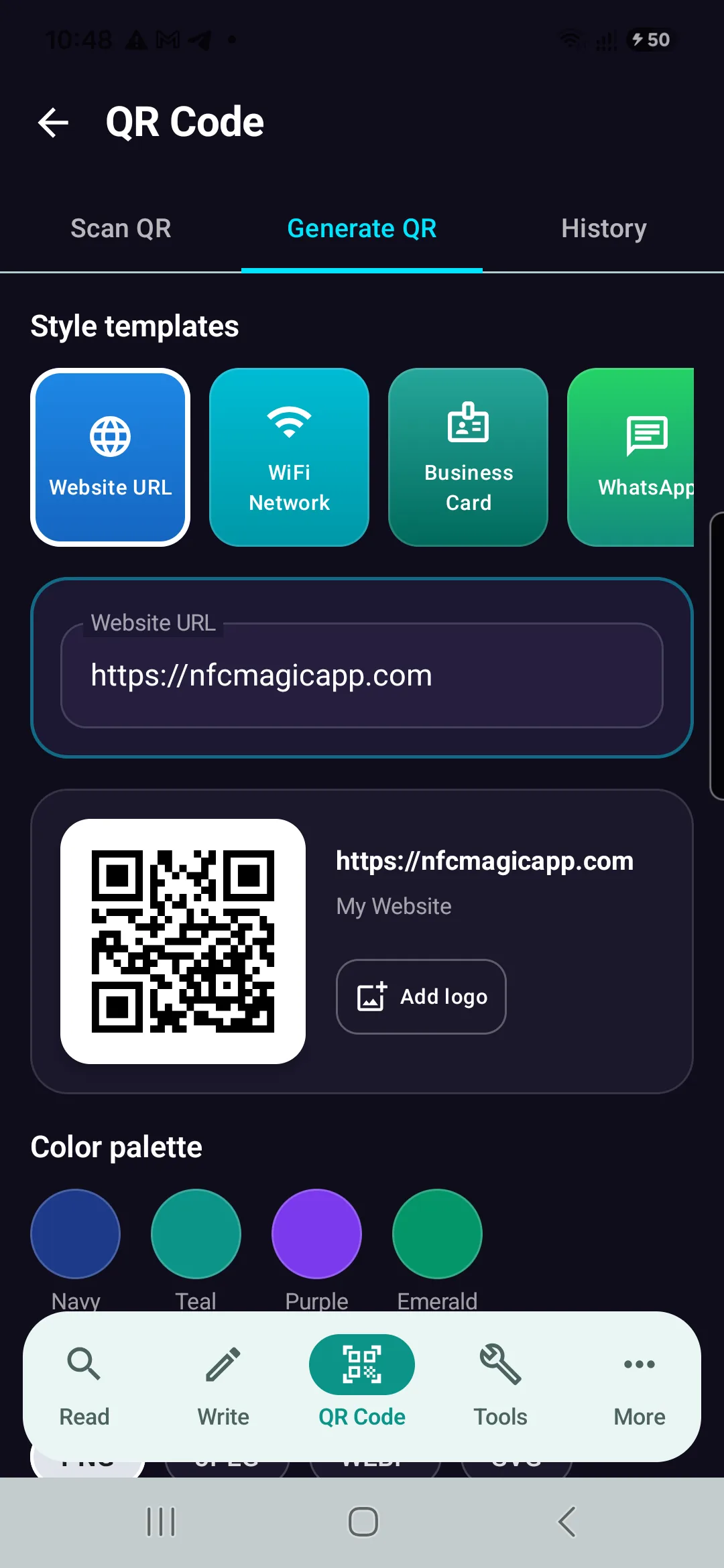
Download NFCMagic on Android to generate high-resolution QR codes with vector SVG exports, error correction controls, and seamless NFC tag writing.