What Happens to a QR Code After Repeated Printing and Scanning?
A QR code may look simple, but its reliability depends on very precise visual information.
Every QR code consists of small dark and light modules arranged in a structured matrix.
A QR code generator creates those modules digitally.
A QR code reader later analyzes them and reconstructs the encoded data.
If the same qrcode is printed, scanned, reprinted, scanned again, photographed, resized, or compressed repeatedly, its visual quality can gradually degrade.
Module edges become less precise.
Contrast can decrease.
Small printing errors can accumulate.
Compression artifacts can spread.
Geometric distortion can increase.
Eventually, the QR code may become difficult or impossible to decode.
The interesting question is not whether degradation occurs.
It is how quickly it becomes significant and which types of QR codes survive the longest.
What Is Print-Scan Degradation?
Print-scan degradation describes the changes that occur when a digital image is converted into a physical print and then captured again by a scanner or camera.
The process can be represented as:
Digital QR code → print → scan → digital copy.
If the new digital copy is printed again, another generation is created.
Each generation introduces new imperfections.
After several cycles, these imperfections can accumulate.
Why the Original QR Code Is Cleaner
The image directly produced by a QR code generator is mathematically precise.
The modules have exact positions.
Edges are sharp.
Foreground and background colors are defined digitally.
There is no paper texture.
There is no ink spread.
There is no camera noise.
This digital original therefore provides the cleanest possible representation of the qrcode.
Printing Introduces the First Degradation
A printer must convert digital modules into physical marks.
This process is imperfect.
Ink can spread.
Toner can have irregular edges.
Paper can absorb pigment.
Printer resolution can limit precision.
Very small modules may not retain their ideal square shape.
The QR code reader later sees these imperfections as part of the image.
Scanner or Camera Capture Adds More Errors
The printed QR code must then be digitized again.
A flatbed scanner introduces its own sampling process.
A smartphone camera introduces even more variables.
Focus.
Perspective.
Lighting.
Lens distortion.
Sensor noise.
Compression.
Exposure.
White balance.
The resulting digital copy is therefore not identical to the original QR code generator output.
Reprinting the Captured Copy
If this degraded digital copy is printed again, the printer reproduces the imperfections along with the QR code.
The second physical version is therefore based on an already degraded source.
A second scan introduces another layer of degradation.
Repeating the process creates generational loss.
Generational Loss
Generational loss occurs when a copy becomes slightly worse than the version from which it was created.
This concept is familiar from analog media.
Photocopy a photocopy repeatedly and the image gradually becomes darker, noisier, and less detailed.
QR codes can experience a digital-physical version of the same phenomenon.
The difference is that QR codes include error correction.
They can tolerate a surprising amount of degradation before the encoded payload becomes unreadable.
Why QR Codes Often Survive Several Generations
QR codes are designed for robust machine reading.
The QR code reader does not need a visually perfect image.
It only needs enough information to identify the module grid and recover the encoded codewords.
Reed–Solomon error correction can reconstruct some missing or incorrect data.
This provides a safety margin.
A QR code can therefore look visibly degraded to a person and still scan correctly.
Module Edges Become Softer
One of the first effects of repeated print-scan cycles is edge degradation.
A perfect digital module changes abruptly from dark to light.
After printing and scanning, this transition becomes softer.
The edge may span several pixels.
Repeated cycles can make the boundary increasingly ambiguous.
Eventually, neighboring modules may begin to merge.
Ink Spread
Ink spread is especially important when QR codes are printed small.
A dark module can become slightly larger than intended.
The ink can extend into adjacent light areas.
If two dark modules are separated by a narrow light module, the gap may partially disappear.
This can cause the QR code reader to classify the module pattern incorrectly.
Toner and Laser Printing
Laser printers use toner rather than liquid ink.
They can produce sharp QR codes.
However, toner distribution is still not mathematically perfect.
Very small modules may have irregular edges.
Low-quality output modes can reduce precision.
Repeated scanning and reprinting still accumulates degradation.
Thermal Printing
Thermal printers are widely used for labels, tickets, and receipts.
They can produce highly readable QR codes.
But thermal printing can introduce its own characteristics.
Heat can cause edges to spread.
Low-quality thermal paper can fade.
Print density settings matter.
A QR code maker intended for thermal labels should avoid unnecessarily dense codes.
Paper Texture
Paper is not perfectly smooth.
Fibers affect ink absorption.
Textured paper can distort module edges.
Glossy paper behaves differently from matte paper.
A QR code printed on rough material may begin with more visual noise than the same code printed on coated paper.
Repeated reproduction can amplify those imperfections.
Scanner Resolution
A scanner captures the printed QR code using a finite resolution.
If the scanner resolution is high relative to the module size, the module pattern is preserved well.
If resolution is too low, module boundaries become uncertain.
Several modules may be represented by too few pixels.
This creates information loss before the next print generation even begins.
Camera Resolution
Smartphone cameras often have high nominal resolution.
But the relevant question is how many pixels actually represent the QR code.
A 50-megapixel camera does not help if the qrcode occupies only a tiny area of the frame.
Each module still needs sufficient pixel coverage.
Moving closer or cropping the image carefully can improve the effective resolution.
Focus Errors
A slightly out-of-focus photograph creates soft module boundaries.
If this image is then printed, the blur becomes part of the new physical QR code.
The next scan starts from an already blurred source.
Repeated cycles can therefore accumulate focus-related degradation.
Perspective Distortion
A flatbed scanner usually captures the QR code with minimal perspective distortion.
A camera may capture it at an angle.
The image can become trapezoidal.
A QR code reader can correct moderate perspective.
But if the distorted image is printed without correction, the distortion becomes permanent in the next generation.
Additional perspective can then accumulate.
Rotation
Rotation by itself is not a major problem.
QR codes are designed to be orientation-independent.
However, repeated resampling of rotated raster images can reduce sharpness.
If an image is rotated by a non-right angle and saved, interpolation can alter module boundaries.
Reprinting that rasterized result adds another degradation step.
Image Resizing
Resizing is one of the most common causes of QR code damage.
If an image is enlarged or reduced without preserving module alignment, interpolation can blur the edges.
A qrcode may still look visually acceptable.
But the underlying module structure can become less precise.
Repeated resizing is particularly harmful.
Integer Scaling Is Safer
Suppose each QR module is represented by 10 × 10 pixels.
Scaling the image by exactly 2× can preserve module boundaries cleanly if nearest-neighbor-style rendering is used appropriately.
Scaling to an arbitrary size can cause module edges to fall between pixels.
The renderer then blends neighboring areas.
This creates anti-aliasing.
For QR graphics, that blending is often undesirable.
Anti-Aliasing
Anti-aliasing makes visual edges appear smoother.
This is useful for text and illustrations.
QR codes depend on sharp module boundaries.
Smoothing can introduce gray pixels around modules.
A QR code reader can often handle them.
But repeated anti-aliasing across several generations can gradually reduce clarity.
PNG vs. JPEG
PNG is usually safer for QR code images.
It uses lossless compression.
Sharp module boundaries are preserved.
JPEG uses lossy compression.
It was designed for photographs.
JPEG can create artifacts around high-contrast edges.
A qrcode repeatedly saved as JPEG can accumulate increasingly visible compression artifacts.
JPEG Compression Artifacts
JPEG divides images into blocks and approximates visual information.
Around black-and-white QR module boundaries, this can create ringing and gray patterns.
At high quality, the damage may be minor.
At low quality, it can become significant.
Repeatedly opening, editing, and resaving JPEG files can increase degradation.
Why QR Codes Should Not Be Repeatedly Resaved as JPEG
Suppose a QR image is exported as JPEG.
It is uploaded to a platform.
The platform recompresses it.
A screenshot is taken.
The screenshot is compressed again.
The final image may have undergone several lossy transformations.
A QR code reader now sees artifacts that did not exist in the original QR code maker output.
Using the original PNG or SVG avoids much of this generational loss.
SVG and Vector QR Codes
Vector formats such as SVG describe geometric shapes rather than storing a fixed raster grid.
This makes them valuable for printing.
A QR code generator can output mathematically clean modules.
The design can be scaled without the same pixelation problems.
The printer rasterizes the final version at its own resolution.
For repeated digital editing, vector sources preserve quality much better than repeatedly resized raster copies.
PDF Output
PDF can preserve vector QR graphics when generated correctly.
This makes it useful for print workflows.
However, placing a low-resolution raster QR image inside a PDF does not magically improve its quality.
The important factor is the original asset.
A vector qrcode inside a PDF is different from a small PNG simply embedded in a PDF file.
Screenshots
Screenshots are another common source of degradation.
A user generates a QR code.
Instead of saving the original file, they take a screenshot.
The screenshot resolution depends on display size.
The QR code may occupy only part of the screen.
The screenshot may then be cropped and resized.
Each step can reduce effective module resolution.
Messaging Applications
Messaging platforms may compress images automatically.
A QR code sent through a chat app can therefore lose quality.
Some platforms preserve document attachments differently from images.
Sending the original file as a document may preserve more quality than sending it as a photo.
The exact behavior varies by platform.
Social Media Compression
Social media platforms often resize and recompress uploaded images.
A perfectly clean QR code can therefore become softer after upload.
The code may still scan because of its built-in robustness.
But very small or dense QR codes are more vulnerable.
Always test the version that users will actually see.
Repeated Screenshot Chains
A QR code may pass through a long chain:
Original generator.
Screenshot.
Messaging app.
Another screenshot.
Image editor.
Social network.
Download.
Print.
Phone photograph.
At every stage, the image can be transformed.
The final qrcode may be several generations removed from the original.
This is a realistic source of scan failures.
Data Density Matters
Dense QR codes degrade faster in practical terms.
A high-version QR code contains many small modules.
Each module has less physical and digital space.
Small errors therefore consume a larger fraction of module width.
A simpler QR code with fewer modules has more tolerance.
This is one reason short payloads are beneficial.
QR Code Version
Version 1 contains 21 × 21 modules.
Higher versions progressively increase module count.
Version 40 contains 177 × 177 modules.
If both are printed at the same physical size, the Version 40 modules are dramatically smaller.
Repeated print-scan degradation therefore affects the higher-version code more severely.
Payload Length
Long payloads often require higher versions.
A QR code generator must encode all supplied information.
A long URL with tracking parameters may produce a denser qrcode than a short URL.
Reducing unnecessary payload length can improve resilience across reproduction cycles.
Error Correction Helps
QR codes contain Reed–Solomon error correction.
Four standard levels are commonly described as:
L.
M.
Q.
H.
Higher levels provide more redundancy.
This allows a QR code reader to recover some incorrectly read codewords.
Repeated degradation can therefore be tolerated until the accumulated error exceeds the correction capability.
Higher Error Correction Is Not a Complete Solution
Increasing error correction also consumes QR capacity.
For the same payload, the QR code generator may need a higher version.
That creates more modules.
At a fixed physical size, those modules become smaller.
So higher error correction increases redundancy but may also increase visual density.
The best setting balances both effects.
Contrast Degradation
Repeated printing and scanning can reduce contrast.
White backgrounds may become gray.
Dark modules may become lighter.
Scanner exposure may shift brightness.
Photocopying can darken paper texture.
As foreground and background become less distinct, module classification becomes harder.
Photocopying QR Codes
Photocopiers can reproduce QR codes surprisingly well.
But repeated photocopying introduces generational loss.
Paper texture becomes more visible.
Edges become less precise.
Background noise increases.
Dark areas may expand.
A qrcode may survive many generations if it is large and simple.
A tiny dense code may fail much sooner.
Color QR Codes
Colored QR codes can be more sensitive to reproduction.
Printers and scanners interpret colors differently.
A dark blue may shift.
A gradient may change.
Background colors may become darker.
Contrast can decrease.
Traditional black-on-white QR codes provide the greatest stability across repeated print-scan cycles.
RGB to CMYK Conversion
A colored QR code created for a screen may be converted from RGB to CMYK for printing.
The resulting colors can differ.
The printed version is then scanned back into RGB.
This repeated color-space conversion can gradually change appearance.
For machine-readable codes, strong luminance contrast reduces the impact.
Inverted QR Codes
Light modules on dark backgrounds may work with many modern QR code readers.
But repeated reproduction can create additional uncertainty.
Dark backgrounds can spread into light modules.
Photocopying may further close small gaps.
For repeated print-scan scenarios, conventional dark-on-light polarity is usually more robust.
Logos
A logo already covers some QR modules.
Error correction compensates.
Repeated degradation then creates additional errors elsewhere.
This reduces the remaining safety margin.
A qrcode with a large logo may therefore fail after fewer generations than an otherwise identical plain QR code.
Decorative Module Shapes
Rounded modules.
Dots.
Diamonds.
Custom patterns.
These designs may work perfectly when generated cleanly.
Repeated printing and scanning can distort them more quickly than standard square modules.
As their shapes degrade, a QR code reader has less predictable information.
For archival or repeated reproduction, simple modules are safer.
Finder Patterns
The three large QR corner squares are called finder patterns.
They are relatively robust because they are large structures.
Repeated degradation may soften their edges, but they often remain detectable longer than small data modules.
This means a QR code reader may still find the qrcode even when the payload can no longer be decoded.
Alignment Patterns
Higher QR versions contain alignment patterns.
These help correct distortion.
Repeated scanning, scaling, and printing can alter geometry.
Alignment patterns provide additional reference points.
However, if they become degraded or merged with surrounding modules, correction becomes less accurate.
Timing Patterns
Timing patterns help establish module spacing.
They contain alternating dark and light modules.
Because these are relatively fine structures, repeated blur can affect them.
A QR code reader relies on sufficient timing information to estimate the module grid correctly.
Quiet Zone
The blank area surrounding a QR code is the quiet zone.
Repeated cropping is a common problem.
Each time someone screenshots or trims the image, the quiet zone may become smaller.
Eventually, text or graphics may sit directly against the QR modules.
This can interfere with detection even if the encoded data remains intact.
Always Preserve the Quiet Zone
A QR code generator should create sufficient margin.
Do not remove it during later editing.
If the qrcode is being passed between designers, printers, or applications, the quiet zone should be treated as part of the required asset.
It is functional, not wasted space.
Print Size
Physical size is one of the strongest predictors of repeated reproduction resilience.
A larger QR code has larger modules.
Small printing and scanning errors occupy a smaller percentage of each module.
This gives the QR code reader a larger margin.
Tiny QR codes degrade much faster.
Printer DPI
Printer resolution is often measured in dots per inch.
Higher DPI can reproduce module edges more accurately.
However, printer technology and material also matter.
A nominally high-resolution printer can still produce poor output on unsuitable paper.
The relevant question is whether each QR module remains clean and distinct.
Scanner DPI
Scanner resolution should also be sufficient.
A high-resolution scan captures more pixels per module.
This preserves the QR pattern better for future reprinting.
Scanning at unnecessarily low resolution creates irreversible information loss.
Once module distinctions disappear, enlarging the file later cannot recreate them exactly.
Repeated Digital Copies Are Different
A perfect digital copy of a PNG file does not degrade.
Copying the file itself one thousand times produces the same bytes.
Degradation occurs when the image is transformed.
Resized.
Compressed.
Screenshot.
Printed.
Scanned.
Photographed.
Edited.
Re-encoded.
This distinction is important.
QR codes do not wear out merely because a digital file is duplicated.
File Copy vs. Visual Copy
If you send the original PNG as a file, the recipient can receive an identical digital copy.
If you display the QR code on a screen and someone photographs it, the new image is a visual copy.
A visual copy is subject to optics, resolution, and image processing.
Whenever possible, preserve and distribute the original QR code generator file.
Can a QR Code Be Copied Indefinitely?
Digitally, yes, if the exact original file is copied without modification.
Physically, repeated reproduction eventually reduces quality.
The number of successful generations is not fixed.
It depends on:
Module size.
QR version.
Error correction.
Printer quality.
Scanner quality.
Contrast.
File format.
Resizing.
Physical materials.
No universal number exists.
How Many Times Can You Photocopy a QR Code?
There is no standard answer.
A large, high-contrast, low-density QR code could survive many photocopy generations.
A tiny dense QR code might fail after only a few poor reproductions.
The only reliable method is controlled testing.
A QR code reader can be used after each generation to measure success.
How to Run a Print-Scan Experiment
Start with a clean QR code generator output.
Record:
QR version.
Error correction level.
Payload length.
Physical dimensions.
Printer settings.
Scanner settings.
Print the QR code.
Scan it.
Save the scan.
Print the scanned version.
Repeat.
Test each generation using several QR code readers.
This produces measurable degradation data.
Measure Decode Success Rate
For each generation, record whether decoding succeeds.
If multiple readers are tested, record each result.
For example:
Generation 1: 100% success.
Generation 5: 100%.
Generation 10: 95%.
Generation 15: 60%.
Generation 20: 0%.
This provides a practical measure of resilience.
Measure Module Error Rate
A more technical experiment can compare the captured QR module matrix with the original matrix.
This reveals how many modules changed.
Researchers can then study where errors appear.
Edges.
Corners.
Dense regions.
Alignment patterns.
This provides deeper insight than simply measuring pass/fail decoding.
Compare Error Correction Levels
Generate the same payload at L, M, Q, and H.
Keep the physical conditions as similar as possible.
Repeat the print-scan process.
Compare how many generations each version survives.
The result will illustrate the trade-off between redundancy and density.
Compare QR Versions
Use different payload lengths.
Generate low-version and high-version codes.
Print them at the same physical size.
Higher versions should generally show greater sensitivity because their modules are smaller.
This is a useful demonstration of QR density effects.
Compare File Formats
Start from:
PNG.
JPEG.
SVG.
Generate physical prints from each workflow.
Repeat reproduction.
Measure decode success.
This can demonstrate why lossless or vector formats are preferable for preserving QR code quality.
Compare Printing Technologies
Inkjet.
Laser.
Thermal.
Commercial offset.
Different printing methods create different edge characteristics.
A research project can compare their effect on QR survival across multiple reproduction generations.
This has practical value for labels and packaging.
Compare Camera vs. Flatbed Scanner
A flatbed scanner provides controlled geometry.
A smartphone camera introduces perspective and lighting variability.
Repeated reproduction through a camera may degrade the QR code faster.
Testing both reveals how acquisition method affects generational loss.
AI and Print-Scan Recovery
AI can potentially restore QR images degraded through multiple generations.
A model can reduce noise.
Sharpen edges.
Correct contrast.
Estimate module geometry.
Remove perspective distortion.
However, the final output must be validated.
AI-generated visual quality is not enough.
The QR code reader must recover the exact original payload.
AI Training for Print-Scan Degradation
This research area is especially suitable for synthetic data.
A QR code generator creates the clean ground truth.
A simulation adds:
Blur.
Noise.
Ink spread.
Paper texture.
Compression.
Geometric distortion.
Contrast changes.
The model learns to reconstruct the clean module pattern.
Real print-scan samples can then be used for validation.
Why AI Cannot Recover Unlimited Generations
Repeated degradation eventually destroys information.
Suppose several neighboring modules become a single uniform gray region.
Multiple original module combinations may produce the same degraded image.
At that point, the exact original pattern may be unknowable without enough error-correction data.
AI cannot recreate certainty from missing information.
Archival QR Codes
QR codes used in books, official documents, archives, or long-lived labels should be designed conservatively.
Use high contrast.
Use sufficient physical size.
Keep payloads concise.
Use appropriate error correction.
Avoid unnecessary logos and decoration.
Store the original digital file.
These practices improve long-term reproducibility.
QR Codes in Books
A QR code in a book may be photocopied or scanned many years later.
Paper can yellow.
Ink can fade.
Print quality may be imperfect.
A simple, sufficiently large qrcode provides much greater long-term resilience than a tiny decorative code.
The destination URL should also be designed for long-term stability.
QR Codes on Receipts
Receipts create a different problem.
Thermal paper can fade substantially over time.
The QR code may become difficult to read even without repeated copying.
Taking a digital image early can preserve the information.
A QR code reader may still recover faded codes if sufficient contrast remains.
QR Codes on Tickets
Tickets are often folded, scanned, screenshot, and displayed on different devices.
The QR code may pass through several representation changes.
Systems should generate codes with enough size and contrast to tolerate these transformations.
A dense code shown as a small screenshot can become unreliable.
QR Codes in PDF Documents
A high-quality QR code embedded in a PDF can remain reliable across digital sharing.
Problems appear when the PDF is printed and rescanned repeatedly.
If the original PDF stores the qrcode as vector graphics, each fresh print from the original remains high quality.
Reprinting from a scanned copy creates generational loss.
Always Return to the Original Source
The best method for preventing degradation is simple.
Do not create new copies from degraded copies when the original is available.
Return to the QR code generator output.
Generate a fresh print from the original PNG, SVG, or PDF.
This resets the visual quality.
Regenerating from the Payload
If the original image is lost but the encoded content is known, create a new QR code.
Enter the original information into a QR code maker.
Generate a clean replacement.
This is usually better than digitally restoring a heavily degraded QR image.
The decoded information matters more than preserving the exact visual module arrangement.
Will the New QR Code Look Identical?
Not necessarily.
Different QR code generators may choose different:
Versions.
Masks.
Encoding modes.
Error correction settings.
Rendering parameters.
Two QR codes can look different while decoding to exactly the same payload.
This is normal.
Repeated Scanning Does Not Damage the Physical Code
Scanning a QR code with a camera does not physically wear it out.
The degradation discussed here occurs when scanned copies are used to create new copies.
Simply scanning the same original printed qrcode one thousand times does not change its printed modules.
Physical wear comes from handling, light, moisture, abrasion, or material aging.
The QR Code Reader Does Not Modify the QR Code
A QR code reader only observes and decodes the visual pattern.
It does not alter the printed or displayed code.
This distinction matters when discussing "repeated scanning."
Scanning itself is harmless.
Repeated reproduction is what creates cumulative image degradation.
Best Practices for Preserving QR Code Quality
Keep the original source file.
Prefer PNG or SVG over repeatedly compressed JPEG.
Use vector output for professional printing when possible.
Avoid screenshots when the original asset is available.
Maintain the quiet zone.
Do not repeatedly resize raster images.
Keep modules sufficiently large.
Use strong contrast.
Avoid unnecessary decoration.
Test the final representation with multiple QR code readers.
Frequently Asked Questions
Does scanning a QR code repeatedly damage it?
No. Simply scanning the same physical QR code does not damage it. Degradation occurs when scanned or photographed copies are used to create new reproductions.
Can a QR code survive repeated photocopying?
Yes, often for several generations, especially if the code is large, high contrast, and not overly dense. There is no universal maximum number of copies.
Why does a copied QR code eventually stop scanning?
Repeated printing, scanning, resizing, compression, and image processing can blur module boundaries, reduce contrast, and introduce errors until the QR code reader can no longer reconstruct the data.
Is PNG better than JPEG for QR codes?
Generally, yes. PNG uses lossless compression and preserves sharp module boundaries. JPEG can introduce artifacts around high-contrast QR patterns.
Is SVG better for printing QR codes?
SVG is often excellent for printing because it preserves vector geometry and can scale without the same raster pixelation problems.
Does QR code error correction help with repeated degradation?
Yes. Error correction can recover some incorrectly read data, but it has finite limits.
Can AI restore a repeatedly copied QR code?
AI can potentially improve blur, noise, contrast, and geometry, but exact recovery is only possible when enough original information remains.
Can a QR code generator make a code more resistant to repeated copying?
Yes. A QR code generator can reduce density, use appropriate error correction, preserve strong contrast, provide high-resolution or vector output, and maintain a proper quiet zone.
Should I regenerate a damaged QR code if I know the original data?
Yes. Creating a fresh QR code from the original payload is usually better than reproducing a degraded copy.
Do you have a Reddit account?
Yes. We have an official Reddit account with the same name as our website.
Conclusion
QR codes are highly resistant to imperfect reproduction, but repeated print-scan cycles eventually introduce generational loss.
The original QR code generator output begins with precise digital modules.
Printing introduces physical imperfections.
Scanning or photographing introduces sampling, blur, noise, perspective, and compression.
Reprinting that captured image reproduces those imperfections.
Repeating the process accumulates errors.
QR error correction allows a QR code reader to tolerate some of this degradation.
Large, simple, high-contrast QR codes can survive far more reproduction than small, dense, decorative designs.
Physical size, QR version, printer quality, scanner resolution, file format, compression, logos, colors, and resizing all influence how quickly readability deteriorates.
The safest strategy is to preserve the original QR code file.
Whenever another copy is needed, print or publish directly from that original rather than from a screenshot or scanned copy.
If the original image is lost but the payload is known, use a QR code generator or qrcode maker to create a fresh code.
Repeated scanning itself does not harm a QR code.
Repeated reproduction does.
The better each generation preserves the original module geometry, contrast, and quiet zone, the longer a QR code reader can continue recovering the exact encoded information.
Generate Reliable QR Codes with NFCMagic
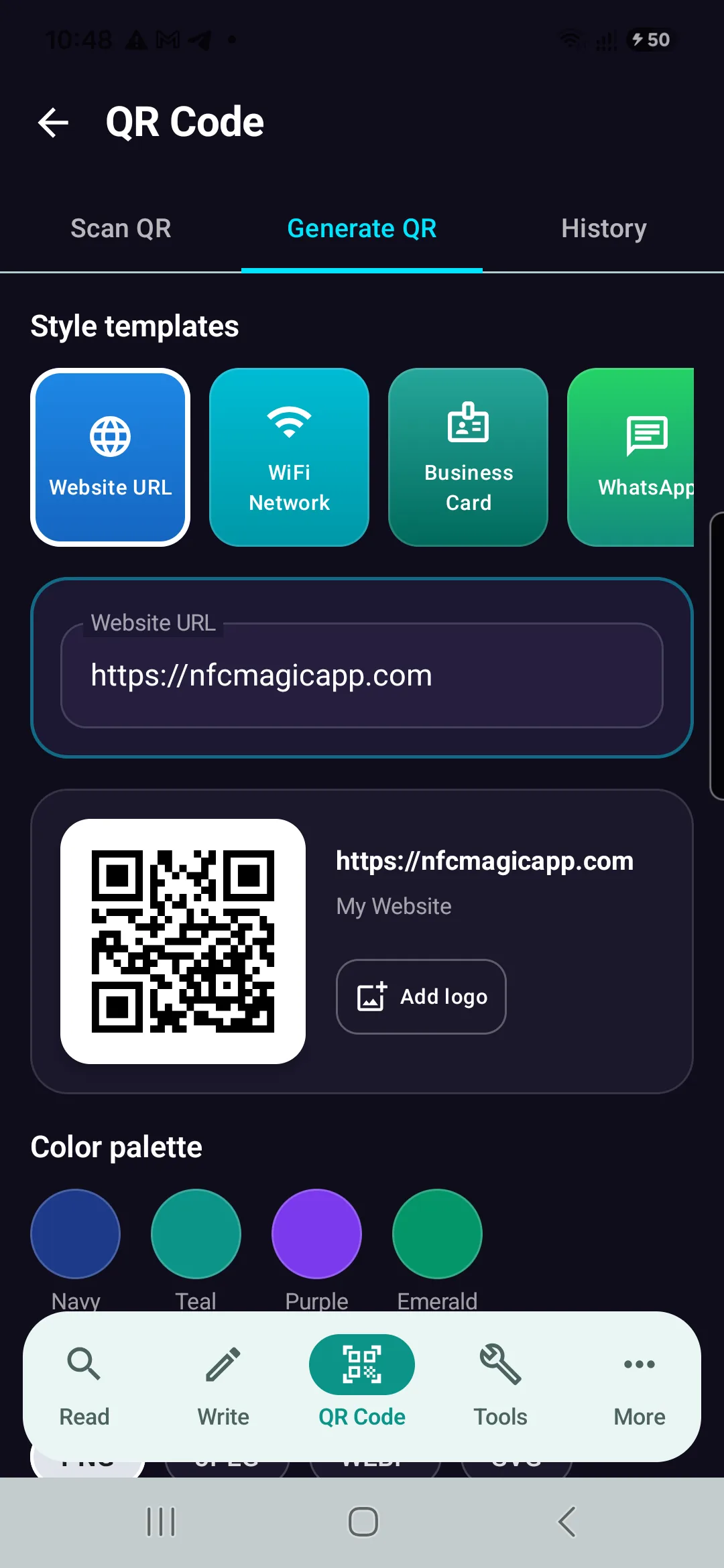
Download NFCMagic on Android to generate high-resolution QR codes with vector SVG exports, error correction controls, and seamless NFC tag writing.