Can You Scan a Partially Damaged QR Code?
Yes, a QR code can often still be scanned even when part of it is damaged.
This is one of the important advantages of QR code technology.
QR codes contain built-in error correction.
When a QR code generator creates a code, it does not encode only the original information.
It also includes redundant information that can help a QR code reader reconstruct data when parts of the pattern are damaged or unreadable.
However, this does not mean that every damaged qrcode can be recovered.
The amount of damage, its location, the error correction level, QR code density, image quality, and reader software all affect the result.
A small scratch may have almost no effect.
A large missing section may make recovery impossible.
What Does "Damaged QR Code" Mean?
Damage can take many forms.
A QR code may be scratched.
Part of it may be torn away.
Ink may fade.
A label may become dirty.
A sticker may cover some modules.
The QR code may be folded.
A photograph may crop part of the code.
A logo may cover too much of the center.
A reflection may hide a region.
A low-resolution image may effectively remove module information.
All of these can create incomplete QR data.
Physical Damage vs. Incomplete Images
There is an important difference between a physically damaged QR code and an incomplete photograph.
A physically damaged code has actually lost some printed information.
An incomplete photograph may simply fail to capture the entire code.
For example, part of the qrcode may exist outside the camera frame.
From the QR code reader's perspective, both situations create missing information.
But a new photograph can solve the second problem.
Physical damage cannot be fixed so easily.
Why QR Codes Can Survive Damage
QR codes use Reed–Solomon error correction.
This mathematical system adds redundancy to the encoded information.
When some codewords are corrupted or unavailable, the QR code reader can use the remaining information to reconstruct the original payload within certain limits.
This allows QR codes to tolerate:
Scratches.
Printing defects.
Small obstructions.
Dirt.
Missing modules.
Some scanning errors.
The amount of recovery available depends partly on the selected error correction level.
QR Code Error Correction Levels
Standard QR codes support four primary error correction levels.
These are:
L.
M.
Q.
H.
They are commonly associated with approximate recovery capabilities of:
Level L: around 7%.
Level M: around 15%.
Level Q: around 25%.
Level H: around 30%.
These percentages are useful guidelines.
They should not be interpreted as a guarantee that any arbitrary percentage of the visible QR code can be removed safely.
Why Damage Location Matters
Not every module in a QR code has the same function.
Some modules contain data.
Some contain error correction.
Others form critical structural patterns.
Damage in one region can therefore be much more serious than damage in another.
For example, losing a small number of ordinary data modules may be recoverable.
Destroying a finder pattern can interfere with QR code detection itself.
This is why two codes with apparently similar amounts of damage can behave very differently.
Finder Patterns
The three large square structures near three corners of a standard QR code are called finder patterns.
They help the QR code reader locate the code.
They also help determine its orientation.
If one finder pattern is partially damaged, some readers may still detect the code.
If multiple finder patterns are heavily destroyed, scanning becomes much more difficult.
Error correction cannot help if the reader never successfully detects the QR code structure.
Can One Corner Be Missing?
Sometimes.
If a small portion of one corner is missing, a capable QR code reader may still identify the code using the remaining patterns and geometry.
If an entire finder pattern is missing, success becomes less predictable.
Advanced readers may infer the missing corner from the remaining information.
Standard readers may fail.
The exact result depends on how much structure remains visible.
Can Two Corners Be Missing?
Recovery becomes much more difficult.
With only one finder pattern clearly visible, orientation and geometry become ambiguous.
Specialized computer vision or AI may sometimes detect the remaining QR structure.
But standard smartphone scanning is unlikely to be reliable.
At this point, structural loss may be more important than data loss.
Can the Center of a QR Code Be Damaged?
Yes.
Central damage is often more recoverable than damage to finder patterns.
This is one reason QR codes can sometimes include logos in the center.
The logo intentionally covers or alters some modules.
Error correction compensates for the lost information.
However, the logo must remain reasonably small.
A very large central obstruction can exceed the QR code's recovery capacity.
Why Logos Work
A QR code maker may allow a logo to be inserted into the center of a QR code.
The generator often uses a relatively high error correction level.
This creates additional redundancy.
The logo covers some of the module pattern.
The QR code reader uses error correction to recover the missing information.
The important point is that the covered region is intentionally limited.
A Logo Is Controlled Damage
From the perspective of the QR decoding system, a logo is effectively an intentional obstruction.
It hides modules.
The reader does not know that those modules were covered for branding.
It simply attempts to reconstruct the data.
This means a QR code with a logo already uses some of its error-correction margin.
Additional scratches or blur can then cause failure sooner.
Can Half a QR Code Be Missing?
Usually, reliable recovery becomes extremely unlikely.
Even Level H error correction should not be interpreted as allowing half the visible QR image to disappear.
The code contains structural elements that must remain usable.
Data and error-correction codewords are distributed according to the QR specification.
Removing half the code can destroy far more information than the remaining redundancy can reconstruct.
AI cannot guarantee recovery either.
Why 30% Error Correction Does Not Mean 30% of the Image
This is one of the most common misconceptions.
Level H is often described as recovering approximately 30% of errors.
That does not mean you can cut away any 30% of the QR image.
Error correction operates on encoded codewords.
Visual area and damaged codewords are not always directly proportional.
Damage can also affect finder patterns, alignment patterns, timing patterns, or format information.
The shape and location of damage matter.
What Happens When a QR Code Is Cropped?
Cropping removes part of the visual QR structure.
A small crop affecting only the outer blank margin may not prevent scanning.
A crop that removes actual QR modules is more serious.
If only a small data region is missing, error correction may still work.
If the crop removes a finder pattern or a large section of modules, decoding may fail.
The Quiet Zone
A QR code normally includes a blank margin around it called the quiet zone.
This area is not part of the user data.
It helps the QR code reader distinguish the code from surrounding graphics.
Cropping some of the quiet zone does not destroy encoded data.
However, removing it completely can make detection less reliable.
The qrcode should ideally retain a clean margin.
Can You Restore the Quiet Zone?
Yes.
If the QR code modules themselves are intact but the surrounding blank margin was cropped, adding white space around the image can sometimes improve detection.
This does not reconstruct encoded data.
It simply gives the reader a clearer visual boundary.
For image-based recovery, this is one of the simplest things to try.
Scratched QR Codes
Scratches typically remove narrow lines of modules.
Depending on their direction and width, they may affect many codewords.
Small scratches are often recoverable.
Multiple large scratches can exceed error correction.
A scratch crossing a finder pattern can be particularly problematic.
The best test is actual decoding.
Folded QR Codes
A fold can create two different problems.
It may physically hide part of the QR code.
It may also distort the geometry.
If the fold can be flattened, scanning may improve immediately.
If the fold permanently damages the print, error correction may still recover the missing data.
Strong shadows along the fold can also affect camera recognition.
Torn QR Codes
A torn QR code represents actual missing visual information.
If a small edge area is lost, recovery may still be possible.
If a large section is missing, the original data may no longer be uniquely recoverable.
The situation depends on both structural and encoded information loss.
Reassembling torn pieces can dramatically improve the chances of decoding.
Dirty QR Codes
Dirt behaves like an obstruction.
Small spots may cover individual modules.
Error correction can handle many such errors.
Large patches of dirt can hide critical areas.
Cleaning the surface may be more effective than attempting advanced digital reconstruction.
For permanent outdoor QR codes, physical material selection matters.
Faded QR Codes
Fading does not necessarily remove modules completely.
Instead, contrast decreases.
A QR code reader may struggle to distinguish dark and light areas.
Image processing can sometimes help.
Increasing contrast.
Converting to grayscale.
Applying thresholding.
Improving lighting.
These techniques may make the module pattern readable again.
Water-Damaged QR Codes
Water can affect paper and ink.
Modules may bleed.
Edges may become irregular.
Paper may wrinkle.
Some data can disappear.
A high-resolution photograph taken after the material dries may provide the best recovery opportunity.
Error correction can compensate if enough module information remains.
QR Code on Damaged Packaging
Packaging is frequently scratched, folded, or compressed.
A QR code intended for packaging should therefore be designed with sufficient physical size.
Strong contrast.
A suitable error correction level.
A clear quiet zone.
Minimal unnecessary decoration.
The QR code maker should not produce an excessively dense code for a small label.
Can Error Correction Repair a QR Code?
Error correction repairs the data logically.
It does not physically redraw the damaged image.
The QR code reader identifies errors.
It uses redundant mathematical information.
It reconstructs the original payload.
The damaged printed code remains physically damaged.
But the information may still be recovered.
How Reed–Solomon Recovery Works
Reed–Solomon coding treats encoded data mathematically.
Additional error-correction symbols are generated.
When the reader detects missing or corrupted codewords, these redundant symbols provide enough constraints to reconstruct some of them.
The exact mathematics is more complex than simple duplication.
This approach is highly efficient.
It allows substantial recovery without storing a full second copy of the data.
Why QR Code Generators Ask for Error Correction
Some QR code generator tools expose error correction as a user setting.
The options may appear as L, M, Q, and H.
Higher levels allocate more QR capacity to recovery information.
This improves resilience.
But it reduces available capacity for the original payload.
A QR code maker therefore balances reliability and density.
High Error Correction Can Increase Density
Suppose the payload already fills most of the available capacity at Level L.
Changing to Level H requires additional recovery information.
The QR code generator may need to increase the QR version.
This adds more modules.
If the physical size remains unchanged, modules become smaller.
A denser QR code can be more sensitive to blur and printing defects.
So maximum error correction is not automatically optimal.
Can a Damaged QR Code Be Regenerated?
If you know the original data, yes.
Enter the same information into a QR code generator.
The QR code maker can create a new QR code.
However, the new QR image may not be visually identical.
Different generators may select different encoding modes, masks, versions, or error correction settings.
The important result is that the decoded payload is the same.
What If You Do Not Know the Original Data?
Then recovery depends on the remaining QR information.
A QR code reader must attempt to reconstruct the payload.
If standard scanning fails, image processing may help.
If too much information is missing, exact reconstruction may be impossible.
AI can estimate patterns, but estimation is not the same as guaranteed recovery.
Try Multiple QR Code Readers
Different QR code reader implementations can perform differently.
One may handle partial damage better.
Another may have stronger detection.
Some use more advanced perspective correction.
Some analyze multiple video frames.
If a damaged QR code fails with one scanner, testing another can sometimes succeed.
Use a High-Resolution Image
When attempting recovery, capture as much detail as possible.
Avoid digital zoom if you can physically move closer.
Ensure the camera is focused.
Use good lighting.
Avoid glare.
Fill a useful portion of the camera frame with the QR code.
Higher-quality input gives the reader more information to work with.
Photograph the Code from the Front
Perspective distortion makes damaged QR recovery harder.
If possible, photograph the remaining code directly from the front.
This simplifies geometric correction.
The module grid is easier to estimate.
For damaged codes, reducing additional imaging problems is important.
Take Multiple Photos
One photograph may contain glare.
Another may be sharper.
A third may show a damaged region from a slightly different angle.
Multiple images can provide additional information.
Advanced software can potentially combine them.
Even ordinary users may find that one photo scans while another does not.
Use Video
Live camera scanning processes many frames.
Some frames will be sharper than others.
The phone may automatically find one frame where the code is sufficiently clear.
This can outperform trying to decode one manually captured photograph.
Future AI QR code readers can combine data across frames more intelligently.
Contrast Enhancement
For faded QR codes, increasing contrast can help.
Dark modules become darker.
Light regions become lighter.
However, aggressive enhancement can also destroy uncertain module boundaries.
It is useful to preserve the original image before applying changes.
Several processing versions can then be tested.
Grayscale Conversion
Color is not necessary for ordinary QR decoding.
Converting a damaged color image to grayscale may simplify the problem.
This is particularly useful when color fading or unusual lighting affects the image.
Many QR code reader algorithms perform grayscale conversion internally.
Thresholding
Thresholding converts an image into dark and light regions.
A simple threshold can work well for evenly lit QR codes.
Adaptive thresholding is better when lighting varies across the image.
The objective is to recover a clean module representation.
Poor threshold selection can incorrectly remove faint modules.
Perspective Correction
If the damaged qrcode is photographed at an angle, correcting perspective can improve decoding.
The four corners of the original QR area are estimated.
The image is transformed into a square.
The QR code reader can then sample the expected module positions more accurately.
Missing sections remain missing, but the surviving information becomes easier to interpret.
Can Photoshop Repair a QR Code?
Image-editing software can help in some cases.
It can improve contrast.
Correct perspective.
Remove background clutter.
Add a quiet zone.
Resize the image.
But manually painting missing QR modules is dangerous.
Unless you know the exact original pattern, guessing modules can introduce incorrect data.
A visually neat QR code is not necessarily a mathematically valid one.
Do Not Guess Missing Squares Randomly
QR modules are not decorative pixels.
They represent precise binary information or structural patterns.
Randomly filling missing areas is unlikely to reconstruct the original payload.
Even if the resulting image looks like a normal QR code, it may decode to nothing.
Recovery should use QR structure and error correction rather than visual intuition.
Can AI Reconstruct Missing QR Modules?
Potentially.
AI models can be trained on large numbers of QR codes.
They can learn structural patterns.
They can estimate missing regions.
They can improve detection.
However, there is a fundamental limitation.
User payload data can be essentially arbitrary.
The AI cannot simply infer arbitrary missing information from context with certainty.
AI Works Better with Degradation Than Destruction
AI is especially useful when information is still present but degraded.
Blur.
Noise.
Low resolution.
Perspective distortion.
Partial glare.
Poor lighting.
These conditions preserve some evidence about the original modules.
Completely destroyed regions contain much less information.
This makes exact reconstruction more difficult.
QR Structure Provides Constraints
QR codes are highly structured.
Finder patterns have fixed designs.
Timing patterns are known.
Alignment patterns follow defined layouts.
Format information appears in known locations.
Mask patterns follow standardized rules.
A recovery algorithm can reconstruct these known structures more confidently than arbitrary payload data.
This helps locate and interpret damaged codes.
Format Information Redundancy
QR codes store format information redundantly.
This helps the reader determine error correction level and mask pattern even if part of the code is damaged.
This redundancy is separate from the main payload recovery system.
It illustrates how QR codes were intentionally designed for robust scanning.
Alignment Patterns and Damage
Higher QR versions include multiple alignment patterns.
These help the QR code reader compensate for distortion.
If some are damaged, others may remain available.
This distributed structure improves robustness.
However, losing too many reference points can make geometric reconstruction harder.
Incomplete QR Codes on Screens
A QR code displayed partially off-screen may not scan.
Simply scrolling or repositioning the display to show the complete code is usually the best solution.
Unlike physical damage, no data has actually been destroyed.
The camera just needs access to the complete image.
QR Codes Cut Off by Website Layouts
Responsive web design can accidentally crop QR images.
CSS containers may hide part of the code.
Image scaling may remove the quiet zone.
A QR code maker may generate a perfectly valid image, but poor website rendering can make it unreadable.
Always inspect the final displayed version.
Social Media Cropping
Social platforms may crop images automatically.
They may also resize or recompress them.
If the QR code is placed close to the image edge, part of it may disappear.
Keeping adequate margin around QR codes helps prevent this issue.
The final uploaded image should be tested.
QR Codes in Printed Documents
Printers can crop page edges.
PDF scaling may resize the QR code.
Low printer resolution can degrade small modules.
If a QR code is important, place it away from trim lines and page boundaries.
Use a sufficient physical size.
Test the actual printed document.
Damage and Data Density
Dense QR codes have smaller modules for a given physical size.
A scratch of fixed physical width therefore damages more modules.
This is another reason not to encode unnecessary information.
A shorter payload can allow a simpler QR pattern.
A QR code generator should optimize for practical readability, not merely capacity.
Damage and QR Code Size
Larger QR codes generally tolerate physical defects better.
A one-millimeter scratch is significant on a tiny QR label.
The same scratch affects a much smaller fraction of a large poster QR code.
Physical dimensions therefore influence real-world damage resistance.
Damage and Printing Resolution
High-resolution printing creates clean module boundaries.
Low-resolution printing may already introduce errors before physical damage occurs.
If the QR code then becomes scratched, the combined error rate may exceed correction capacity.
Robust design begins with high-quality generation and printing.
Waterproof QR Labels
For environments exposed to moisture, durable materials can prevent damage.
Laminated or synthetic labels may resist water better than ordinary paper.
However, glossy coatings can create glare.
The physical material should therefore balance durability and optical readability.
Outdoor QR Codes
Outdoor codes face sunlight.
Rain.
Dirt.
Scratches.
Temperature changes.
Fading.
Vandalism.
A larger QR code with strong contrast and suitable physical materials can improve longevity.
Periodic scanning tests can identify degradation before the code becomes unusable.
Industrial QR Codes
Industrial codes may be laser-marked on metal or other materials.
They can experience abrasion, grease, dust, and heat.
Dedicated machine-vision QR code reader systems may perform better than ordinary smartphones.
Lighting can also be controlled.
In these environments, QR design is an engineering problem rather than simply a graphic-design task.
QR Code Generator Best Practices for Damage Resistance
Use an appropriate error correction level.
Avoid unnecessarily long payloads.
Maintain a proper quiet zone.
Use strong foreground/background contrast.
Export sufficient resolution.
Use vector output when appropriate.
Avoid oversized logos.
Protect finder patterns.
Select a physical size suitable for the environment.
Test after printing.
These steps give the QR code reader more recovery margin.
Can QR Codes Recover Forever?
No.
Error correction has limits.
A QR code can remain surprisingly readable after moderate damage.
But if enough information is destroyed, the original payload can no longer be reconstructed.
This is a fundamental information limit.
QR technology is robust, not indestructible.
Frequently Asked Questions
Can you scan a damaged QR code?
Yes. A QR code reader can often decode a partially damaged QR code because QR codes contain built.in error correction.
How much of a QR code can be damaged?
The commonly cited recovery ranges are approximately 7%, 15%, 25%, and 30% for levels L, M, Q, and H. These figures do not mean that any equivalent percentage of visible QR area can safely be removed.
Can a QR code work if part of it is missing?
Sometimes. Small missing regions may be recoverable. Large missing sections or damage to critical structural patterns can prevent decoding.
Can you scan a cropped QR code?
A slightly cropped QR code may still scan, particularly if only part of the quiet zone is missing. Cropping actual modules or finder patterns makes recovery much harder.
Can a QR code work with one corner missing?
Sometimes, depending on how much of the finder pattern and other QR structure remains. Standard readers may fail when an entire corner structure is lost.
Why can QR codes have logos in the center?
QR error correction can compensate for some deliberately covered modules. The logo should remain small and should not cover finder patterns.
Can a QR code generator make a code more damage resistant?
Yes. A QR code generator can use higher error correction, sufficient output resolution, appropriate QR sizing, and other design choices that increase practical resilience.
Can AI repair a damaged QR code?
AI can improve detection and reconstruct degraded images, but it cannot guarantee the exact recovery of arbitrary information that has been completely destroyed.
Should I try multiple QR code readers on a damaged code?
Yes. Different QR code reader implementations may handle damage, blur, perspective, and image preprocessing differently.
Do you have a Reddit account?
Yes. We have an official Reddit account with the same name as our website.
Conclusion
A damaged or incomplete QR code is not automatically useless.
QR technology was specifically designed to tolerate errors.
Reed–Solomon error correction gives a QR code reader the ability to reconstruct certain missing or corrupted codewords.
This makes QR codes surprisingly resistant to scratches, dirt, fading, small obstructions, printing defects, and partial damage.
But the location and amount of damage are critical.
Finder patterns, timing structures, alignment patterns, and other functional areas help the QR code reader locate and interpret the code.
Destroying these regions can prevent scanning before ordinary data error correction even begins.
The best recovery method depends on the problem.
For faded codes, improve contrast.
For cropped images, restore the full frame if possible.
For glare, change the camera angle.
For blur, capture a sharper image.
For physical damage, use the highest-quality photograph available and test multiple readers.
AI can improve image reconstruction and QR detection, especially when data is degraded rather than completely destroyed.
A QR code generator can also reduce future problems by creating codes with suitable error correction, sufficient physical size, high-quality output, strong contrast, and minimal unnecessary data density.
The fundamental rule is that QR error correction can recover missing information only while enough mathematical evidence remains.
Once too much information has been destroyed, no qrcode reader, QR code maker, or AI system can guarantee reconstruction of the exact original payload.
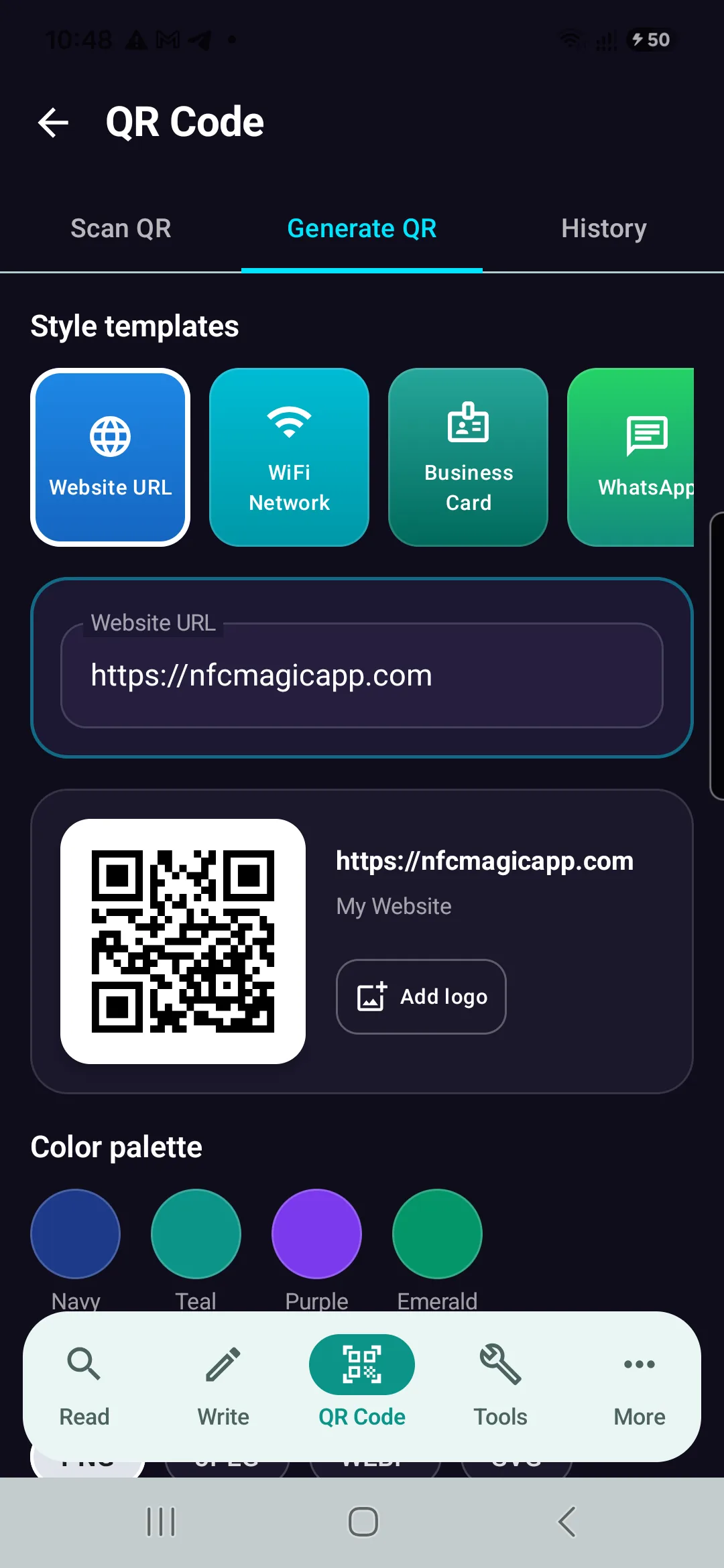
Generate Reliable QR Codes with NFCMagic
Download NFCMagic on Android to generate high-resolution QR codes with vector SVG exports, error correction controls, and seamless NFC tag writing.