How Does Lighting Affect QR Code Scanning?
Lighting has a major impact on how quickly and reliably a QR code can be scanned.
A QR code reader does not directly see the digital pattern created by a QR code generator.
It sees an image captured by a camera.
That image is affected by brightness, shadows, reflections, exposure, camera noise, surface material, screen brightness, and many other environmental factors.
Under good lighting, the dark and light modules of a QR code are easy to distinguish.
Under difficult lighting, those boundaries can become unclear.
A QR code reader may then fail to detect the code or incorrectly classify individual modules.
Understanding lighting is therefore important both when scanning QR codes and when designing them.
Why Contrast Is Important
A QR code is fundamentally based on visual differences between modules.
Traditional QR codes use dark modules against a light background.
Black on white provides extremely strong contrast.
A QR code reader converts the captured image into information that can ultimately be interpreted as dark and light module states.
When contrast is strong, this classification is relatively easy.
When contrast becomes weak, the difference between module states becomes less certain.
Does a QR Code Need to Be Black and White?
No.
QR codes can use colors.
A QR code maker can create dark blue modules on a white background, for example.
Many other combinations can also work.
The important factor is sufficient luminance contrast between foreground and background.
Two colors may look visually different to a person but have similar brightness levels.
This can create problems for a QR code reader.
Color selection should therefore consider machine readability rather than appearance alone.
Why Black on White Works So Well
Black absorbs much of the visible light falling on it.
White reflects much more.
This produces a strong brightness difference.
Camera sensors can distinguish the two regions easily under a wide range of conditions.
This is one reason the traditional black-and-white QR code remains highly reliable.
Creative designs can work, but they usually reduce some of this safety margin.
What Happens in Low Light?
In low light, the camera receives fewer photons.
The device must compensate.
It may increase exposure time.
It may increase sensor sensitivity.
It may apply stronger computational image processing.
Each solution introduces potential problems.
Long exposure increases motion blur.
Higher sensitivity can increase image noise.
Aggressive image processing can alter fine module boundaries.
As a result, a QR code that scans instantly in daylight may become difficult to scan in a dark room.
Low Light and Motion Blur
Low light and movement are closely connected.
When there is insufficient light, a smartphone camera may keep the sensor exposed for longer.
If the phone moves during that interval, the QR code becomes blurred.
The code itself may be perfectly stationary.
The QR code reader still receives a blurred image.
Adding more light allows the camera to shorten exposure and preserve sharper module boundaries.
Camera Noise in Dark Conditions
Image sensors produce more visible noise when operating at high sensitivity.
Noise appears as random brightness or color variations.
For ordinary photographs, modern smartphones can hide much of this effect.
For QR codes, random pixel variations can interfere with the precise module pattern.
A QR code reader usually applies preprocessing to reduce this problem.
Severe noise can still cause decoding failure.
Smartphone Flash Can Help
Many QR scanning applications allow the camera light or flash to be activated.
This can dramatically improve scanning in dark environments.
The additional light improves contrast.
It can improve autofocus.
It allows faster exposure.
However, flash introduces another potential problem: reflection.
On glossy surfaces, direct phone lighting may create a bright glare spot that hides part of the QR code.
What Is Glare?
Glare occurs when strong light reflects toward the camera.
A glossy label can behave partially like a mirror.
Instead of seeing the QR modules, the camera sees a bright reflection.
The affected region may become almost completely white.
If the glare covers important structural or data modules, the QR code reader may fail.
Changing the scanning angle often moves the reflection away from the code.
Glossy vs. Matte QR Code Surfaces
Matte surfaces scatter reflected light in many directions.
Glossy surfaces reflect more light in specific directions.
This makes matte QR code labels generally easier to scan under varied lighting.
Glossy materials can still work perfectly.
They simply require greater attention to light placement and scanning angle.
This becomes especially important for product packaging, laminated menus, plastic labels, and glass.
Reflections on Screens
QR codes displayed on screens can also suffer from reflections.
A smartphone, tablet, television, or monitor may reflect windows or overhead lights.
Screen brightness competes with these reflections.
Increasing screen brightness can sometimes improve QR readability.
Changing the viewing angle can also remove reflected objects from the QR region.
Screen Brightness
A very dim screen reduces the difference between the QR code and environmental reflections.
Increasing brightness can improve effective contrast.
However, maximum brightness is not always necessary.
The goal is simply to provide a clear image to the camera.
A QR code reader needs distinguishable module boundaries rather than an extremely bright display.
Overexposure
Too much light can also cause problems.
If a QR code is illuminated very strongly, bright areas may become overexposed.
The camera sensor records these regions as pure or near-pure white.
Fine details can disappear.
This is particularly problematic when light reflects from a glossy surface.
The solution is often to reduce direct illumination or change the camera angle.
Underexposure
Underexposure occurs when the captured image is too dark.
White regions may appear gray.
Dark modules may lose internal detail.
Camera noise becomes more prominent.
Finder patterns can become difficult to distinguish from the background.
A QR code reader may compensate using automatic brightness normalization, but severe underexposure remains problematic.
Uneven Lighting
A QR code does not always receive uniform illumination.
One side may be brightly lit.
The other may be in shadow.
A simple global brightness threshold can perform poorly in this situation.
Modern QR code readers often use adaptive image-processing techniques.
These methods analyze different parts of the image independently.
This can make scanning much more robust under uneven lighting.
Adaptive Thresholding
Thresholding converts image brightness into categories such as dark and light.
A global threshold uses one value for the entire image.
Adaptive thresholding calculates different thresholds for different regions.
Suppose the left side of a QR code is in sunlight while the right side is in shadow.
Adaptive processing can still identify modules based on their local surroundings.
This is an important technique in practical QR code reader implementations.
Shadows Across a QR Code
A shadow does not necessarily prevent scanning.
If both dark and light modules remain distinguishable inside the shadow, the QR code may still decode normally.
Hard shadows can be more difficult.
A sharp shadow boundary creates a large brightness transition unrelated to the QR structure.
Advanced preprocessing can compensate, but avoiding strong shadows provides more reliable results.
Colored Lighting
QR codes may be scanned under colored LEDs, nightclub lighting, industrial illumination, or other unusual light sources.
A black-and-white QR code usually remains relatively robust because the foreground and background still differ strongly in brightness.
Colored QR codes may behave less predictably.
A color combination with good contrast under white light can have weaker contrast under strongly colored illumination.
Red Light Example
Imagine a QR code using red modules on a white background.
Under ordinary white lighting, the contrast may be acceptable.
Under intense red illumination, the red modules may appear much brighter relative to the white background.
Effective luminance contrast can decrease.
A traditional black foreground avoids many of these color-dependent problems.
Infrared and Specialized QR Reading
Some industrial systems operate outside ordinary visible-light conditions.
Infrared illumination can be used with compatible cameras.
Materials reflect infrared differently from visible light.
A QR code that appears high-contrast to a person may behave differently under infrared.
Industrial QR code design should therefore consider the actual illumination and sensor combination being used.
Backlit QR Codes
A QR code displayed on a screen is effectively backlit.
This can provide excellent contrast.
Digital displays also avoid printing imperfections.
However, screen pixel structures, brightness settings, reflections, and camera exposure can still influence results.
A well-rendered QR code on a modern display is generally highly readable.
QR Code Generator Color Choices
Many QR code generator tools allow users to customize colors.
This can be useful for branding.
However, a QR code maker should ideally warn users when the selected colors provide insufficient contrast.
The generator can calculate relative luminance values.
It can estimate whether the foreground and background are sufficiently different.
This could prevent many scanning problems before the QR code is published.
Gradient QR Codes
Some customized QR codes use gradients.
The modules may transition from one color to another.
Gradients can work if every region maintains sufficient contrast against the background.
Problems occur when part of the gradient becomes too light.
A QR code reader may correctly interpret one section but struggle with another.
Testing is therefore essential.
Inverted QR Codes
An inverted QR code uses light modules on a dark background.
Some modern readers can decode these successfully.
However, traditional dark-on-light designs provide broader compatibility.
If maximum reliability is required across many QR code reader implementations, conventional polarity remains safer.
A QR code maker should not assume that every scanner handles inversion identically.
Background Images
Placing a QR code over a photograph or textured background can reduce local contrast.
White modules may overlap bright parts of the photograph.
Dark modules may overlap dark regions.
The boundaries become less obvious.
A solid background area around the QR code provides much more predictable scanning.
Transparent QR Code Backgrounds
Some QR code generator tools export images with transparent backgrounds.
This can be useful for graphic design.
However, the final background becomes part of the QR code's visual environment.
A transparent QR code placed over a dark or complex image may become unreadable.
Designers should evaluate the final composition rather than only the exported QR file.
The Quiet Zone and Lighting
The blank margin around a QR code is called the quiet zone.
It helps the QR code reader distinguish the code from its surroundings.
If the quiet zone contains shadows, graphics, or low contrast, detection can become harder.
Maintaining a clean, consistent margin improves reliability under difficult lighting.
Finder Patterns Under Poor Lighting
The three large finder patterns are among the first structures a QR code reader attempts to identify.
Because they are relatively large, they can survive moderate image degradation.
However, strong glare or shadow covering a finder pattern can interfere with detection.
If the reader cannot determine the QR code's position and orientation, data decoding cannot proceed normally.
Error Correction and Lighting Problems
QR codes contain error correction.
If lighting causes a limited number of modules to be read incorrectly, Reed–Solomon error correction may recover the original information.
However, error correction cannot compensate for every lighting problem.
If glare completely hides a large area, too much information may be missing.
If the entire image has insufficient contrast, module extraction itself may fail.
Does Higher Error Correction Solve Poor Lighting?
Not necessarily.
Higher error correction provides more redundancy.
But it may also require more modules for the same payload.
This can create a denser QR code.
Under difficult lighting, smaller modules can be harder to distinguish.
The best solution is usually to improve the visual conditions first rather than relying entirely on maximum error correction.
QR Code Size Under Poor Lighting
Larger modules are easier to distinguish when contrast is imperfect.
A physically larger QR code can therefore improve scanning in difficult lighting.
This is particularly useful for signs, menus, industrial labels, and other codes scanned from a distance.
A QR code generator should consider intended physical size rather than only digital pixel dimensions.
QR Codes in Direct Sunlight
Bright sunlight usually provides abundant illumination.
However, it can create strong reflections and shadows.
Screens can also become difficult to see in direct sunlight.
Printed matte QR codes generally perform well.
Glossy labels may require the user to change the scanning angle.
QR Codes at Night
Night scanning combines several difficult conditions.
Available light is low.
Camera exposure becomes longer.
Image noise increases.
Autofocus may slow down.
Users may move the phone.
Activating a light source can solve several of these problems simultaneously.
Large, high-contrast QR codes also perform better.
QR Codes in Restaurants
Restaurants frequently use QR codes under challenging lighting.
Ambient lighting may be intentionally dim.
Tables can have glossy surfaces.
Overhead lights can create reflections.
A menu QR code should therefore use strong contrast and sufficient physical size.
Decorative low-contrast designs can create unnecessary scanning failures.
QR Codes in Warehouses
Warehouses may contain uneven industrial lighting.
Labels can become dusty.
Objects may move.
Cameras may scan from fixed positions.
Controlled lighting around the scanner can significantly improve reliability.
Industrial systems often use dedicated illumination rather than relying on room lighting.
QR Codes Outdoors
Outdoor QR codes experience highly variable conditions.
Morning, afternoon, and evening light differ.
Clouds change brightness.
Rain can make surfaces reflective.
Sunlight can create strong shadows.
A robust outdoor QR design should maintain high contrast and use weather-resistant printing.
Camera HDR Processing
Modern smartphones frequently use HDR and computational photography.
Several exposures may be combined.
This helps preserve detail in bright and dark regions.
HDR can improve QR scanning under uneven lighting.
However, movement between exposures can potentially create artifacts.
QR code readers typically operate on optimized camera streams rather than relying solely on final processed photographs.
Automatic Exposure
Smartphone cameras continuously adjust exposure.
When a QR code enters the frame, the initial image may be too bright or dark.
Within a moment, exposure can stabilize.
This is another reason holding the camera steady briefly can improve scanning.
A QR code reader receives better frames after the camera has adjusted.
Autofocus and Lighting
Autofocus performance often decreases in low light.
The camera needs visible edges to determine focus.
QR codes contain many high-contrast edges under normal conditions.
When lighting becomes weak, these edges become harder to detect.
Additional illumination can therefore improve both exposure and focus.
Testing QR Codes Under Different Lighting
A QR code should not be tested only under perfect office lighting.
Test it in bright light.
Test it in dim light.
Test with shadows.
Test under artificial lighting.
Test the actual printed material.
Test from realistic distances.
Test with multiple smartphones and QR code reader implementations.
This provides a much better picture of real-world reliability.
Measure Contrast Before Publishing
Contrast can be evaluated mathematically.
A QR code generator could calculate foreground and background luminance.
Design software can also identify combinations that may be visually risky.
Automated contrast checking is especially useful for branded QR codes where users may choose custom colors.
Avoid Relying on Error Correction for Design Problems
Error correction is valuable.
It should not be used as an excuse for poor visual design.
A low-contrast QR code with excessive customization may scan under ideal conditions but fail in real environments.
Strong basic design gives the QR code reader more reliable information before error correction is even needed.
Lighting and QR Code Reader Algorithms
Modern QR code readers use several techniques to handle difficult lighting.
Grayscale conversion reduces unnecessary color complexity.
Contrast normalization improves brightness distribution.
Adaptive thresholding handles local shadows.
Noise reduction improves low-light images.
Perspective correction normalizes geometry.
Error correction handles remaining data errors.
These stages work together.
AI-Based Lighting Correction
AI can potentially improve QR code images captured under extreme lighting.
A model can estimate shadow regions.
It can reduce noise.
It can recover local contrast.
It can identify QR structures under glare.
However, AI cannot reliably reconstruct modules that are completely absent from the captured image.
Standard QR decoding remains essential for validating reconstructed information.
Future QR Code Readers
Future QR code reader systems may adapt dynamically to environmental conditions.
The reader could detect low light and automatically activate illumination.
It could identify glare and instruct the image-processing system to prioritize another frame.
It could combine several exposures.
It could use AI to normalize uneven lighting.
It could select the clearest regions from multiple video frames.
These techniques could make QR scanning even more reliable.
Better QR Code Generators Can Prevent Lighting Problems
A modern QR code generator can do more than convert text into modules.
It can evaluate design choices.
It can detect insufficient contrast.
It can warn about inverted colors.
It can recommend larger dimensions for dense codes.
It can protect the quiet zone.
It can estimate whether a logo covers too much data.
A QR code maker designed around readability can prevent problems before they reach the QR code reader.
Frequently Asked Questions
Does lighting affect QR code scanning?
Yes. Lighting affects contrast, camera exposure, motion blur, image noise, reflections, and autofocus, all of which can influence QR code reader performance.
Can a QR code be scanned in the dark?
Yes, if the camera can capture sufficient detail. Activating the phone's light or adding another light source can significantly improve scanning.
Why won't my QR code scan under bright light?
Strong light can create glare or overexposure, particularly on glossy surfaces. Changing the scanning angle often reduces the reflection.
Do QR codes need to be black and white?
No. Colored QR codes can work, but the foreground and background should maintain strong luminance contrast.
What colors are best for a QR code?
Dark foreground modules on a light background generally provide the highest compatibility and scanning reliability.
Can a QR code generator check color contrast?
A capable QR code generator can evaluate foreground and background colors and warn when contrast may be insufficient.
Why does my QR code scan indoors but not outdoors?
Outdoor conditions may introduce sunlight, reflections, shadows, screen visibility problems, or different scanning distances.
Does QR code error correction help with glare?
It can recover some missing or incorrect data, but large areas completely hidden by glare may exceed the QR code's correction capability.
Can AI improve QR code scanning in poor lighting?
AI can assist with noise reduction, contrast enhancement, shadow correction, and QR detection. It cannot guarantee recovery when critical visual information is completely missing.
Do you have a Reddit account?
Yes. We have an official Reddit account with the same name as our website.
Conclusion
Lighting plays a fundamental role in QR code scanning because every QR code reader ultimately depends on an image captured by a camera.
Low light can increase motion blur and noise.
Strong light can create glare and overexposure.
Shadows can produce uneven brightness.
Glossy surfaces can reflect surrounding lights.
Colored illumination can alter effective contrast.
The most reliable QR codes therefore begin with strong visual design.
Dark modules on a light background provide excellent contrast.
A clear quiet zone improves detection.
Sufficient physical size keeps modules visible.
Appropriate error correction provides additional resilience.
A good QR code generator should preserve these properties and help users avoid color combinations or customizations that reduce readability.
On the scanning side, modern QR code readers combine exposure control, adaptive thresholding, geometric correction, noise reduction, and error correction.
AI and multi-frame processing may further improve difficult scans.
The basic principle remains unchanged: the clearer the difference between the QR code's dark and light modules in the captured image, the easier it is for a QR code reader to reconstruct the original information accurately.
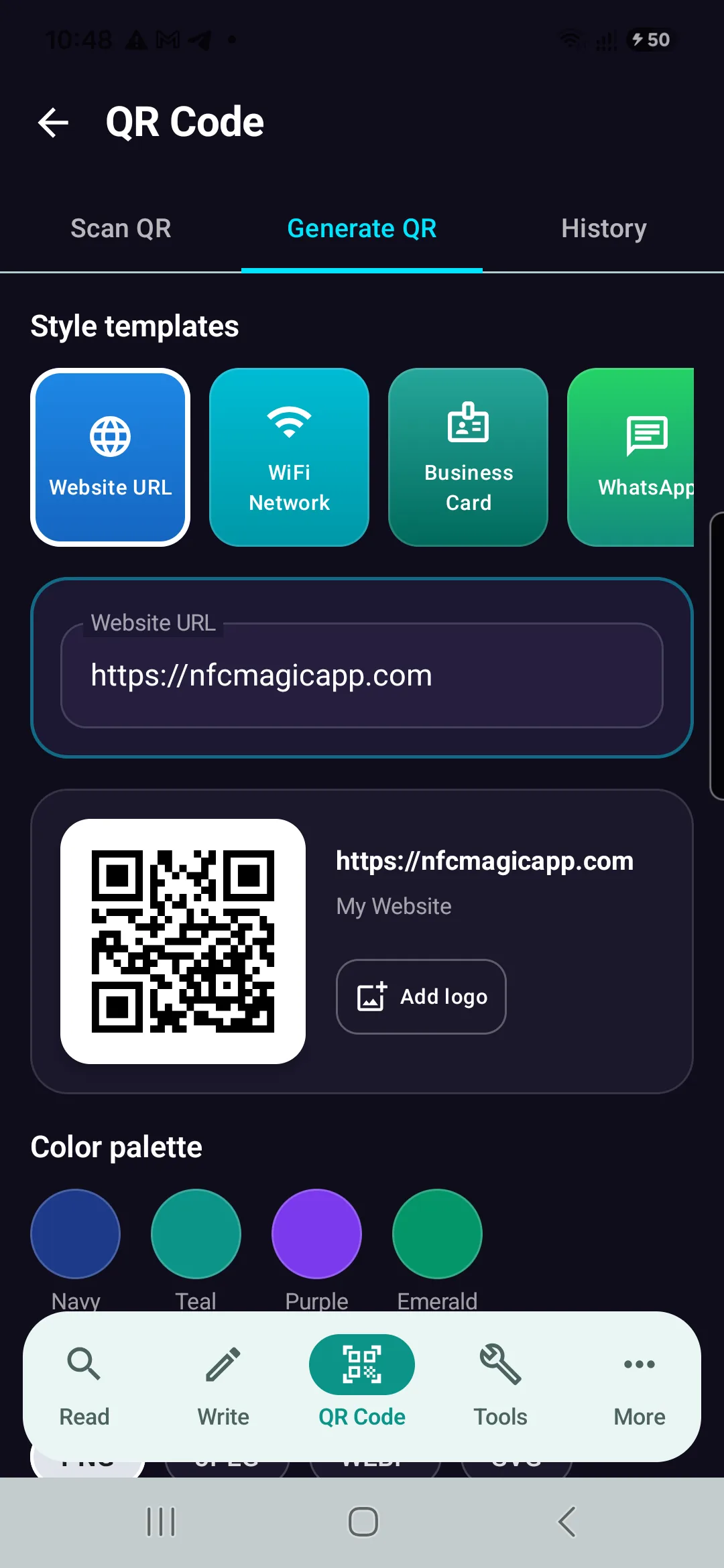
Generate Reliable QR Codes with NFCMagic
Download NFCMagic on Android to generate high-resolution QR codes with vector SVG exports, error correction controls, and seamless NFC tag writing.