How Much Data Can a QR Code Store?
A QR code can store significantly more information than a traditional one-dimensional barcode. However, the exact amount of data that fits inside a QR code depends on several factors, including the type of information being encoded, the QR code version, and the selected error correction level.
A standard QR code can contain up to 7,089 numeric characters under ideal conditions. For alphanumeric information, the maximum is 4,296 characters. When binary data is used, the maximum capacity is 2,953 bytes.
These maximum values do not apply to every QR code. Increasing error correction, for example, reduces the amount of space available for the original data.
Understanding these limits is useful when using a QR code generator, developing a qrcode reader, or deciding how much information should be placed directly inside a code with tools like NFCMagic.
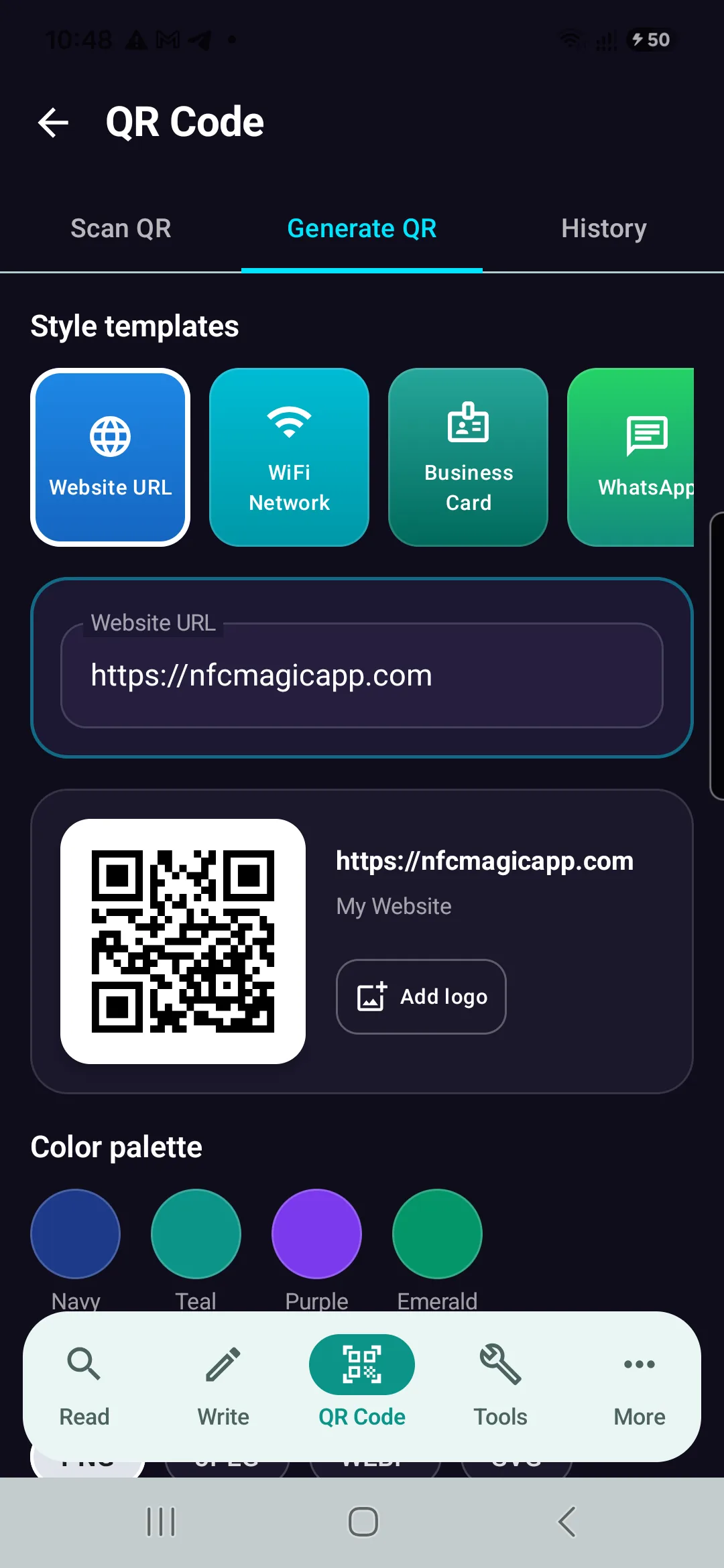
NFCMagic QR Code Generator Interface on Android — Automatically optimizing payload encoding and Reed-Solomon error correction for maximum readability.
Install NFCMagic Free on AndroidWhat Determines QR Code Capacity?
A QR code is not simply a random collection of black and white squares.
The small squares are called modules, and different groups of modules perform different functions.
Some represent the actual encoded data.
Others help a QR code reader determine the position and orientation of the code.
Additional modules contain error-correction information, timing patterns, format information, and other structural data.
For this reason, the entire visible area of a QR code cannot be used for storing user information.
Four major factors determine its practical capacity:
- QR code version
- Data encoding mode
- Error correction level
- Amount and type of encoded information
A QR code generator evaluates these factors when creating the final code.
QR Code Versions Explained
Standard QR codes have 40 versions.
Version 1 is the smallest.
It contains a grid of 21 × 21 modules.
Each subsequent version adds four modules to both dimensions.
Version 2 is therefore 25 × 25 modules.
Version 3 is 29 × 29 modules.
This continues until Version 40.
Version 40 contains a 177 × 177 module grid.
A larger version provides more space for data, but it also creates a visually denser QR code.
This is why a qrcode maker may produce a more complex-looking code when you enter a long URL or a large block of text.
Maximum QR Code Storage Capacity
Under the most capacity-friendly conditions, a standard QR code can theoretically store approximately:
| Data Type | Maximum Capacity |
|---|---|
| Numeric | 7,089 characters |
| Alphanumeric | 4,296 characters |
| Binary / Byte | 2,953 bytes |
| Kanji | 1,817 characters |
These values correspond to a Version 40 QR code using the lowest standard error correction level.
In real-world applications, QR codes are often much smaller.
A QR code containing a website URL, for example, may require only a fraction of this capacity.
Why Numeric Data Fits Better
QR codes support different encoding modes.
Numeric mode is highly efficient because the QR format can encode groups of digits compactly.
Alphanumeric mode supports numbers, uppercase letters, spaces, and a defined collection of symbols.
Byte mode is more flexible because it can represent a much wider range of data.
That flexibility comes at the cost of storage efficiency.
This explains why 1,000 digits require less QR code space than 1,000 arbitrary bytes.
A good QR code generator can automatically select an efficient encoding mode based on the supplied content.
What Is Error Correction?
One of the most important characteristics of QR code technology is error correction.
A QR code does not store only the original information.
It also contains redundant information that can help reconstruct data when parts of the code cannot be read correctly.
QR codes use Reed–Solomon error correction.
There are four standard error correction levels:
Level L: approximately 7% error recovery.
Level M: approximately 15%.
Level Q: approximately 25%.
Level H: approximately 30%.
Higher error correction can make a QR code more resilient to damage, dirt, scratches, printing defects, or partial obstruction.
But there is a trade-off.
More error-correction information means less capacity for the original payload.
Does a Bigger QR Code Store More Data?
This question has two different meanings.
Making the same QR image physically larger does not automatically increase its capacity.
For example, printing the same Version 5 QR code at 3 cm and 10 cm does not change the encoded information.
The module structure remains identical.
Changing the QR version, however, can increase capacity.
A Version 20 code contains considerably more modules than a Version 5 code.
Therefore, it can encode more information.
Physical dimensions and QR version should not be confused.
Why Do Long URLs Create More Complex QR Codes?
Try entering a short URL into a QR code generator and then generating another QR code containing several hundred characters.
The second code will normally appear denser.
The qrcode maker needs additional modules to represent the additional information.
Depending on the generator, it may automatically select a higher QR version.
This is one reason short URLs can be useful for QR codes.
Less encoded information can produce a simpler pattern.
Simpler patterns may also be easier to reproduce when a QR code must be printed at a small physical size.
Static QR Codes and Data Storage
A static QR code stores its destination information directly inside the code.
If the QR code contains a URL, that URL is encoded into its modules.
If it contains plain text, the text itself is encoded.
Once a static QR code has been printed, its underlying content cannot simply be changed without generating another code.
This makes payload size directly relevant to the complexity of a static QR code.
Dynamic QR Codes Work Differently
The term "dynamic QR code" can be misleading.
The printed QR pattern itself does not dynamically rewrite its modules.
Instead, a dynamic QR code commonly contains a short redirect URL (like NFCMagic Dynamic Smart Tags).
The server behind that URL determines the final destination.
This has an important consequence for QR code capacity.
A large amount of destination information does not necessarily need to be stored inside the QR code.
The code may only need to contain a relatively short web address.
The server can then redirect the qrcode reader to another URL.
Can a QR Code Store an Image?
Technically, QR codes can encode binary data.
Therefore, binary information representing an image could theoretically be encoded.
In practice, ordinary images are usually far too large for a standard QR code.
Even a small modern image can require tens or hundreds of kilobytes.
A standard QR code has a maximum binary capacity measured in only a few thousand bytes.
A more practical approach is to upload the image somewhere accessible and use a QR code generator to encode its URL.
The QR code then stores the address rather than the entire image.
Can a QR Code Store a PDF?
The same principle applies to PDF files.
A normal PDF cannot usually be stored directly inside a QR code because the file is much larger than the available capacity.
Instead, the PDF is hosted online.
The QR code contains a link pointing to it.
When scanned, the QR code reader extracts the URL and the device retrieves the document from the internet.
Can QR Codes Work Without the Internet?
Yes.
QR code technology itself does not require an internet connection.
A QR code containing plain text can be decoded completely offline.
The same applies to certain contact information, identifiers, configuration data, or other locally interpretable content.
Internet access becomes necessary when the encoded information points to an online resource.
For example, a qrcode reader can decode a website URL without internet access, but opening that website normally requires a network connection.
Why Not Store Everything Directly in the QR Code?
Technically, storing information directly inside a QR code can be useful in some situations.
However, larger payloads create denser QR patterns.
Dense patterns require sufficient image resolution and printing quality.
They can also require a larger physical printing area to maintain reliable module recognition.
For many applications, storing a compact identifier or URL is therefore more practical than embedding large amounts of information.
QR Code Capacity vs. Reliability
Maximum theoretical capacity should not always be the goal.
Imagine filling a Version 40 QR code almost completely with data.
The resulting pattern is extremely dense.
A qrcode reader must distinguish a large number of very small modules.
If the QR code is displayed on a screen at high resolution, this may work well.
Printing the same code on a very small label can create problems.
Ink spread, low printer resolution, camera focus, motion blur, and poor lighting can make individual modules difficult to distinguish.
A practical QR code should therefore balance capacity and readability.
Does QR Code Generator Quality Matter?
A standards-compliant QR code generator should produce a code that follows the QR specification.
However, implementation choices still matter.
A qrcode maker may choose different versions, encoding modes, error correction settings, image resolutions, margins, or rendering techniques.
These decisions can influence the final appearance and practical scan reliability.
When evaluating a QR code generator, users should therefore consider more than visual customization.
Correct encoding and reliable scanning are more important than decorative appearance.
What Is the Quiet Zone?
The blank area surrounding a QR code is called the quiet zone.
It helps the QR code reader distinguish the code from surrounding visual content.
The quiet zone does not increase storage capacity.
However, removing or heavily reducing it can make an otherwise valid QR code more difficult to detect.
This is particularly important when QR codes are placed inside complex packaging or graphic designs.
Can Compression Increase QR Code Capacity?
Compression can sometimes reduce the amount of data that needs to be encoded.
But compression does not change the fundamental capacity of the QR code standard.
Instead, the original information is transformed into a smaller representation before encoding.
Whether this is useful depends heavily on the data.
Already-compressed formats may gain little or nothing from additional compression.
The receiving system must also know how to decompress the information after the qrcode reader extracts it.
What Happens When the Data Is Too Large?
A QR code generator cannot keep increasing the QR version indefinitely.
Version 40 is the maximum version of a standard QR code.
If the payload exceeds the available capacity for the selected encoding and error correction configuration, the information cannot be represented in a single standard QR code under those settings.
The data must then be shortened, compressed, divided, or stored elsewhere.
A URL pointing to the information is often the simplest solution.
QR Code Capacity in Real-World Use
Most people never approach the theoretical storage limit of QR codes.
A website address may require only a few dozen characters.
A product identifier may contain fewer than 30 characters.
A Wi-Fi configuration can also fit comfortably inside a relatively small QR code.
The maximum capacity becomes more important in specialized applications where significant information must be available offline.
QR Code Generator vs. QR Code Reader
A QR code generator converts information into the structured module pattern defined by the QR standard.
A QR code reader performs the reverse process.
The reader first detects the code.
It identifies its orientation and structure.
It samples the modules.
It extracts encoded bits.
It applies error correction where necessary.
Finally, it reconstructs the original information.
Understanding this process explains why QR code capacity is not simply determined by counting black and white squares.
Frequently Asked Questions
How many characters can a QR code store?
A standard QR code can store up to 7,089 numeric characters or 4,296 alphanumeric characters under maximum-capacity conditions. Actual capacity varies according to QR version, encoding mode, and error correction level.
Can a QR code contain unlimited information?
No. Standard QR codes have defined capacity limits. Large files or extensive information are normally stored elsewhere, with the QR code containing a URL or identifier pointing to that information.
Does a larger printed QR code hold more information?
No. Increasing the physical dimensions of an existing QR code does not increase its data capacity. Capacity depends primarily on QR version, encoding mode, and error correction settings.
Can a QR code store a complete website?
Not realistically. A QR code can store the website's URL, allowing a browser to retrieve the site after scanning.
Can a qrcode reader scan a QR code without internet?
Yes. Decoding the QR code itself can happen offline. Internet connectivity is only required when the encoded content depends on an online resource.
What is the largest standard QR code?
Version 40 is the largest standard QR code version, containing a 177 × 177 module matrix.
Does higher error correction reduce QR code capacity?
Yes. Higher error correction allocates more space to redundant recovery information, leaving less capacity for the original payload.
Conclusion
QR codes offer an unusual balance between compact size, data capacity, and resistance to physical damage.
The maximum theoretical capacity reaches 7,089 numeric characters, 4,296 alphanumeric characters, or 2,953 bytes of binary data, but practical QR codes are usually far smaller.
QR version, encoding mode, and error correction all influence how much information can be stored.
A QR code generator must balance these factors when converting information into a scannable pattern.
Likewise, a qrcode reader must accurately detect and reconstruct that pattern under real-world conditions.
Understanding these limits is useful whether you are choosing a QR code generator, building a qrcode maker, developing a QR code reader, or simply trying to create QR codes that remain reliable after printing.
The most effective QR code is therefore not necessarily the one containing the most information. It is the one that stores the required information while remaining easy and reliable to scan.
Generate & Scan QR Codes with NFCMagic
Try NFCMagic free on Android to create custom QR codes with logo embedding, vector SVG exports, and zero-tap NFC integration.