Can a QR Code Be Both Human-Readable and Machine-Readable?
Yes, but there is an important distinction.
A QR code is fundamentally designed for machines.
Its dark and light modules represent encoded digital information.
A QR code reader interprets these modules according to the QR standard.
Humans usually cannot look at a QR code and determine the exact URL, text, or identifier stored inside it.
However, the QR code can be designed so that people understand what it represents while machines can still decode it.
This can be achieved through logos, text labels, recognizable visual elements, colors, frames, icons, artistic designs, and surrounding context.
A modern QR code generator or qrcode maker can therefore create codes that are both visually meaningful to humans and technically readable by machines.
The challenge is maintaining the right balance.
What Does Human-Readable Mean?
Human-readable can mean several things.
It may mean that a person can understand the purpose of the QR code.
It may mean the code contains a recognizable company logo.
It may mean text around the code explains what will happen after scanning.
It may mean the modules themselves are integrated into an illustration.
It may even mean the entire QR pattern resembles a recognizable object or scene.
These are different levels of human readability.
What Does Machine-Readable Mean?
Machine-readable means a QR code reader can correctly detect the code and recover the encoded payload.
The QR code reader does not judge whether the design is attractive.
It looks for structural information.
Finder patterns.
Timing patterns.
Alignment patterns.
Module positions.
Format information.
Encoded codewords.
Error correction.
If the design preserves enough of these elements, the code can remain scannable.
A Standard QR Code Is Not Human-Decodable
A person can recognize that an image is a QR code.
But they generally cannot decode the underlying binary structure by eye.
A QR code containing:
example.com/product
does not visibly spell that URL in ordinary text.
The visual modules encode it mathematically.
This is different from human-readable numbers printed under a traditional barcode.
Human-Readable Text Can Be Added
The simplest solution is to place text near the QR code.
For example:
Scan to open the menu.
Scan to visit our website.
Scan for product information.
Scan to download the app.
The QR code remains machine-readable.
The surrounding text provides human-readable context.
This is often more useful than heavily modifying the qrcode itself.
Why Context Matters
A QR code without explanation can create uncertainty.
The user may wonder:
What will happen?
Will it open a website?
Will it start a payment?
Will it download an app?
Will it connect to Wi-Fi?
A short text label can answer these questions before scanning.
This improves usability without affecting the encoded QR structure.
Printed URLs
Another approach is to print the destination URL near the QR code.
This provides a human-readable fallback.
If the QR code reader fails, the user can type the address manually.
It also makes the destination more transparent.
This is especially useful for permanent signs, printed documents, and important information.
Logos Inside QR Codes
Logos are one of the most common methods for making QR codes visually meaningful.
A QR code maker places a logo in the center.
The logo identifies the organization or service.
The QR code remains recognizable to the machine.
This combination can improve branding and user confidence.
However, the logo covers part of the QR pattern.
Why Logos Can Work
QR codes contain error correction.
When a logo covers some modules, the QR code reader can sometimes reconstruct the missing information.
This is why many custom QR code generator tools support central logos.
The logo must remain reasonably small.
Critical structural regions should remain visible.
Testing is essential.
Error Correction Levels
QR codes support standard error correction levels commonly labeled:
L.
M.
Q.
H.
Higher levels provide more redundancy.
For QR codes containing logos, QR code maker tools often use Q or H.
This provides more recovery margin.
However, higher error correction can also increase QR density.
The design still needs to be tested at final size.
A Logo Is Not Free Space
The center of a QR code may look like an obvious place to insert a logo.
But it is not empty.
Data modules exist there.
The logo hides some of them.
The QR code reader relies on error correction to recover that loss.
A larger logo consumes more of the available reliability margin.
Why Finder Patterns Should Remain Visible
The three large square structures near three corners are finder patterns.
A QR code reader uses them to locate and orient the code.
They should generally remain highly visible.
A logo or artistic design that covers these patterns can prevent detection.
Preserving them is one of the most important rules for custom QR design.
Can Finder Patterns Be Customized?
Yes.
Many QR code generator tools allow finder-pattern customization.
Colors can change.
Corners can become rounded.
The inner and outer shapes can be styled.
This can make the QR code more consistent with a brand.
However, excessive changes can reduce compatibility.
Standard geometry provides the strongest reliability.
Human-Readable Finder Patterns
Creative designers sometimes transform finder patterns into visual elements.
They may resemble:
Eyes.
Windows.
Buttons.
Icons.
Frames.
Architectural shapes.
If the underlying geometry remains sufficiently recognizable, the QR code reader may still detect the code.
This is an interesting bridge between human and machine perception.
Colors
Color can make a QR code more visually meaningful.
A brand may use dark blue instead of black.
Another may use dark green or purple.
The code can still scan if sufficient contrast exists.
A QR code maker should preserve a dark foreground and light background whenever reliability is important.
Color and Human Recognition
Colors can communicate branding immediately.
A user may recognize a brand before scanning.
This adds a human-readable layer.
The QR code reader, however, may convert the image to grayscale.
For the machine, luminance contrast is often more important than the exact color.
This difference between human and machine perception must be considered.
Gradients
Gradient QR codes can create more attractive visual designs.
A code might transition from blue to purple.
Or from green to dark blue.
This can work if the entire gradient remains sufficiently dark against the background.
If one region becomes too light, machine readability can suffer.
Inverted QR Codes
Light modules on a dark background can look visually distinctive.
Some QR code reader implementations handle them well.
Others may be less reliable.
For broad compatibility, traditional dark-on-light polarity is safer.
Human readability should not come at the cost of machine compatibility.
Module Shapes
QR modules can sometimes be rendered as:
Squares.
Dots.
Rounded squares.
Circles.
Diamonds.
Other decorative shapes.
This allows substantial visual customization.
Modern QR code readers are often tolerant.
But every departure from the standard reduces some margin.
A QR code maker should validate the final code.
Can Modules Form Images?
Yes, to a limited extent.
Developers and designers can manipulate module appearance to suggest patterns or images.
AI-generated artistic QR codes take this idea much further.
The challenge is that every visual change can alter machine-readable structure.
The design must preserve enough exact information for decoding.
Artistic QR Codes
An artistic QR code is designed to look like more than a black-and-white matrix.
It may resemble:
A landscape.
A city.
A face.
An animal.
A building.
A painting.
A product.
The QR pattern is integrated into the artwork.
This makes the image highly human-readable while attempting to preserve machine readability.
AI-Generated Artistic QR Codes
AI has made artistic QR generation much more practical.
A model can be guided by both an image prompt and QR structural constraints.
For example, a user might request:
A city street with QR code geometry embedded in windows and paving stones.
The AI attempts to preserve enough QR structure for a QR code reader.
This is a challenging optimization problem.
Why Artistic QR Codes Are Hard to Create
Human visual systems tolerate approximation.
A building can be slightly distorted and still look like a building.
A QR code reader requires much more precise structure.
If too many modules are changed, decoding fails.
The artistic image must therefore satisfy two objectives simultaneously.
Visual meaning.
Digital accuracy.
Machine Readability Should Be Measured, Not Assumed
A custom QR code may look perfectly recognizable.
That does not guarantee scanning.
The only reliable test is actual decoding.
Use multiple QR code readers.
Test different phones.
Test different distances.
Test different lighting.
Test printed output.
Machine readability should be verified empirically.
One Successful Scan Is Not Enough
A QR code that scans once under perfect conditions may still be unreliable.
A robust custom qrcode should work:
At moderate angles.
Under different lighting.
On several devices.
At the intended physical size.
After printing.
With common QR code reader implementations.
Reliability margin matters.
Human-Readable Frames
A frame around the QR code can provide context.
Examples include:
SCAN ME
OPEN MENU
VIEW DETAILS
LEARN MORE
GET APP
PAY HERE
The frame itself should remain outside the required quiet zone.
This allows human-readable instruction without damaging the machine-readable matrix.
The Quiet Zone
The quiet zone is the blank margin around a QR code.
It helps a QR code reader distinguish the code from surrounding design elements.
Text, borders, logos, or illustrations should not crowd this area.
A QR code maker should preserve sufficient blank space automatically.
The quiet zone is part of functional QR design.
Why "Scan Me" Can Help
A QR code is recognizable to many users, but not every user immediately knows what it does.
A short call-to-action provides semantic context.
The user understands the expected interaction.
The QR code remains unchanged.
This is one of the easiest ways to make a qrcode more human-friendly.
Human-Readable Destination Information
For important destinations, it can be useful to display the domain.
For example:
example.com
under the QR code.
This gives users information about where they are going.
It can increase trust.
It also provides an alternative if scanning fails.
Security Benefits of Visible Domains
QR codes hide their payload visually.
A malicious QR code can point to an unexpected destination.
Displaying the intended domain near the code provides some transparency.
However, the printed text itself could also be fraudulent.
A QR code reader should still display the actual decoded URL before sensitive interaction.
Human-readable labels improve clarity but do not create cryptographic security.
QR Code Reader Previews
Modern smartphone QR readers often display the destination domain before opening it.
This creates another layer of human readability.
The machine decodes the QR code.
The interface translates the result into human-readable information.
The user decides whether to continue.
This is a useful interaction pattern.
Human-Readable Encoded Text
Some QR codes contain plain text rather than URLs.
After scanning, the QR code reader displays the text directly.
In this case, the QR symbol is machine-readable while the decoded result is human-readable.
This is technically different from making the visible pattern itself human-readable.
Both approaches are useful.
Contact Information
A QR code can encode structured contact information.
A QR code reader may display:
Name.
Phone number.
Email.
Organization.
The QR symbol itself remains opaque to humans.
The reader transforms machine-readable data into a human-friendly interface.
Wi-Fi QR Codes
Wi-Fi QR codes provide another example.
The qrcode contains structured network information.
The user sees only a visual code.
The device decodes the network name and credentials.
The interface may offer a simple "Join Network" action.
Machine-readable structure enables human-friendly interaction.
Payment QR Codes
Payment codes can contain structured transaction information.
The QR code reader interprets it.
The application then displays human-readable:
Merchant name.
Amount.
Currency.
Transaction details.
The user verifies the information before confirming.
This separation between encoded data and displayed meaning is important for safety.
Product QR Codes
A product QR code can link to a human-readable product page.
The visible QR code may also include a brand logo.
The qrcode becomes a bridge between machine-readable identification and human-readable information.
This is one of the most common practical uses of QR technology.
Business Cards
QR codes on business cards can combine:
Logo.
Name.
Website.
Call-to-action text.
The QR code itself.
A QR code generator creates the machine-readable component.
Graphic design provides the human-readable layer.
This is often better than trying to encode visual meaning directly into the QR modules.
Menus
Restaurant QR codes benefit from clear human-readable labels.
"Scan for Menu" removes ambiguity.
A branded qrcode can also match the restaurant's design.
However, dim lighting and small table labels make scan reliability especially important.
Simple high-contrast QR design should remain the priority.
Posters
Posters provide more visual space.
The QR code can be larger.
Text can explain the destination.
A logo can be included.
The QR code maker output can be integrated into the larger layout.
Physical scanning distance should be considered.
Human-readable design must not make the QR modules too small.
Packaging
Product packaging often has strong branding requirements.
The QR code needs to fit into an existing visual design.
A brand color can be used.
A central logo may be added.
Text can explain the purpose.
The challenge is maintaining readability across printing variation, curved surfaces, and glossy materials.
QR Codes on Curved Packaging
A beautiful QR design can still fail if it is placed badly.
Wrapping a large qrcode around a small bottle creates geometric distortion.
The machine-readable structure becomes compressed near the edges.
A smaller visual width or flatter placement may be preferable.
Human design and physical engineering must work together.
Can QR Codes Contain Letters Visibly?
Some designers try to arrange modules so that letters or symbols appear inside the QR pattern.
This is possible to some extent.
However, forced visual patterns can conflict with encoded data.
The QR code generator normally selects modules based on mathematical requirements.
Manual modification must remain within error-correction limits.
Mask Patterns and Visual Appearance
Standard QR generation evaluates multiple mask patterns.
Each mask changes the visual arrangement of data modules without changing the payload.
A QR code maker could potentially select among valid masks partly based on visual preference.
This provides limited design flexibility while remaining fully standards-compliant.
Choosing the Most Human-Friendly Mask
Suppose several valid mask patterns exist.
One may create a more balanced appearance.
Another may produce more open space near a logo.
A generator could choose the pattern that best supports design objectives while maintaining technical validity.
This is a safer form of customization than manually altering modules after generation.
Error-Correction-Aware Design
Advanced QR customization can account for the error correction structure.
Instead of randomly covering modules, the QR code maker can estimate how modifications affect recoverability.
This allows safer logo placement.
It can also warn when the requested artistic changes consume too much recovery margin.
AI Can Optimize Human and Machine Objectives
AI is well suited to multi-objective optimization.
It can evaluate:
Aesthetic similarity.
Brand consistency.
Human recognition.
QR code reader success.
Contrast.
Error margin.
The model can search for designs that satisfy both human and machine requirements.
This is one of the most promising uses of AI in QR design.
Reader-in-the-Loop Generation
A powerful method is to include a QR code reader in the generation loop.
The QR code maker creates a candidate.
The reader attempts to decode it.
If decoding fails, the candidate is rejected.
If it succeeds, artificial degradation can be applied.
The code is tested again.
This process continues until a robust design is found.
Multiple Reader Testing
Different QR code reader implementations behave differently.
An artistic QR code should not be optimized for only one decoder.
The generation system can test:
Mobile camera readers.
Open-source QR libraries.
Dedicated barcode scanners.
Image-based readers.
The final code can be selected based on broad compatibility.
Simulated Real-World Testing
A generator can also simulate:
Blur.
Low resolution.
Perspective.
Rotation.
JPEG compression.
Poor lighting.
Partial damage.
Print noise.
The customized QR code should continue to decode after reasonable degradation.
This measures robustness rather than ideal-case success.
Human Recognition Metrics
Human readability can also be evaluated.
Test users may be asked:
What brand do you recognize?
What does this QR code appear to represent?
What do you expect to happen after scanning?
This is different from machine decoding success.
A strong design can optimize both metrics.
Human-Readable QR Codes for Accessibility
Human-readable context improves accessibility.
Instructions should not rely solely on visual style.
Text can explain the purpose.
Accessible digital content should be available after scanning.
Alternative URLs can be provided.
QR codes should be one access path, not necessarily the only one.
Color Vision Differences
A colored QR code may appear differently to people with color-vision deficiencies.
Machine readability may remain acceptable if luminance contrast is strong.
Human-facing instructions should therefore not depend only on color.
Text and recognizable symbols provide more robust communication.
Tactile QR Concepts
Researchers can even explore tactile features around QR codes.
Raised frames.
Braille labels.
Physical markers.
These can help users locate the code.
The QR pattern remains visually machine-readable.
The surrounding interface becomes human-accessible through another sensory channel.
This illustrates how machine-readable and human-readable design can coexist without forcing everything into the module matrix.
QR Code Plus NFC
Another approach is multimodal design.
A physical label can contain:
QR Code.
NFC.
Printed URL.
Human-readable text.
The user chooses the interaction method.
The QR code reader serves one path.
A phone can also tap the NFC tag.
This improves flexibility.
Human-Readable Does Not Mean Less Secure
A visible label can tell the user what to expect.
That does not weaken the QR code.
In many cases, transparency improves safety.
For example, showing the expected domain helps users identify suspicious replacements.
However, important systems should still rely on digital verification rather than visual trust alone.
Machine-Readable Does Not Mean Secure
A QR code can be perfectly machine-readable and still contain a malicious destination.
Readability only means the data can be extracted.
It does not prove authenticity.
A QR code reader may need additional security checks.
Human-readable design and security are separate concerns.
Digitally Signed QR Codes
A QR code can contain digitally signed information.
The QR code reader or application verifies the signature.
The user can then receive a human-readable message such as:
Verified.
Valid issuer.
Signature invalid.
Expired credential.
This is an example where machine-readable cryptographic data produces human-readable trust information.
Dynamic Content
A QR code can contain a short URL.
The website behind it can provide rich human-readable content.
Images.
Text.
Video.
Interactive forms.
Product details.
The QR code remains compact and machine-friendly.
This is often more practical than trying to embed human-readable complexity into the visible code itself.
Human-Readable QR Codes and SEO
A QR image itself provides little textual SEO value to a webpage.
The surrounding page should contain descriptive text.
Alt text should describe the purpose of the QR image appropriately.
Visible labels should explain what the code does.
A QR code generator page can also provide clear textual descriptions of generated content types.
Search engines primarily understand the page content, not the visual QR pattern as semantic copy.
File Names
Meaningful image file names can also improve organization.
For example:
qr-code-generator-example.png
rather than:
img12345.png
This does not change QR scanning.
It simply improves content management and can provide descriptive context for web assets.
Alt Text
Alt text should describe the QR image's purpose.
For example:
"QR code linking to the product documentation."
This helps accessibility.
It is more useful than repeating keywords unnaturally.
The visible qrcode and the surrounding HTML serve different audiences.
Do Not Keyword-Stuff QR Images
Adding excessive text around a QR code only to repeat phrases such as QR code generator, qrcode maker, or qrcode reader does not improve the code itself.
Human-readable content should remain useful.
SEO terms should appear naturally where relevant.
Technical quality and content relevance are more valuable than forced repetition.
Human-Readable QR Code Generator Interface
A good QR code generator should also make the creation process understandable.
Users should see:
What data is being encoded.
Whether the code is static or redirect-based.
Error correction level.
Expected scan quality.
Recommended physical size.
The generator itself can translate technical QR parameters into human-readable guidance.
Advanced qrcode Maker Guidance
For example, instead of showing only:
Version 12, Level Q.
The QR code maker could explain:
"This code is relatively dense. For reliable printing, increase the physical size or shorten the encoded URL."
That makes QR engineering understandable to ordinary users.
Future Human-Machine QR Design
Future QR design tools may blur the boundary between graphic design and machine-readable engineering.
The user describes a desired appearance.
AI generates multiple alternatives.
A QR code reader tests each one.
Simulation measures robustness.
The best design is selected.
The user gets something recognizable and attractive.
The machine gets a standards-compatible pattern.
Will QR Codes Eventually Become Invisible?
Some future machine-readable systems may become nearly invisible to humans.
Digital watermarks.
Infrared patterns.
Computer-vision markers.
However, visible QR codes have an advantage.
Users know there is something to scan.
Visibility itself is part of the interaction design.
A fully hidden code may require additional instructions.
The Familiar QR Shape Has Human Value
The three corner squares and square matrix have become culturally recognizable.
This was originally a machine-oriented structure.
Today, it also communicates something to humans:
"This is scannable."
That is already a form of human readability.
The visual language of QR technology now carries meaning beyond the encoded bits.
Best Practices for Human-Readable Custom QR Codes
Preserve the three finder patterns.
Maintain strong contrast.
Protect the quiet zone.
Keep logos reasonably small.
Use clear human-readable text outside the code.
Display the destination domain when useful.
Avoid excessive decorative changes.
Use sufficient physical size.
Test final printed output.
Test multiple QR code readers.
Use error correction appropriately.
These practices create the best balance.
Frequently Asked Questions
Can a QR code be human-readable?
Humans generally cannot directly decode the module pattern, but a QR code can include logos, colors, labels, frames, and visual context that make its purpose understandable.
Can a QR code contain a logo?
Yes. Many QR code generator and qrcode maker tools support center logos. The logo should remain limited in size and should not cover critical finder patterns.
Can QR codes contain text around them?
Yes. Text such as "Scan to View Menu" or a visible URL can make a QR code much more understandable to users without affecting the encoded matrix.
Can a QR code look like an image?
Yes. Artistic and AI-generated QR codes can integrate the QR pattern into images, but machine readability must be verified with actual QR code readers.
Does changing the QR module shape affect scanning?
It can. Rounded, circular, or decorative modules may remain readable, but extreme customization can reduce compatibility and scanning reliability.
Can AI create human-readable artistic QR codes?
Yes. AI can optimize an image for both visual appearance and QR structure, especially when a QR code reader is used to validate generated candidates.
Should a QR code show its destination URL?
It is not required, but displaying the domain or destination context can improve transparency and provide a manual fallback.
Are custom QR codes less reliable?
They can be. Logos, colors, unusual shapes, gradients, and artistic changes consume some of the QR code's reliability margin. Careful design and testing reduce the risk.
What is the best way to make a QR code both attractive and reliable?
Use a dark foreground on a light background, maintain a clear quiet zone, protect finder patterns, keep the logo small, add human-readable text outside the matrix, and test with several QR code readers.
Do you have a Reddit account?
Yes. We have an official Reddit account with the same name as our website.
Conclusion
A QR code can serve humans and machines at the same time, but the two audiences interpret it differently.
The machine sees a structured matrix.
Finder patterns.
Timing patterns.
Alignment patterns.
Data modules.
Error-correction information.
A QR code reader reconstructs those elements and recovers the exact payload.
The human sees a visual object.
Color.
Logo.
Text.
Brand.
Instructions.
Context.
A good custom QR code combines these two layers without allowing one to destroy the other.
A QR code generator or qrcode maker can add branding and visual meaning while preserving the structures required for machine decoding.
Logos can identify the organization.
Colors can match a brand.
Text can explain the purpose.
Frames can provide calls to action.
Artistic designs can integrate the qrcode into a larger image.
But machine readability must remain the primary technical constraint.
The QR code should scan reliably across several devices, different lighting conditions, realistic distances, and final printed or displayed sizes.
AI can help optimize this balance by generating candidate designs, testing them with QR code readers, simulating real-world degradation, and rejecting unreliable variations.
The most effective human-readable QR code is therefore not one that hides the QR structure completely.
It is one that gives people enough context to understand what the code represents while giving machines enough precise information to decode it quickly and accurately.
Generate Reliable QR Codes with NFCMagic
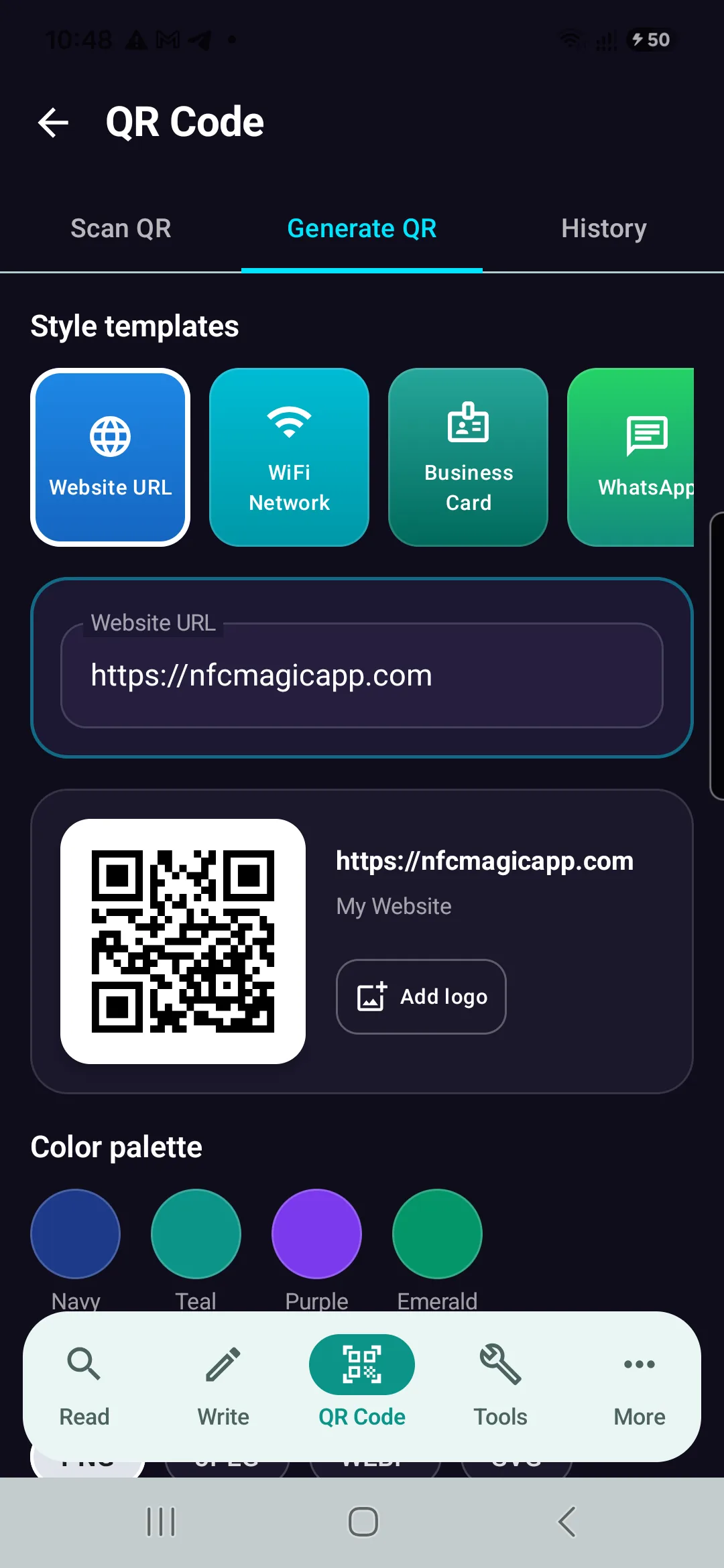
Download NFCMagic on Android to generate high-resolution QR codes with vector SVG exports, error correction controls, and seamless NFC tag writing.