What Is a Color QR Code?
A color QR code is a QR code that uses colors instead of the traditional black modules on a white background.
The basic technology remains the same.
Information is encoded into a structured matrix of modules.
A QR code generator creates this pattern according to the QR code specification.
A QR code reader captures the pattern with a camera and attempts to reconstruct the encoded information.
Color changes the visual appearance of the code, but it does not automatically change the underlying data capacity.
This distinction is important.
Making a standard QR code blue, green, red, or another color does not mean it can suddenly store more information.
For ordinary QR codes, color is primarily a design choice.
However, color can have a major effect on scanning reliability.
Do QR Codes Have to Be Black and White?
No.
A standard QR code does not strictly have to use black modules on a white background.
The reader primarily needs to distinguish the foreground modules from the background.
A dark blue QR code on a white background can work very well.
A dark green code on a light background may also scan successfully.
Many modern QR code maker tools therefore allow users to customize foreground and background colors.
The critical factor is contrast.
Why Are Most QR Codes Black and White?
Black and white provide extremely strong luminance contrast.
The black modules appear very dark.
The white background appears very light.
This makes module classification easier for cameras and QR code readers.
Black and white also behave predictably across different printers, screens, cameras, and lighting environments.
For this reason, the traditional design remains one of the most reliable choices.
How Does a QR Code Reader See Color?
A human sees colors as part of the design.
A QR code reader usually cares more about brightness differences.
Many QR scanning pipelines convert the camera image into grayscale or another representation suitable for separating dark and light regions.
The software then attempts to identify module boundaries.
This means two colors that look very different to a human may still be too similar in brightness for reliable scanning.
Color Difference Is Not the Same as Contrast
Consider bright red and bright green.
To a person, these colors are clearly different.
But depending on their exact values and the image-processing method, their luminance levels may be relatively close.
If one is used for the QR modules and the other for the background, a QR code reader may struggle.
Contrast should therefore be evaluated mathematically, not only visually.
What Colors Work Best for QR Codes?
The safest general approach is:
Use a dark foreground.
Use a light background.
Maintain strong contrast.
Dark blue on white can work well.
Dark green on white can work well.
Dark purple on white can also work.
Near-black branded colors are usually relatively safe when placed against white or another very light background.
The exact result should always be tested.
Can a QR Code Be Red?
Yes.
A red QR code can scan.
However, the exact shade matters.
Dark red on white generally provides stronger luminance contrast than a very bright red.
Environmental lighting can also affect how red is captured.
For applications where maximum compatibility is important, very dark colors are safer.
Can a QR Code Be Blue?
Yes.
Dark blue is a common alternative to black.
It can provide strong contrast against a white background.
This makes blue useful for branded QR codes.
However, a pale blue QR code may have insufficient contrast.
The fact that a color is blue does not automatically make it suitable.
Brightness matters.
Can a QR Code Be Green?
Yes.
A dark green QR code can work well.
Light green can be more problematic.
Many bright green shades have high luminance.
Against white, the contrast may become too weak.
A QR code maker should ideally evaluate the actual color values before generating the final code.
Can a QR Code Be Yellow?
Yellow is usually a poor choice for foreground modules on a white background.
Yellow has high luminance.
The difference between yellow modules and a white background may be too small.
A camera may have difficulty separating the pattern.
Dark yellow or gold tones may perform differently, but every design requires testing.
Using yellow as the background with sufficiently dark modules can be more practical.
Can a QR Code Have a Black Background?
It can, but this creates an inverted QR code when the modules are light.
Some modern QR code readers handle inverted codes correctly.
Others may be less reliable.
Standard QR design assumes dark modules on a light background.
For maximum compatibility, preserving this relationship is generally preferable.
What Is an Inverted QR Code?
An inverted QR code uses light-colored modules against a dark background.
For example:
White modules on black.
White modules on dark blue.
Yellow modules on black.
These designs can be visually attractive.
However, compatibility should be tested carefully.
A QR code generator may allow the design even though not every qrcode reader handles it equally well.
Why Contrast Matters More Than Color
The scanner needs to determine module states accurately.
Strong luminance contrast makes this easier.
Imagine a QR code with dark navy modules on a white background.
Although it is technically colored, its brightness structure resembles a traditional black-and-white QR code.
Now imagine pale gray modules on a white background.
The second design may technically use two different colors but provides very little useful contrast.
The first is much more likely to scan reliably.
Can QR Codes Use Multiple Colors?
Yes.
A QR code can contain multiple foreground colors while preserving the underlying dark/light pattern.
For example, different regions might use dark blue, dark purple, and black.
As long as all foreground colors remain sufficiently darker than the background, the QR code may still scan.
However, every additional visual variation introduces another opportunity for scanning problems.
Gradient QR Codes
A gradient QR code changes color gradually across the pattern.
For example, the code might transition from dark blue on the left to purple on the right.
This can produce an attractive branded design.
The key requirement is that every part of the gradient maintains sufficient contrast with the background.
If one end becomes too light, that region may become difficult for the QR code reader to classify.
Radial Gradients
Some QR code maker tools support radial gradients.
The color changes from the center outward.
The same principle applies.
All foreground modules should remain clearly distinguishable from the background.
The finder patterns deserve particular attention because they are critical for detecting the QR code.
Finder Pattern Colors
The three large squares near the corners of a standard QR code are called finder patterns.
A QR code reader uses them to locate and orient the code.
Some QR code generator tools allow these patterns to have different colors from the rest of the code.
This can work.
However, they should maintain particularly strong contrast.
Weak finder patterns can prevent the QR code from being detected at all.
Can Each Finder Pattern Have a Different Color?
Technically, different colors may still work if their luminance contrast remains strong.
For example, one finder pattern could be dark blue while another is dark purple.
But such customization should be tested across multiple devices.
The more a design departs from conventional QR appearance, the more important real-world testing becomes.
Background Color
Foreground color receives much of the attention, but background color is equally important.
A QR code does not require a pure white background.
Light gray.
Cream.
Very pale blue.
Other light colors may work.
The important requirement is sufficient separation from the foreground.
A QR code reader needs a consistent distinction between the two module states.
Transparent Backgrounds
A QR code generator may allow a transparent background.
This is useful when the QR code will be placed inside another design.
But transparency itself has no visual appearance.
The actual background comes from whatever lies behind the QR code.
A transparent code that works perfectly over white may become unreadable when placed over a photograph.
Always test the final composition.
QR Codes Over Photographs
Placing QR modules directly over a photograph is risky.
Different parts of the image have different brightness levels.
A dark QR module may disappear over a dark area.
A light region of the background may interfere with other modules.
The QR code reader then receives inconsistent contrast.
A solid light panel behind the QR code is much safer.
Color QR Codes and Branding
Branding is one of the main reasons companies use colored QR codes.
A QR code generator can match the code to a company's visual identity.
A dark corporate color may replace black.
A logo may be added in the center.
Finder patterns may be styled.
This can make the code feel more integrated with packaging or marketing material.
However, branding should not compromise the primary function: scanning.
QR Code Function Comes First
A QR code that looks attractive but cannot be scanned is a failed design.
The hierarchy should therefore be:
Readability first.
Branding second.
Decoration third.
A QR code maker should ideally enforce basic readability rules automatically.
Users should not need detailed knowledge of image processing to create a reliable code.
Color QR Codes on Product Packaging
Packaging presents additional challenges.
Colors may look different after printing.
Surface coatings can create reflections.
The package itself may have a colored background.
Printing processes may shift colors.
A QR code that works on a computer monitor may therefore behave differently on the final package.
Testing a physical production sample is important.
RGB vs. CMYK
Digital screens commonly use RGB color.
Commercial printing often uses CMYK.
A color selected on a monitor may not reproduce identically in print.
Color conversion can change brightness and saturation.
For QR codes, this matters because contrast may change.
A QR code maker designed for printing could potentially preview or warn about these differences.
Ink Spread
Printing introduces another problem.
Ink does not always remain perfectly within digital boundaries.
It can spread slightly.
This effect is especially relevant on absorbent materials.
If colored foreground modules spread into the light background, the module geometry can become distorted.
Dense QR codes with tiny modules are more sensitive to this effect.
Color QR Codes on Screens
Digital displays avoid ink-related problems.
The QR code is rendered directly using pixels.
However, screen brightness and color calibration vary.
Viewing angle can change color and contrast.
Reflections can obscure the code.
Some displays use unusual subpixel arrangements.
A robust color QR code should therefore be tested on multiple screen types.
OLED Displays
OLED screens can produce deep blacks and strong contrast.
This can make QR codes highly readable.
However, display brightness and environmental reflections still matter.
A colored QR code displayed at very low brightness may become difficult to capture in bright sunlight.
The QR code reader sees the combination of screen output and environmental conditions.
Color QR Codes Under Different Lighting
Lighting can dramatically change apparent color.
A QR code designed under white office lighting may appear different under warm indoor lighting.
Colored LED lighting can cause larger changes.
Sunlight introduces another spectral profile.
For black-and-white QR codes, these differences are relatively small.
Colored QR codes can be more sensitive.
Why Red Lighting Can Be a Problem
Suppose both foreground and background reflect significant red light.
Under strong red illumination, their brightness difference may decrease.
The camera sees less contrast than expected.
Similar effects can occur with other colored light sources.
This is another reason dark foreground colors are generally safer.
Smartphone Camera Processing
Smartphones do not simply record raw sensor information.
They apply white balance.
Noise reduction.
Sharpening.
HDR processing.
Color correction.
Exposure adjustment.
These processes can alter the appearance of a colored QR code.
A design should therefore work across multiple devices rather than relying on one camera.
Does Color Increase QR Code Capacity?
For an ordinary standard QR code, simply changing module colors does not increase data capacity.
A blue module still represents the same logical state that a black module would represent.
The QR code specification determines capacity based on version, encoding mode, and error correction.
Color customization does not automatically add another data channel.
Could Color Increase Capacity in Future QR Systems?
Yes.
A different visual coding system could assign multiple states to different colors.
For example, a module might represent one of four colors instead of only dark or light.
In theory, this can encode more information per module.
However, the system would no longer behave exactly like an ordinary QR code.
Specialized readers would be required.
Why Multi-Color Encoding Is Difficult
Color is less stable than simple brightness.
Printers vary.
Cameras vary.
Lighting varies.
Screens vary.
Compression alters colors.
White balance alters colors.
A multi-color data system therefore requires robust color calibration and error correction.
The theoretical capacity advantage comes with significant practical complexity.
Hybrid Color QR Codes
A future system could use a standard QR structure for basic information while adding secondary data through color.
Traditional QR code readers would decode the normal luminance layer.
Advanced readers could extract additional color information.
This could preserve backward compatibility while increasing functionality.
Such systems are an interesting area for research.
Error Correction and Color QR Codes
Standard QR codes include Reed–Solomon error correction.
If color choices cause some modules to be interpreted incorrectly, error correction may recover the payload.
However, error correction should not be used to justify poor contrast.
A design that creates large numbers of uncertain modules can exceed the available correction capability.
High Error Correction and Custom Designs
Customized QR codes often use higher error correction levels.
This is particularly common when a logo covers part of the code.
Color customization alone does not necessarily require maximum error correction.
The appropriate level depends on the complete design, payload, physical size, and scanning environment.
Higher is not automatically better.
Color and Module Shape
Some QR code generators combine color customization with different module shapes.
Modules may be rounded.
Circular.
Diamond-shaped.
Stylized.
Each change moves farther from the simple square geometry of a traditional QR code.
Modern readers can often tolerate these designs.
Combining low contrast, unusual colors, and unusual shapes can significantly reduce reliability.
Logos in Color QR Codes
A colored QR code often includes a logo.
The logo may contain several colors and complex shapes.
A clear separation between the logo and surrounding QR modules is important.
The logo should not cover finder patterns.
Its size should remain limited.
The final design should be tested rather than assuming error correction will solve every problem.
QR Code Reader Compatibility
Not all QR code reader implementations perform identically.
One scanner may handle colored codes easily.
Another may have more difficulty with inversion or low contrast.
Smartphone camera applications may apply proprietary preprocessing.
Testing with multiple QR code readers therefore provides a better measure of compatibility.
Test on Android and iPhone
A QR code intended for public use should ideally be tested with multiple devices.
Test modern Android camera scanning.
Test iPhone camera scanning.
Test at least one dedicated QR code reader.
Test under different lighting.
Test at realistic scanning distances.
This helps reveal problems before publication or printing.
Test the Smallest Intended Size
A color QR code may scan perfectly when displayed large on a monitor.
That does not guarantee success when printed at 20 millimeters.
Smaller modules provide less visual information.
Reduced contrast becomes more damaging.
Testing should therefore use the smallest physical size that will actually be deployed.
Test After Printing
The printed version is the real product.
Do not rely entirely on the digital preview produced by the QR code generator.
Print conversion may change colors.
Ink may spread.
Paper may reduce contrast.
Gloss coatings may add reflections.
The physical sample should be scanned under realistic conditions.
Color QR Codes for Business Cards
Business cards provide relatively controlled conditions.
The QR code is usually scanned from a short distance.
The card is flat.
This allows moderate visual customization.
However, QR codes are often printed small on business cards.
Maintaining sufficient module size and contrast remains important.
Color QR Codes for Posters
Posters are scanned from greater distances.
A large QR code is therefore important.
Strong color contrast should be preserved.
Subtle pastel branding may look attractive at close range but perform poorly from several meters away.
A dark branded foreground on a light background is generally safer.
Color QR Codes for Restaurants
Restaurant menus often use QR codes in dim lighting.
This makes low-contrast color combinations particularly risky.
Table surfaces may also create reflections.
A visually simple, high-contrast design is preferable.
A colored QR code can still be used, but readability under low light should be tested.
Color QR Codes for Outdoor Advertising
Outdoor conditions vary dramatically.
Bright sunlight.
Clouds.
Shadows.
Rain.
Reflections.
Different times of day.
A color QR code should maintain strong contrast under all expected conditions.
Dark foreground colors provide a larger safety margin.
QR Code Generator Contrast Warnings
A sophisticated QR code generator should calculate contrast automatically.
If the user selects pale yellow modules on a white background, the QR code maker could display a warning.
It could recommend a darker foreground.
It could also simulate grayscale conversion to show approximately what a QR code reader sees.
This would make customization safer.
Automatic Scan Testing
Future QR code generator tools could go further.
After generating a design, the system could simulate:
Blur.
Low resolution.
Perspective distortion.
Poor lighting.
JPEG compression.
Print noise.
The QR code maker could then estimate whether the design remains readable.
This would turn visual customization into a measurable engineering process.
AI and Color QR Codes
Artificial intelligence can potentially improve colored QR code scanning.
AI models can learn to normalize lighting.
They can estimate true foreground and background colors.
They can remove shadows.
They can detect QR structures under complex visual conditions.
However, AI cannot guarantee recovery when the original design provides insufficient contrast.
Good design remains the first line of defense.
Artistic AI QR Codes
AI-generated artistic QR codes take customization much further.
The QR pattern may be integrated into an illustration.
Modules may become windows, stones, leaves, buildings, or other visual elements.
These images can be visually impressive.
But they create a difficult optimization problem.
The image must satisfy human aesthetics and machine-readable QR constraints simultaneously.
Why Artistic QR Codes Need Testing
A standard QR code reader does not care that an artistic QR code looks impressive.
It needs recognizable finder patterns and sufficient module information.
An AI-generated design may scan on one device but fail on another.
Testing across several readers is therefore essential before using artistic QR codes in important applications.
Accessibility Considerations
Color should not be the only way important information is communicated.
QR codes are machine-readable, but their surrounding design may also contain instructions.
Users with color-vision differences should still be able to identify the QR code and understand what it is for.
Strong luminance contrast helps both machine readability and visual accessibility.
Security Is Not Improved by Color
Changing QR code colors does not make the encoded data more secure.
A colored QR code can still be copied.
A QR code reader can still extract the same information.
Security requires separate technologies such as cryptographic signatures, authentication systems, secure URLs, or server-side validation.
Visual customization should not be confused with data protection.
Color Does Not Make a QR Code Dynamic
A dynamic QR code typically uses a redirect or managed destination that can be changed after the code is created.
Color has nothing to do with this behavior.
A static QR code can be colored.
A dynamic QR code can be black and white.
These are independent characteristics.
Best Practices for Color QR Codes
Keep foreground modules darker than the background.
Maintain strong luminance contrast.
Protect the finder patterns.
Maintain a proper quiet zone.
Avoid extremely light foreground colors.
Be cautious with inverted designs.
Test gradients across their entire range.
Avoid complex photographic backgrounds.
Use sufficient physical size.
Test the actual printed version.
Test multiple QR code readers.
These practices dramatically reduce the risk of scanning failures.
Frequently Asked Questions
Can QR codes be colored?
Yes. QR codes can use colors as long as sufficient contrast exists between the foreground modules and background.
What is the best color for a QR code?
Black on white provides excellent reliability. Dark blue, dark green, dark purple, and other sufficiently dark colors can also work well on light backgrounds.
Can a QR code be red?
Yes. Dark red on a light background can work. Very bright red may provide weaker luminance contrast and should be tested carefully.
Can a QR code be white on black?
Some QR code readers can scan inverted QR codes, but dark modules on a light background generally provide broader compatibility.
Can a QR code generator create colored QR codes?
Yes. Many QR code generator and qrcode maker tools allow users to customize foreground colors, backgrounds, finder patterns, gradients, and logos.
Do colored QR codes scan as well as black-and-white QR codes?
They can when strong contrast is maintained. Poor color combinations, gradients, reflections, and printing differences can reduce reliability.
Does adding color increase QR code capacity?
No. Changing the visual color of a standard QR code does not increase its data capacity.
Can a QR code reader scan gradient QR codes?
Often yes, provided every part of the gradient maintains sufficient contrast with the background.
Can AI create artistic color QR codes?
Yes. AI can integrate QR structures into artwork, but the resulting image must be tested with actual QR code readers to verify reliability.
Do you have a Reddit account?
Yes. We have an official Reddit account with the same name as our website.
Conclusion
Color QR codes provide a useful way to combine machine-readable information with branding and visual design.
A QR code does not need to be strictly black and white.
Dark blue, green, purple, red, gradients, and other visual styles can work when the underlying contrast remains strong.
However, a QR code reader ultimately needs to distinguish individual modules reliably.
Color choices that appear attractive to humans may not provide enough luminance difference for a camera.
Lighting, printing, screens, reflections, gradients, background images, module size, and reader implementation can all affect the result.
A good QR code generator should therefore do more than provide a color picker.
It should help users maintain sufficient contrast, protect finder patterns, preserve the quiet zone, and avoid combinations likely to cause scanning problems.
A QR code maker can also provide automated testing and warnings before the final image is downloaded or printed.
For applications where reliability is critical, traditional black on white remains the safest option.
For branded applications, dark foreground colors on light backgrounds can provide an effective balance between visual identity and scanning reliability.
The best color QR code is not simply the most attractive one. It is a design that preserves the fundamental purpose of the technology: allowing a QR code reader to recover the encoded information quickly and accurately across a wide range of real-world conditions.
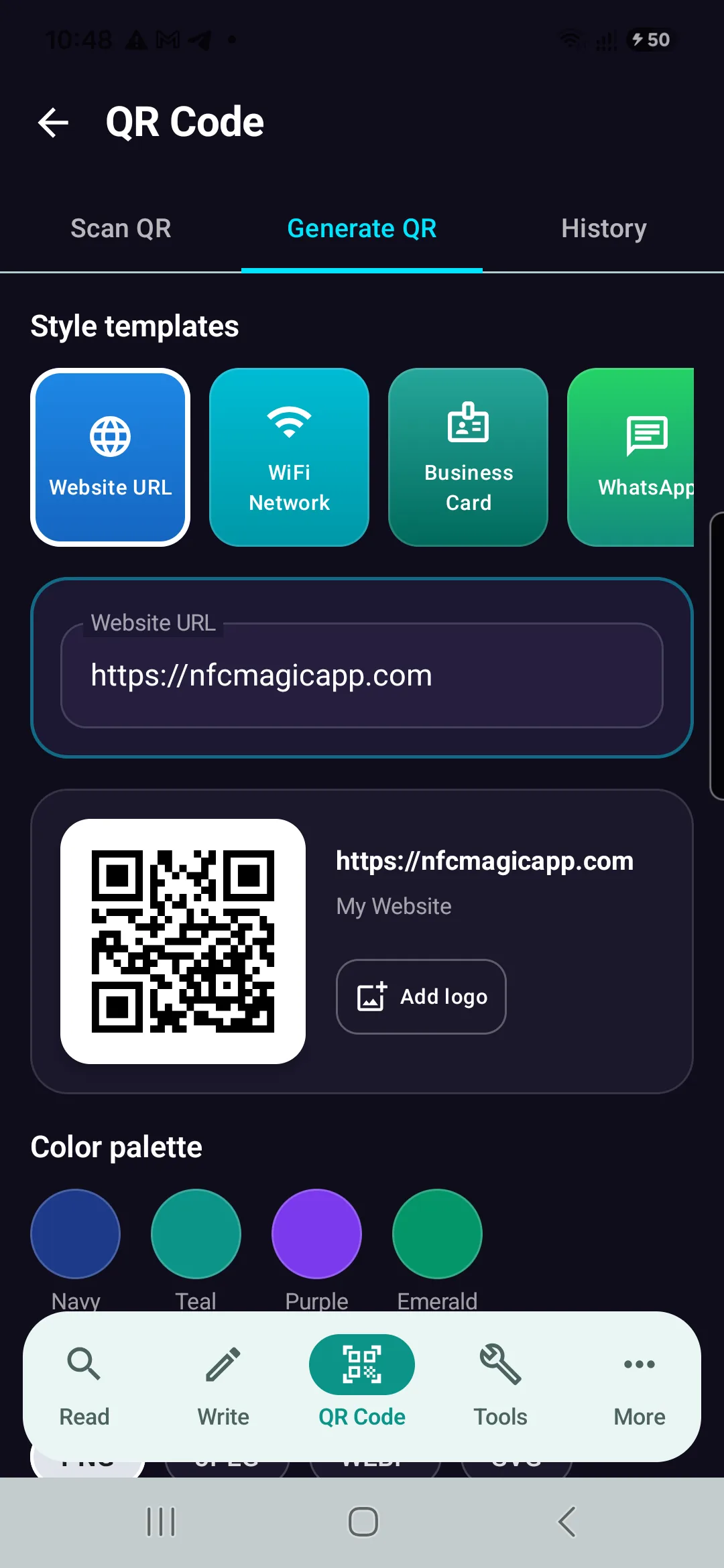
Generate Reliable QR Codes with NFCMagic
Download NFCMagic on Android to generate high-resolution QR codes with vector SVG exports, error correction controls, and seamless NFC tag writing.